WebGizmos WebGizmos

Calling all PC experts - Saving image problem...

Calling all PC experts - Saving image problem...

Ok...I've searched the net and every where else I can think of, so this is a last resort.

Here's the problem...I go to save a animated .gif image...sometimes it (My PC) allows me to save it as it is...a animated .gif...but then other times it will only allow me to save it as a .bmp...which stops the animation of the image.

Is there a setting somewhere I need to change or set that will give me the choice of image types?



Powered by SkinBrowser!
16,427 views 97 replies
Reply #26 Top
When you say address bar ChinaCat...that would be...uh ...where? On my MSN homepage? My mailbox outside?

And I just tried...don't laugh!...doing this in the bar on my MSN homepage by typing in ftp.tripod.com just to see what happened...nothing happened though...


Powered by SkinBrowser!
Reply #27 Top
try this... ftp.whatever-nick-you-use .@tripod.com w/o the space of course


Ok...tried that ChinaCat...took me to write an email...


Powered by SkinBrowser!
Reply #28 Top
you need to put you nick in there...reread!

I think I would suck as tek support. ...cause I wanna smack you and call you names


[Message Edited]
Reply #29 Top
what version of IE are you using?
Reply #30 Top
Oh sure...now you really want to see how braindead I am...I have no idea which version of IE...All I can tell ya is I just upgraded it to the latest one...I think...

And I tried it with my website nic I use to log in with but that was a no go...I could very well be typing this in the wrong place for all I know...But Hey! Your doing great as tech support! It's the supportee thats not doing do good!


Powered by SkinBrowser!
Reply #31 Top
I think I would suck as tek support. ...cause I wanna smack you and call you names


I'm next!!!!


Powered by SkinBrowser!
Reply #32 Top
heh you might want to reread the tech support one again


Thanks


Is this working for anyone?
Reply #33 Top
Yeaaaah, I ready
Reply #34 Top
You mean you want us to read this???


Powered by SkinBrowser!
Reply #35 Top
Well...I'm getting excited....haven't had this much attention from girl for some time now...

Oh wait!...I think I'm sharing to much now....


Powered by SkinBrowser!
[Message Edited]
Reply #36 Top
Oh hush Gary! try it!....please! I know it works


webgizmos, you need to get out more
Reply #37 Top
Well ChinaCat...when it comes to the information highway...I'm stuck in a culdesac!...


Powered by SkinBrowser!
Reply #38 Top
Ok...on a more serious note...when you say addressbar...
where exactly are you referring to? The bar I would type a web address into to go to a website?


Powered by SkinBrowser!
Reply #40 Top
Ok...thats where I was trying it but for some reason nothing was happpening...no warning popups are anything else...

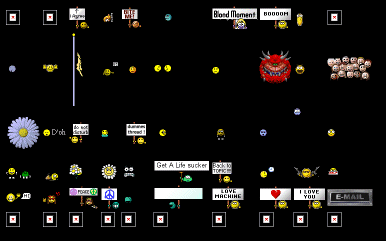
If you wouldn't mind...try this and see if the same thing happpens if you try to put an image in a folder. The link is to a webpage I'm putting together of collected smiles for everyone to download and use.
http://members.tripod.com/~mrnatural3/smiley/smiley.html and let me know if they try to save as .bmp's for you as well. And there's only a fraction of what I have on that page...there will be hundreds more soon.

[Message Edited]
Reply #41 Top
Good lord! Is there just one I can download...Or do I have to try out the whole team?


[Message Edited]
Reply #42 Top


they save as a gif for me
[Message Edited]
Reply #43 Top
You shoud be able to just right click and "save as" or "save target as" or "save image as"...unless there's a way I don't now about...
Reply #44 Top
Travis...Then it must be some sortof setting on my PC thats out of whack...yes/no?

Even when I right click on the image in your post Travis...it saves as a .bmp for me...what the hay!
[Message Edited]
Reply #45 Top
#43 by Citizen webgizmos - 1/19/2004 11:55:54 PM You shoud be able to just right click and "save as" or "save target as" or "save image as"...unless there's a way I don't now about...


You mean you don't show those options when you right click or they show and don't work?


Powered by SkinBrowser!
Reply #46 Top
It works for me, so its probably something wrong with your computer not the site. I bet if you rename the extensions on the bmps that are supposed to be gifs back to gif they will work right
Reply #47 Top
You need to save Target, not picture...


Powered by SkinBrowser!
Reply #48 Top
I can save everything as .gif, cept the Red X ones...are those the problem?

Reply #49 Top
depends on what browser you are using. firebird you save image. ie you don't
Reply #50 Top
those red x ones are nothing. just .gif ...no filename