sdRohan sdRohan

Fences 4 1.0 Release Issue Report Thread

Fences 4 1.0 Release Issue Report Thread

With the Fences 4 1.0 release, we are creating this thread so that users can report any observed issues.  

Obtaining Fences 4

Object Desktop members can get the release from within Object Desktop Manager 

Individual purchases (as well as Object Desktop Members) can also be obtained from your account page: https://store.stardock.com/myaccount/products

For guest check-out purchase (no account), from this link: http://www.stardock.com/support/productkeyretrieval

Reporting an issue

Please include the following for anything found:

  • Exact Windows version \ build (winver.exe)
  • Detailed steps to recreate the issue seen
  • Screenshots and videos are very helpful.  Videos can be uploaded to a cloud drive services (GoogleDrive, DropBox, OneDrive, YouTube) and links included in your post.  Images can be directly added.
  • If there are specific apps that the app does not work (well) with, please note what apps and their exact versions.  If any app is not common, a link to a trial version would be appreciated.

Thank you for your interest and any time you put into making Fences a better product.

Sean Drohan
Stardock Support Manager

332,523 views 101 replies +1 Loading…
Reply #76 Top

Quoting basj, reply 75


Quoting reflected,

using portal folder

pressed backspace twice to go back and bam...crashed and can't enable fences anymore


Hello,
Sorry to hear you are having issues. May I know:


    1. You on Windows version? Please use Windows own Winver.exe to get those numbers.


    1. Fences version numbers.


    1. Is the issue happen on any Portal Fences or Specific folder and on network drive, external drive, etc?


Thanks
Basj,
Stardock Community Assistant.

End of basj's quote


Windows 10 Pro 21H2 build 19044.1706


fences 4.0.0.3


I can't tell if it's only on specific folder
I just bought it today and tried it on my downloads folder and it crashed in away that I couldn't restart fences anymore.

only uninstalling + remove settings of fences and reinstalling solved the problem, so I don't want to try it anymore for now.

you should have use exception errors (try/except) so it won't crash that way, or even better allow user to remove folders from a list (even when fences is not enabled yet), maybe if I had an option to unset the folder as "portal" from a list or something, so I wouldn't have needed to uninstall and remove the settings... spent half hour to reorganize everything again -.-


PS - I've sent you a mail about something else, I can't find an away to stop the auto-arrange icons feature within fences. kind of weird not having this. 

All in all the idea is great, but not perfect. Hope that you can improve it from your side without too much time and effort.


Reply #77 Top

Quoting reflected, reply 76

fences 4.0.0.3

I can't tell if it's only on specific folder
I just bought it today and tried it on my downloads folder and it crashed in away that I couldn't restart fences anymore.
End of reflected's quote

Hello,

I have been unable to recreate the issue on my end. Are your portals to local drives or to network/onedrive drives/folders?

You might also try the new beta release and see if that helps

Paul Scroggins
Associate Technical Support Analyst

Reply #78 Top

Quoting sdRohan, reply 73

If you restart Windows Explorer, is that still the case?
End of sdRohan's quote

Restarting Windows Explorer does not change anything.

Reply #79 Top

Quoting reflected, reply 76

Windows 10 Pro 21H2 build 19044.1706

fences 4.0.0.3

I can't tell if it's only on specific folder
I just bought it today and tried it on my downloads folder and it crashed in away that I couldn't restart fences anymore.
only uninstalling + remove settings of fences and reinstalling solved the problem, so I don't want to try it anymore for now.
you should have use exception errors (try/except) so it won't crash that way, or even better allow user to remove folders from a list (even when fences is not enabled yet), maybe if I had an option to unset the folder as "portal" from a list or something, so I wouldn't have needed to uninstall and remove the settings... spent half hour to reorganize everything again -.-

PS - I've sent you a mail about something else, I can't find an away to stop the auto-arrange icons feature within fences. kind of weird not having this.
All in all the idea is great, but not perfect. Hope that you can improve it from your side without too much time and effort.

End of reflected's quote

Please uninstall your current version,reboot, download the latest beta from your account page : V4.0.5 https://store.stardock.com/myaccount/products. Reboot and retest. Report back here.

Thank you,

Basj,
Stardock Community Assistant

Reply #80 Top

Thanks for the quick response!  I'm afraid to try though :X

Last time it took me lots of time to reorganize my desk.

what's in the update? 


Reply #83 Top

How to buy Fences if i am from Russia ?:(((Pay Pal is not workinkg, other cards too. So sad. Is any solution? Regards.

Reply #84 Top

>>AnnetkoO<<

I don't know the money and how it is used. I use a Visa card with no issues for everything I buy on the internet.

Bob

Reply #85 Top

Quoting sdRohan, reply 73


Quoting scorpio2001de,

Hello from Germany. I'm very happy with Fences so far for many years, but now with Fences 4 (all Versions inc. Beta) i get this graphical error with every System Startup.

Win 11 Pro 21H1 Build 22000.708 (was the same on Windows 10).


If you restart Windows Explorer, is that still the case?


Sean Drohan
Stardock Support Manager

End of sdRohan's quote

As I wrote: Restarting Explorer doesn't change anything.

Any other ideas?

Reply #86 Top

1. Windows 11    Version 10.0.22000 Build 22000

2.

Fences.exe - Application Error

The application was unable to start correctly (0x0000135).  Click OK to close application.

OK


Said I had the latest version before installing Windows update can't check again because of this error.


3. No 


Reply #87 Top
 
 
Reply #88 Top

Quoting 560smiles, reply 87

Hi,

I just purchased Fences 4 for windows 11 for two pcs. I have a dual monitor setup on both.

I however, have graphics issues on both systems on the monitor the the fences are on.

End of 560smiles's quote

Hello,
Please don't post same issue on multiple thread. I have respond to your other thread.

Thanks
Basj,
Stardock Community Assistant.

Reply #90 Top

I've got an annoying issue that has been in Fences since 3, and remains in 4.  Any time I update my nVidia video drivers, Fences resets to a smaller resolution (using maybe 3/4 of the screen) as the new drivers initialize. They don't rescale to fit the screen until I reboot.

My monitor's resolution is 2560x1440, though I'm 95% certain I had the same problem with my previous monitor (1920x1200), and I'm running Windows 10 Pro x64.

Reply #91 Top

Quoting pw81449, reply 32

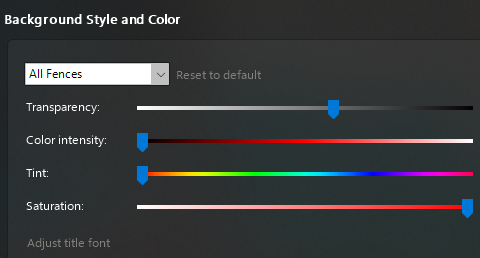
Fences have different (Lighter) background translucence opacity on the right 1/3 than on the left 2/3. (See screenshot #1).

One fence has a different background translucence opacity than all the others, but it is even - has no variation.\(See screenshot #2).

Settings for all Fences are the same, so there should be no variation caused by different settings for a particular fence. (See screenshot #3).


End of pw81449's quote

Don't use Translucent Fences backgrounds, it will be OK.

I have this problem with two compute.

compute 1:

Primary monitor: ViewSonic 34" (3840 x 2160)
Primary connection type: DisplayPort

Secondary monitor: SAMSUNG 22" (1680 x 1050)
Secondary connection type: HDMI

CPU: AMD 3700X

motherboard: MSI MAG B550M MORTAR MAX WIFI

graphics card: AMD 7970

Microsoft Windows 11 Pro Version 21H2 (OS Build 22000.739)

Fences v4

compute 2:

Primary monitor: ViewSonic 34" (3840 x 2160)
Primary connection type: DisplayPort

Secondary monitor: DELL 24" (1920 x 1080)
Secondary connection type: HDMI

CPU: AMD 3700X

motherboard: MSI MAG B550M MORTAR MAX WIFI

graphics card: Nvidia 1070
Microsoft Windows 11 Pro Version 21H2 (OS Build 22000.739)

Fences v4


Reply #92 Top

Hello all,

Just a note that the Fences beta has been updated to 4.05.21

Please let us know there if see any issues and as always, thanks for the feedback.

Sean Drohan
Stardock Product Lifecycle Manager

Reply #94 Top

Hello. Since Fences 3 I've had the same same issue. Now I have a new PC, Fences 4 1.0, and still the issue remains, which convinces me the problem is in the code.

I have a 1080p monitor and a 4K TV. I use Fences with "store the per-screen resolution layouts" option turned on. When I change the HDMI cables, it does switch between the layouts just fine. However, the icons randomly lose their positions, being switched around inside their own Fences. This gets confusing pretty fast, forcing me to reorganize them manually all the time.

Is this a known issue? Is there something I can do from my side?

Thanks,

+1 Loading…
Reply #95 Top

Quoting thefenrisulfr, reply 94

Hello. Since Fences 3 I've had the same same issue. Now I have a new PC, Fences 4 1.0, and still the issue remains, which convinces me the problem is in the code.
End of thefenrisulfr's quote

This looks remarkably like a question I asked in the 4.0.5.21 beta thread... which received no replies.  This seems to be a long-running bug in Fences that I was hoping 4 would fix, too.  My post on the other thread:


I was hopeful that the new beta might fix a bug that has been in Fences since version 3 (one of the only reasons I paid to update to version 4, which still has the bug).  Every time I update my video card drivers, I have to reboot my system because Fences forgets how to display its fences at full resolution.  You can see before and after desktop screenshots here in an Imgur post. I've got a "sidebar" with Rainmeter and Tweetz, and my icon fences mostly around the edges of the rest of the screen.  Everything downscales during a driver update, instead of remaining at (or restoring) the full screen resolution of 2560x1440.  It looks like Fences thinks the new screen resolution is somewhere around 1920x1200.

This is fixed immediately after a reboot, but that shouldn't be necessary.

I'm using Fences 4.0.5.21 in Windows 10 x64 Professional, Version 10.0.19044.1766


Reply #96 Top

Quoting thefenrisulfr, reply 94

Hello. Since Fences 3 I've had the same same issue. Now I have a new PC, Fences 4 1.0, and still the issue remains, which convinces me the problem is in the code.

I have a 1080p monitor and a 4K TV. I use Fences with "store the per-screen resolution layouts" option turned on. When I change the HDMI cables, it does switch between the layouts just fine. However, the icons randomly lose their positions, being switched around inside their own Fences. This gets confusing pretty fast, forcing me to reorganize them manually all the time.

Is this a known issue? Is there something I can do from my side?

Thanks,
End of thefenrisulfr's quote

Quoting kungfujoe, reply 95

This looks remarkably like a question I asked in the 4.0.5.21 beta thread... which received no replies. This seems to be a long-running bug in Fences that I was hoping 4 would fix, too. My post on the other thread:
End of kungfujoe's quote

Hello,
Sorry to hear you are having issues. Just to let you know this issue, I believe, is currently been look at as mentioned in this other thread which raising same issue as yours : https://forums.stardock.com/512027

Thanks
Basj,
Stardock Community Assistant.

Reply #97 Top

Quoting basj, reply 96

Sorry to hear you are having issues. Just to let you know this issue, I believe, is currently been look at as mentioned in this other thread which raising same issue as yours : https://forums.stardock.com/512027
End of basj's quote

It's not clear to me that it's the same issue, though it could have a common cause. The person posting on that issue is seeing Fences bounce from monitor to monitor upon restart.  I'm not seeing any issues on restart, only when installing new drivers, which probably changes the screen resolution back and forth during its re-initialization (however, I don't see this problem when I play games that change the screen resolution)

Reply #98 Top

Quoting basj, reply 96


Quoting thefenrisulfr,

Hello. Since Fences 3 I've had the same same issue. Now I have a new PC, Fences 4 1.0, and still the issue remains, which convinces me the problem is in the code.

I have a 1080p monitor and a 4K TV. I use Fences with "store the per-screen resolution layouts" option turned on. When I change the HDMI cables, it does switch between the layouts just fine. However, the icons randomly lose their positions, being switched around inside their own Fences. This gets confusing pretty fast, forcing me to reorganize them manually all the time.

Is this a known issue? Is there something I can do from my side?

Thanks,


Quoting kungfujoe,

This looks remarkably like a question I asked in the 4.0.5.21 beta thread... which received no replies. This seems to be a long-running bug in Fences that I was hoping 4 would fix, too. My post on the other thread:


Hello,
Sorry to hear you are having issues. Just to let you know this issue, I believe, is currently been look at as mentioned in this other thread which raising same issue as yours : https://forums.stardock.com/512027

Thanks
Basj,
Stardock Community Assistant.

End of basj's quote

Thank you for following up. To me, all of these seem to fall into a broader "Fences doesn't handle resolution changes or similar tasks well" category. It's very consistent behavior, so it would be good if the team could be assigned to actually test this over different setups and be able to experience it themselves... it's not particularly esoteric behavior considering this has happened over two computers with completely different specs on my side.

Reply #99 Top

occasionally fences will rename things that are not renamed by the user - I don't have the exact combination of things - but it happens approximately at the time of creating a new desktop folder and then renaming it from "new folder" to for example "stuff", what happens then is two folders appear with one called "stuff" and one called "stuff (2)"


the folder that is stuff(2), will then be a _renamed_ folder which was one you already had somewhere in a fence

using fences 4.0.0.3, with windows 11 latest


this is the only gui "enchancement" tool I'm using at the moment


Reply #100 Top

Also this will occasionally happen with renaming files, renaming one file will sometimes rename more than one file to a similar name


If I just use cmd tools to rename things, then never have problems - only from explorer