Mouse cursor does not change to resize double-arrow when hovering over window edges

Resize cursor only appears after clicking/holding the mouse button

Hi,

I’m having an annoying problem with Multiplicity 3 that I hope you can help me solve.

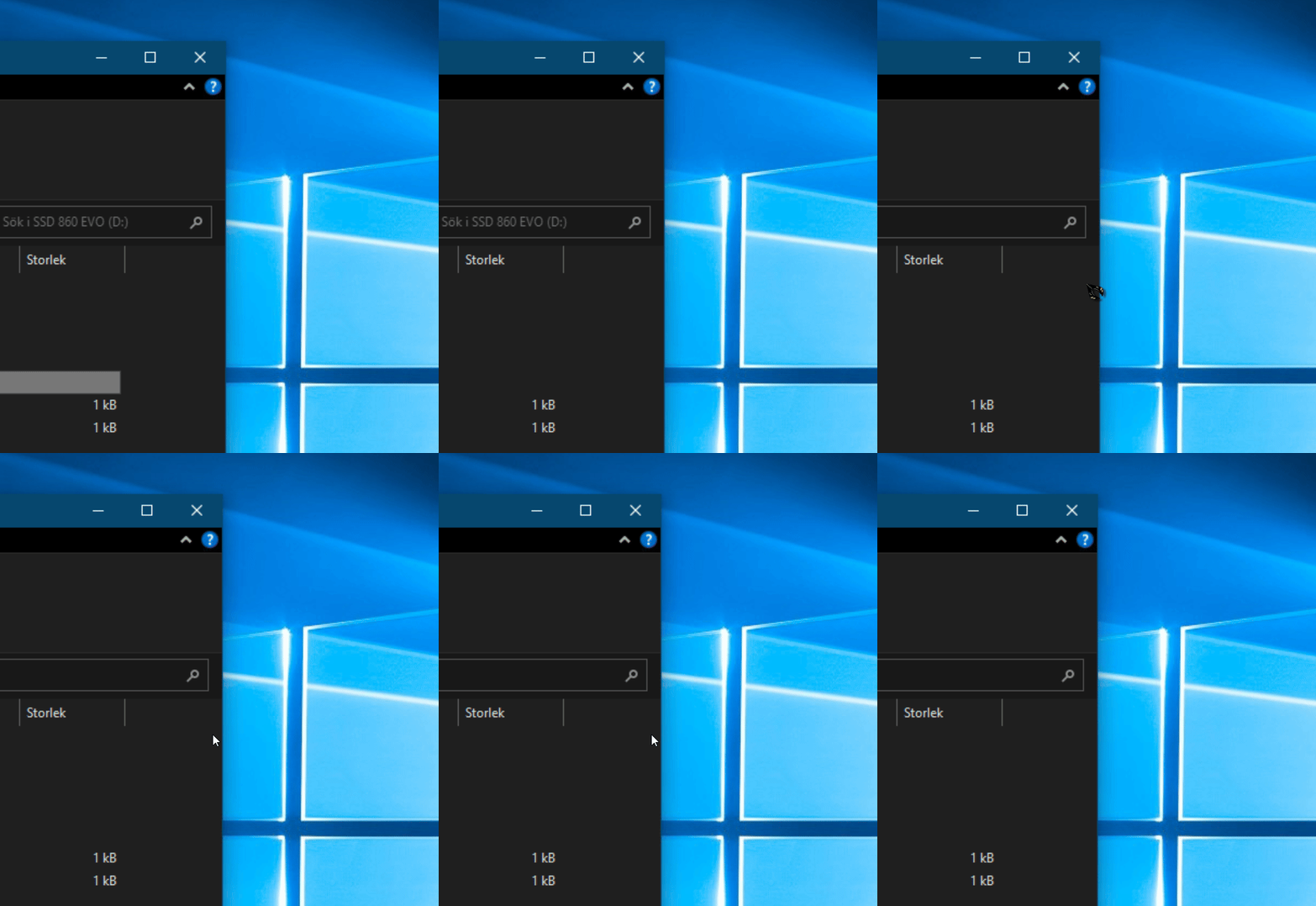
In the attached GIF, I’m trying to resize an Explorer window by grabbing the right edge of the window. At first, I fail several times, and only after multiple attempts does it finally work.

For some unknown reason, the GIF does not show the mouse cursor the entire time during the recording, but the cursor was always there. So the GIF only shows approximately what happened.

The issue is that when I hover the mouse cursor over the window edge, it does not change into the resize double-arrow cursor. The double-arrow only appears after I click/hold the mouse button on the edge.

How can I fix this problem?
 

956 views 5 replies
Reply #1 Top

Hello,

Sorry to hear you are having issues. Need few more details.

  1. Windows full version and OS Build number. Use Winver.exe.
  2. Multiplicity 3 full version number on all system. Primary and secondary
  3. Using CursorFX for all system? Primary and secondary. Which version?
  4. Issue only appear on secondary system? No issue while on primary?
  5. Using Multiplicity Seamless or KVM mode?

Thank you,

Basj,

Stardock Community  Assistant

Reply #2 Top

TLDR:

Also occurs in MP4. I found that if I connect a mouse to the secondary the problem goes away. I have a wireless, and just connecting the dongle was all that was needed.

-----------------------

First saw the problem last week as I rarely have to resize any windows. Closed MP4 and connected with Anydesk to resize the window. I then went back to MP4 and resize then worked. The secondary ('NIK) is a server that reboots early Tuesday morning - the problem was back when I connected a while ago. Saw this thread, and started to gather info per basj. I have two secondaries (the second, RAMBLER, stays online for a different "server" purpose and nothing needs resizing). On RAMBLER, there was no resize grab problem when I tried it just to confirm the issue. My thought was an operating system issue as the primary and NIK both run W11 PRO while RAMBLER runs W11 Home. I got RAMBLER's info and then went to NIK. When I started to get the MP4 info, a popup appeared: something about no mouse detected and do I want to create a fake (replied NO). It occurred to me that there is a configuration difference between the two secondaries: RAMBLER is a laptop with permanent kb, monitor and mouse (the touchpad) while NIK has no kb or mouse, and an HDMI dummy plug in lieu of a monitor. I thought to test the mouse before posting here. As no one was connected to NIK, I rebooted to confirm the problem returns (also did it sometimes using "restart Multiplicity processes" on NIK). I have a couple spare mice, so I connected a wireless dongle to NIK: problem cleared. Did the test 4 or 5 times, connecting mouse after or leaving dongle in place during reboot clears the resize cursor problem.

Reply #3 Top

Great, glad your got it solved.

Thank you,

Basj,

Stardock Community  Assistant

Reply #4 Top

???? basj

I am not the OP. I showed that a bug in MP3 continues in MP4: Multiplicity requires that a mouse be plugged into the secondary for KVM mode to work properly while Anydesk (and Windows remote desktop) do not.

Reply #5 Top

I am sorry, I misunderstood it. I have forwarded your problem/question to Stardock Support Team for their assistance. Please keep an eye on this thread for any updates. We appreciate your feedback and patience. Thank you.

Basj,

Stardock Community  Assistant