jenlove20 jenlove20

Windows Host Process (Rundll32) popup 2x on startup - Windows 10 64bit

Windows Host Process (Rundll32) popup 2x on startup - Windows 10 64bit

Popup refers to two locations in the system32 and fences folder

This messages popups 2x on laptop startup.  How do I stop this?


I'm running Windows 10 with 64 bit.  Fences 3.


Thanks for any help!

94,390 views 79 replies
Reply #26 Top

Hello,

Sorry to hear you are having trouble.

Quoting Msrojasb, reply 25

any solutions to this issue? im having the EXACT SAME issue as the OP
End of Msrojasb's quote

Do not run Fences as admin and make sure you install it in its default directory.  Also, we can only assist with Fences 3 as all prior versions are no longer supported.

Sean Drohan
Stardock Support Manager

Reply #29 Top

UAC is set to default  (second from the top)

I did the clean boot (disabled every service but the Microsoft ones and disabled everything from startup BUT the 2 fences) .. still happened.

Reply #30 Top

Turn off UAC. Problem solved. You don't need UAC, it is nothing but a thorn in the side of any halfway knowledgeable PC user.


It protects you from you, and it doesn't really do that because it's easy to bypass.


Useless Annoying Crap   UAC.

Reply #31 Top

Turning off UAC did the trick. Thank you sooooo much for solving this nuisance problem that no one was able to solve for over a year.

Reply #32 Top

Quoting jenlove20, reply 31

Turning off UAC did the trick. Thank you sooooo much for solving this nuisance problem that no one was able to solve for over a year.
End of jenlove20's quote

And of course it would but you still should not have been getting that - most everyone has UAC set to the default and have no issues with Fences and prompting...

Quoting RedneckDude, reply 30

Useless Annoying Crap   UAC.
End of RedneckDude's quote

Quoting RedneckDude, reply 30

It protects you from you, and it doesn't really do that because it's easy to bypass.
End of RedneckDude's quote

And many people (myself included) agree but it's really not meant for you to protect you from you - it's (mainly) meant to protect from rando apps / viruses from doing stuff to your PC that you did not know about or want (you see UAC pop and you did not do anything to initiate it).

That said, I do not want to unfix this 😉

Sean Drohan
Stardock Support Manager

Reply #33 Top

erm no.. last time i disabled UAC the pc got hijacked .. like literally had to do a total format of the drive (or paid like $500 they were asking for)..


i guess ill wait for the next update of fences see if that fixes it.


PS: and i have been trying options to fences but there are not many (tried 5 different ones and the "closest one" to fences hasn't been updated in 4 years)

Reply #34 Top

I guess I shouldn't be telling people to turn off UAC, but it IS the first thing I do on all my PCs, and I have very few issues.

Reply #35 Top

I have the same problem.

I do not run Fences as admin and I don't use special antivirus software
(but the Windows built-in protection).

I now have Windows 10, 64 Bit.
Before I upgraded my PC system two months ago I used Windows 7, 64Bit.
With this I had the same problem with Fences and I hoped that with my
new PC system the problem will disappear but I have the same problem again.

It's very annoying but I don't want to turn off UAC.

Today I deactivated a lot of program entries in the system startup to find out if
there is an interaction with another program but this didn't help.

I would be happy if you would find a solution for this issue.

Reply #36 Top

Hello,

Sorry to hear you are having trouble.

Do you have it flagged to run as Admin:

Sean Drohan
Stardock Support Manager

Reply #37 Top

Hi Sean,

no, it's not flagged with admin.
(I already read your post #6 in this thread and checked this before).

I just tried out what happens if I use it with admin flag turned ON:
After Windows reboot there are no fences and absolutely no icons on the desktop.
As I started Fences manually the two rundll32 windows are coming up again.

After that short test I turned off admin flag again.

Reply #38 Top

Quoting Monty99, reply 37

Hi Sean,

no, it's not flagged with admin.
(I already read your post #6 in this thread and checked this before).

I just tried out what happens if I use it with admin flag turned ON:
After Windows reboot there are no fences and absolutely no icons on the desktop.
As I started Fences manually the two rundll32 windows are coming up again.

After that short test I turned off admin flag again.
End of Monty99's quote

Again, I have never seen that unless something about Fences is needing admin access.

An interesting test would be to manually create a snapshot and then tell Fences to do an 'automatic layout'

The next option would be to try a clean boot:

https://forums.stardock.com/486084/fences-support-faq#cleanboot

Sean Drohan
Stardock Support Manager

Reply #39 Top

Hi Sean,

I did the test with the "automatic layout". But this didn't change anything.
I also created a new Windows 10 user account as admin account.
But as I logged into this user the two rundll windows appeared again.

I can do a purge and reinstall tomorrow but I really don't believe that it will help:
My Windows 10 system is two months old and I had the problem from the beginning.
Before I was using Windows 7 and as I started using Fences (v3.01 in 2016) I didn't had
this problem.
The issue started one day, I believe it was with an update of Fences (but not 100% sure).

Okay, I just deinstalled the actual Fences from my Windows 10 and then I installed
version 3.01:
Now I have only one rundll window instead of two......

Reply #40 Top

Quoting Monty99, reply 39

I did the test with the "automatic layout". But this didn't change anything.
End of Monty99's quote

The reason I wanted the test was to see if there was any folder portal on the desktop that was causing it. 

The only other recommendation I can think of is to try the clean boot:

https://forums.stardock.com/486084/fences-support-faq#cleanboot

Sean Drohan
Stardock Support Manager


Reply #41 Top

First I deinstalled the old version 3.01 and installed the latest version again.


Then I did a clean boot exactly as described in your link

(new Windows user account (as admin), turned off all non microsoft services

and deactived all startup programs except Fences)

but even in this new user account there are still the two rundll messages.

After that I installed Fences on another computer to find out if the problem

also occurs there but it didn't. (Windows 10, 64 Bit too).

But on the other hand I had the same problem with my old Windows 7 system and

there are other people in this thread with the same issue

and here is another thread:

https://forums.stardock.com/494007/how-to-make-user-hate-fences-rundll32-fencesmenu64dll-prompt-at-every-boot

Reply #42 Top

I've been having this same issue on my secondary PC for quite some time & have just been putting up with it. Decided to see if I could figure it out. Have tried uninstalling + reinstalling Fences, and deleting Fences appdata, to no avail.

One thing I did notice, is that on the machine that has this issue, it has the yellow/blue shield icon on the rundll32.exe file under System32, indicating that it is going to ask to run as Administrator (left image). The computer that is working normally, does not have this on the icon (right image). So I suspect it may not actually be Fences that is the problem, but rather the rundll32.exe file or Windows. I've read that this was a bug in a previous release of Windows 10, but should have been patched a while ago. Maybe the patched was missed? Both of my OS's are at the same build version.

The message also seems to come up if certain items are opened in Control Panel, like: Keyboard, Mouse, or Sound. Some are suggesting to do a repair reinstall of Windows.

I'll post back if I find a solution other then that.

Reply #43 Top

Didn't end up finding a solution other then doing a repair reinstall of Windows 10.

The repair reinstall was pretty easy tho. Just ran the MediaCreationTool from Microsoft. Saved Windows 10 as an ISO file, and mounted the ISO file directly without burning it to a disk. Then ran the setup.exe from the ISO.

You'll have to click next a few times, and the reinstall takes a couple hours. But it will keep all of your data + apps in place.

No longer experiencing the rundll32 message + the icon is back to normal. :)

Reply #44 Top

Thank you emerysteele for your solution. This solved my problem too.

The computer with the issue had the same administrator shield icon.

I tried to change or exchange the rundll32.exe file but with no success.

So I did the Windows repair installation and now the rundll32 message is gone.

Thank you again!!!

Reply #45 Top

Unfortunately the issue came back about three weeks ago. Maybe through a Windows update - don't know.

The rundll32.exe has still no administrator shield icon but if I start it with a double click
the known window is back.

On my other computer it's still without this issue.

So (in my case) the Windows repair installation is not a durable solution.

I don't know why rundll32.exe has changed again but now I know that the problem is not caused by Fences.

Reply #46 Top

Issue came back for me a week or so ago as well. Appears the repair reinstall is only a temporary solution. :(

Reply #47 Top

I have the exact same problem as the OP: 2x rundll32.exe prompts after boot (and none after clicking Yes to both, until the next boot). I first noticed it around this time, last month. The PC restarted (it may have installed some windows updates at the same time, not sure), and ever since then I get these 2 prompts. If I give admin rights to Fences, I get even more UAC prompts every few minutes for things like automatic backups, trim logs, etc.

  • C:\Windows\System32\rundll32.exe file has the yellow and blue shield
  • Fences installed by default in C:\Program Files (x86)\Stardock\Fences. Only 'uninstall.exe' has the blue and yellow shield icon
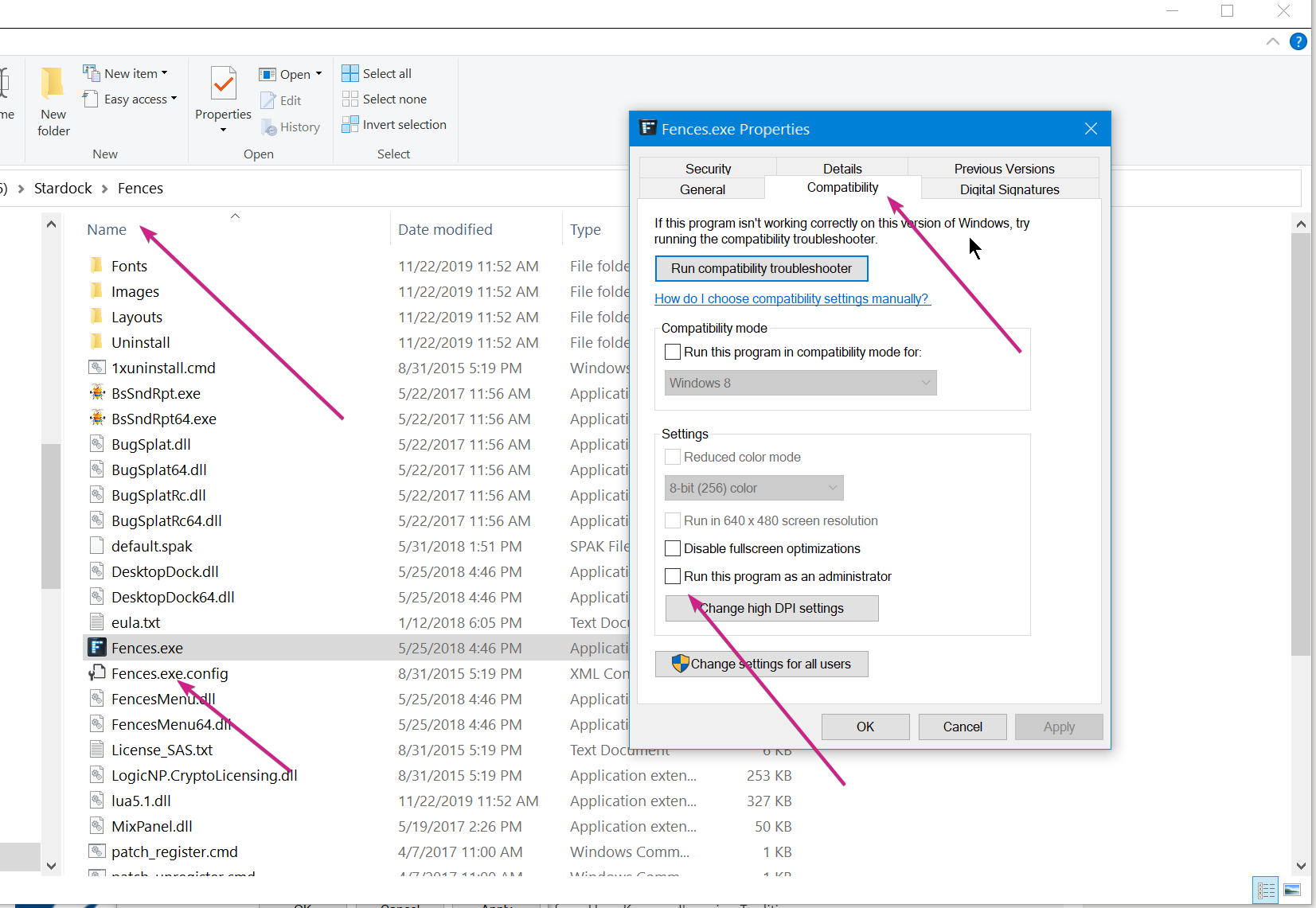
  • Fences.exe - Compatibility - 'Run as Admin' is unchecked
  • 2x enabled entries for Fences Settings in Task Manager - Start-up
  • Configure Fences - Basic Options - 'Enable Fences' is checked
  • purged fences (as per the tutorial) and clean reinstall - no improvements
  • automatic layout - no improvements
  • sfc /scannow - no problems

Running Fences Pro (3.0.9.11) on Windows 10 (18362.592) + Windows Defender and Malwarebytes free (4.1.0.56) - all of them up to date. UAC is on default (level 3) setting (and I need to keep it this way because other people have access to this PC). I'm only using local accounts on this PC, and my personal account belongs only to one group: Administrators. The other accounts are members of Users or Guests.

I also run something else which changes how Windows works: DisplayFusion Pro. It is quite heavy, but also fixes many retarded 'features' in Windows. However, DisplayFusion has never triggered UAC apart from when it installs/updates.

I did not try the repair installation yet, but I wouldn't be surprised if it works (at least temporarily, until microsoft go and do what they usually do).

I think @emerysteele raised a good point about the blue and yellow shield on rundll32.exe; is there any way that Fences can go around this? Relying on microsoft to fix this permission issue and not continuously break it and everything else with every other update seems unrealistic.

I mentioned DisplayFusion earlier because they also seem to heavily rely on the same rundll32.exe, yet UAC never moans about it. Perhaps they do something differently that Fences could also look to implement and futureproof itself against.. windows.

Reply #48 Top

I also fixed mine and all was good (rundll32 with no shield on its icon) until Nvidia did a gfx driver update... back to the rundll32 with a shield again.

I don't think It's not fences but another program and in my case it was Nvidia drivers that changed (or caused the change) with rundll32.

Also I use Kaspersky Int Sec antivirus and Malwarebytes full version.

Anyone with problems running any of these?

Reply #49 Top

Hmmm, interesting. On my machine that isn't working properly, I also have Nvidia graphics.

I'm also running Malwarebytes. But I've got Malwarebytes on my other machine (AMD graphics) that is working normally. So I don't think Malwarebytes is the issue, but you never know.

Reply #50 Top

Ok, we MAY be getting somewhere.. does anyone else who has this issue have Nvidia graphics cards on their PC?