Deskscapes 2026 completely dysfunctional

Deskscapes 2026 fails to function at all for me! The animated wallpaper I was using with Deskscapes 11 became a still image with Deskscapes 2026. When I tried multiple times to change to a different wallpaper, I only got a black screen. Rebooting the computer or uninstalling both versions and reinstalling Deskscapes 2026 (with a reboot) didn't change anything. Furthermore, when I reinstalled Deskscapes 11, it no longer worked either. Please let me know how this outrageous situation can be corrected. I am using Windows 11 Home, Build: 26200.8457.

26 views 6 replies
Reply #2 Top

Might also be good if you added your CPU and GPU specs. I'd also suggest copy/pasting your issue on the linked thread in Jafo's reply. It'd make it s lot easier for Support.

Reply #3 Top

Hello,

Sorry to hear you are having issues. I have install Deskscapes 2026 on my Windows 11 25H2 26200.8457. And I don't see your issue on mine. Perhaps something went wrong upon installation. Please try purge and reinstall steps as mention here : [https://support.stardock.com/space/SHC/1346764874/DeskScapes+purging+and+re-installing]. Just make sure to redownload the latest version from your account page. Reboot after the purge. Reinstall and reboot again after the installation. Retest and report back. 

Thank you,

Basj,

Stardock Community  Assistant.

Reply #4 Top

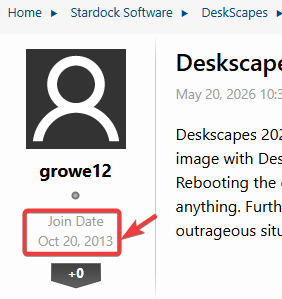
basj, the OP is a new member of less than 24 hrs.

He will probably be limited in his responses due to that.

Edit: misread the join date.

Reply #5 Top

I am not sure on that, Join date is listed as 2013. 

Thank you,

Basj,

Stardock Community  Assistant

Reply #6 Top

Thanks all for your thoughtful input. I've been trying to reply since the day of my initial post, but the forum software has been unwilling to upload my replies. Someone in another thread helped me find a workaround for the reply problem, so I can now engage in this discussion.

basj: I tried your purge-and-reinstall suggestion, but it didn't work.

I will again try posting my inquiry as a reply in the thread Jafo linked.

Thanks again to all of you.