DeskScapes 2026 Release Feedback Thread
Thank you for your interest and any time you put into making DeskScapes 2026 a better product.
Known issues
While we appreciate all feedback, please remember that we offer no official support for beta \ preview \ developer channel versions of Windows. If you report issues while in any of those early release channels, you should not expect them to be addressed unless it still exists in a retail version of Windows.
***Reserved***
Wow! DeskScapes 2026 is really great. Loving all the changes and improvements.
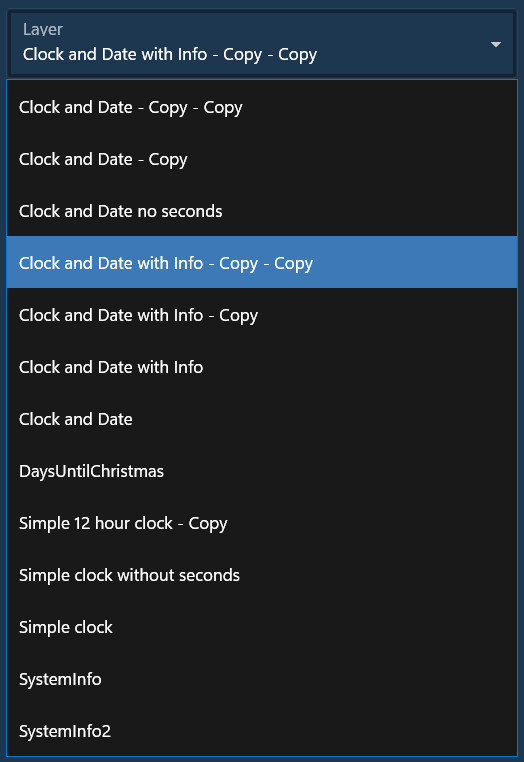
One issue (or not) with the info panel settings. Is the - copy - copy correct or should it be more explanatory.

Wow! DeskScapes 2026 is really great. Loving all the changes and improvements.
One issue (or not) with the info panel settings. Is the - copy - copy correct or should it be more explanatory.
Thank you much for posting; I've logged this to look into.
Internal Ref: ODNT-12376
Best regards,
Adam McGuinness
Stardock Support Specialist
I just installed Deskscapes 2026 and have not yet configured anything within it. I noticed my CPU running over 10%, not saying it's Deskscapes, but I wanted to exit it so I could verify it was or was not eating up a little extra cpu while "idle".
Well I found fairly quickly there appears to be no way to exit it (that I could find directly or through searches) and I thought well no problem I will just end the tasks to quickly kill it and see if cpu immediately drops. I found that if I force end task deskscapes it almost immediately relaunches itself. I tried several times and it kept relaunching.
So I was aggravated with it and wanted to uninstall it. I tried to remove it from programs as one normally would and it told me I had to stop the application to uninstall it. Well you cannot do that because it relaunches. I tried uninstalling from the StarDock launcher and it just opened programs so I again tried and it just hung and would not do anything, I assume because the processes were launching.
Now maybe you have a Deskscapes services that needed to be stopped and I might have missed that but Deskscapes almost behaves as malware you cannot remove. No, I am not saying it is malware just that situation of you cannot stop it nor remove it behaves like it.
I ended up force removing it with Revo and that worked.
In my opinion there needs to be an easy way (even if there was a service I missed that situation is still over the top) to exit the program, change startup options and uninstall it. There is zero reason for it to behave like that.
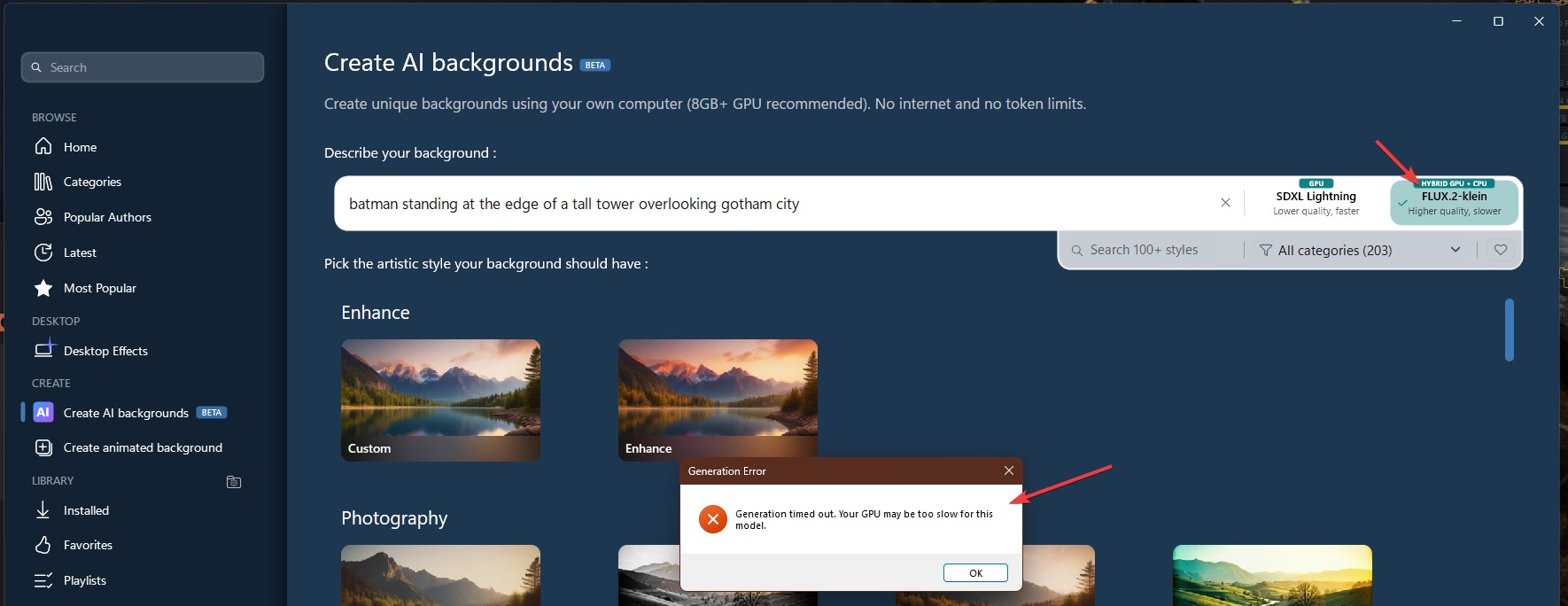
I get this error, I wonder what is the minimum GPU requirement for it to work properly. Was using the VFlux.2-Klein on this one.

Thank you,
Basj,
Stardock Community Assistant
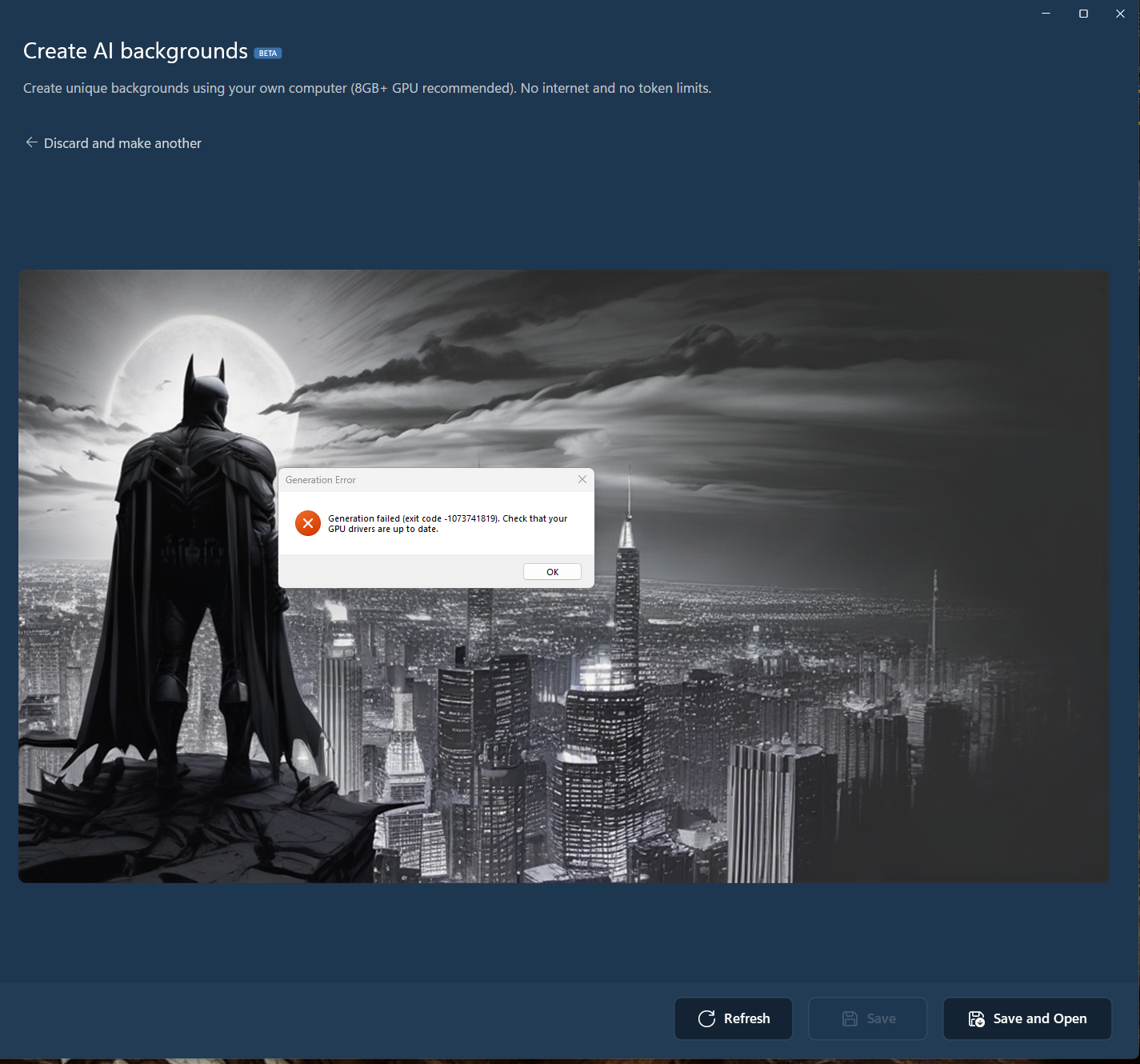
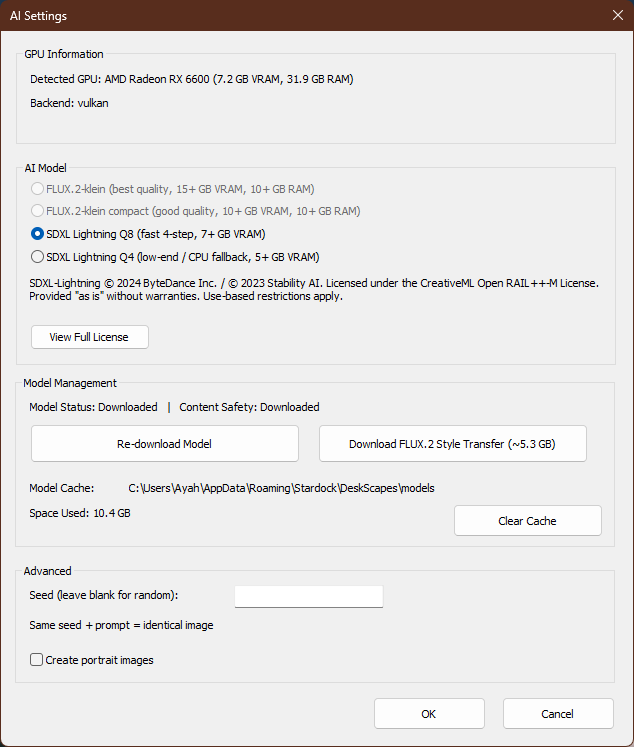
I tried again with SDXL Lightning and it did render it, but when I tried saving the generated image I get this error.

Added note: I am using AMD Radeon RX 6600 and its driver is up to date.
Thank you,
Basj,
Stardock Community Assistant
Well I found fairly quickly there appears to be no way to exit it (that I could find directly or through searches) and I thought well no problem I will just end the tasks to quickly kill it and see if cpu immediately drops. I found that if I force end task deskscapes it almost immediately relaunches itself. I tried several times and it kept relaunching.
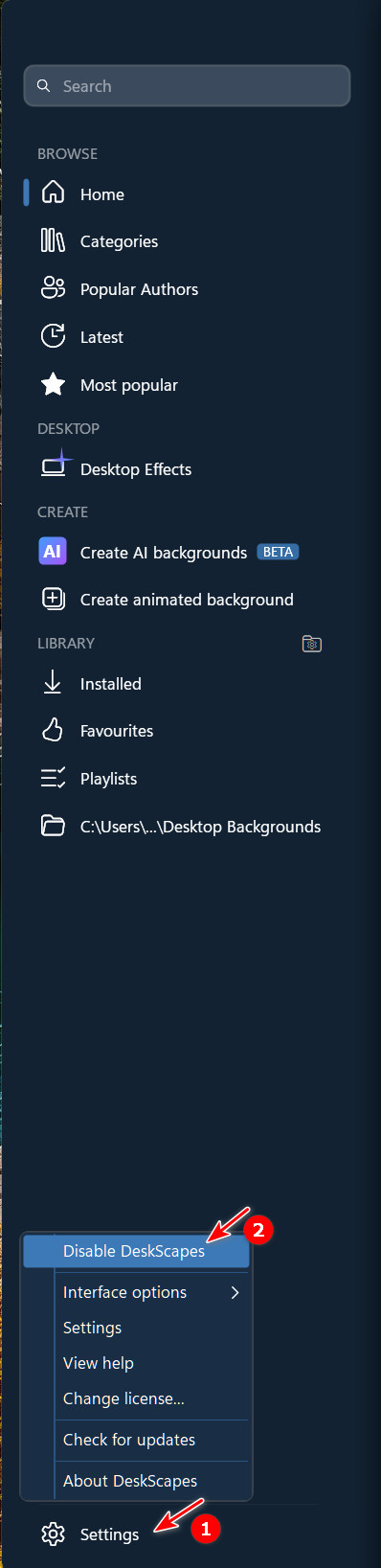
Select Settings at the bottom left, and then Disable DeskScapes.

I tried again with SDXL Lightning and it did render it, but when I tried saving the generated image I get this error.
Added note: I am using AMD Radeon RX 6600 and its driver is up to date.
Thank you,
Basj,
Stardock Community Assistant
Click on the settings cog bottom right. What does it say about the GPU at the top?
I get this

Thank you,
Basj,
Stardock Community Assistant
Quoting Neil,
reply 3993380
Click on the settings cog bottom right. What does it say about the GPU at the top?
I get this
Thank you,
Basj,
Stardock Community Assistant
And CPU and amount of memory on that PC?
Also how long did it take before it failed?
And CPU and amount of memory on that PC?
Also how long did it take before it failed?
CPU: AMD Ryzen 5 2600. Memory 32GB. I tested again with different comment and just enhance as style. it take 10 minutes but get through. Still have issue if I try to save it. Same error as my second screenshot reply#8. I will try again but different style.
Thank you,
Basj,
Stardock Community Assistant
I have to ask so I can stop wondering: Should I even attempt to install this on Win10?
Hi DaveRI,
Thanks for posting.
I have to ask so I can stop wondering: Should I even attempt to install this on Win10?
The application was developed, tested, and only supported on Windows 11. We are not actively blocking installation on Windows 10 but we cannot support it on that platform as Microsoft is no longer supporting the OS.
Best regards,
Adam McGuinness
Stardock Support Specialist
I feel the AI model selection requirements are too conservative in regards to hardware requirements. I use system ram to make up for less vram all the time on stable diffusion and the cost is usually just longer generating times. Is there any way to download models such as flux if they are greyed out?
DS2026 doesn't change wallpapers for me. Please see this thread:
https://forums.stardock.com/541666/deskscapes-2026-background/page/1#3993438
Help
I'm having problems as well. It's the same problem another user has reported on a different thread of this support page. I have been using Deskscapes in its various incarnations for over 10 years, so I'm not a rookie.
Deskscapes 2026 dated 05/21/2026 doesn't work with my Windows 11 version 25H2 (OS Build 262200.8457).
I installed Deskscapes 2026 today over a working Deskscapes 11 install. The application will run, but it won't install "any" backgrounds. I used the purge bat file and rebooted. I then reinstalled Deskscapes 2026 and rebooted. It still doesn't work.
It doesn't affect me using my computer while waiting for a fix/version upgrade, but it's irritating. I like my new shinney things to work without issues or work-a-rounds.
@Basj,
I see what happened. If you don't have any models downloaded ahead of time it will download the model for you before it generates the image. In your case you were browsing flux models, and even though it is greyed out for you it still downloaded it for you. I can reproduce this. It also goes to downloading the top flux model, which your system shouldnt be able to handle however I am willing to bet your gpu could handle the compact flux model a little better at reduced speeds so I stand by my earlier comment that the hardware requirements are a little conservative.
(edit - took me about 5 minutes to generate an image with the top flux model on 8vram 3060 and 32 ram, both flux models are greyed out otherwise)
DeskScapes 2026 just shows a black screen on both of my monitors. What other updates do I need to make to make this work? I was running both static and animated wallpapers on DeskScapes prior to this update without issue. Running Windows 11 version 25H2. Also running Start11 v2 and Fences 6.
last comment from me. I would like to see a photo-realistic style added
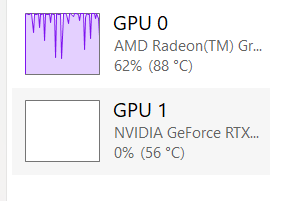
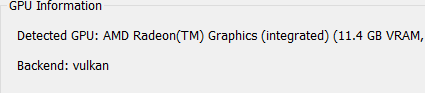
So I just realized that DeskScapes is only using my CPU with on board graphics of 496mb of vram and not my 3060 gpu with 8gb of vram at all. I was wondering why it was going so slow on flux... How do I get it to use my gpu?
system process while generating image

gpu's detected. Does not seem to detect 3060

I feel the AI model selection requirements are too conservative in regards to hardware requirements. I use system ram to make up for less vram all the time on stable diffusion and the cost is usually just longer generating times. Is there any way to download models such as flux if they are greyed out?
What graphics card do you have and how much memory does it have?
So I just realized that DeskScapes is only using my CPU with on board graphics of 496mb of vram and not my 3060 gpu with 8gb of vram at all. I was wondering why it was going so slow on flux... How do I get it to use my gpu?
system process while generating image
gpu's detected. Does not seem to detect 3060
Which card is connected to your display? It should be detecting whatever your primary monitor is attached to.
Quoting PhoenixRising1,
reply 3993437
I feel the AI model selection requirements are too conservative in regards to hardware requirements. I use system ram to make up for less vram all the time on stable diffusion and the cost is usually just longer generating times. Is there any way to download models such as flux if they are greyed out?
What graphics card do you have and how much memory does it have?
see reply #22 as this might explain my problem too. I have a 3060 gpu with 8gb of vram... Somehow I got 496mb of vram on my on board graphics to generate a flux image. I didnt even know that was possible.
Welcome Guest! Please take the time to register with us.