Duplicate version 6.46

I installed an update to Fences a week ago that showed version 6.461 in the About box. Today I was prompted to update again and downloaded a newer version which shows as 6.46 in the About box. The downloads are not identical. What gives with the version numbers? And why is there a reference to version 5.91 as the latest version in the history?
175 views 1 replies
Reply #1 Top

Hello,
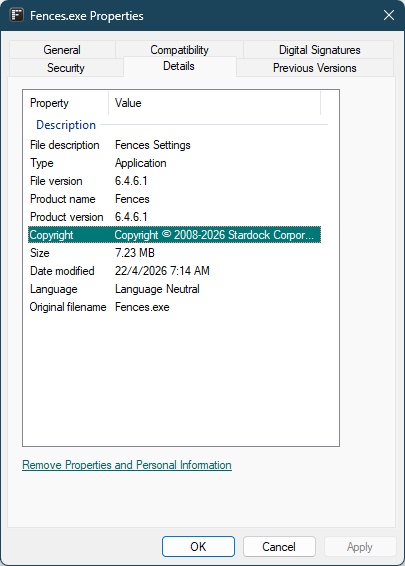
Sorry to hear you are having issues. If you go to Fences installed directory (C:\Program Files (x86)\Stardock\Fences), right click on Fences.exe and select properties-> Click on "Details" tab-> You should see the full version number in there. Here is what I have on my system now.

It’s possible the older build you had was 6.461 Beta, which would explain why the update prompt appeared once the full release version became available.

As for the v5.91 entry you see in the change log, that update applies only to users still running Fences v5. If you’re already on Fences v6, you can safely ignore it — it doesn’t affect or apply to v6 users.

Thank you,
Basj,
Stardock Community Assistant.