Fences - Folder Portal Folder Navigation - Double-click folder ALWAYS opens Explorer

Fences version 5.0.0

Folder navigation within a folder portal will ALWAYS open File Explorer. It never drills down to the double-clicked folder within the folder portal fence. I have tried it with File Navigation enabled and disabled. I've searched for answers and have not found anything other than someone having a problem with a double-click always opening a NEW File Explorer window. I checked the three config settings listed and mine were already set. Any ideas?
1,830 views 3 replies
Reply #1 Top

Hello,
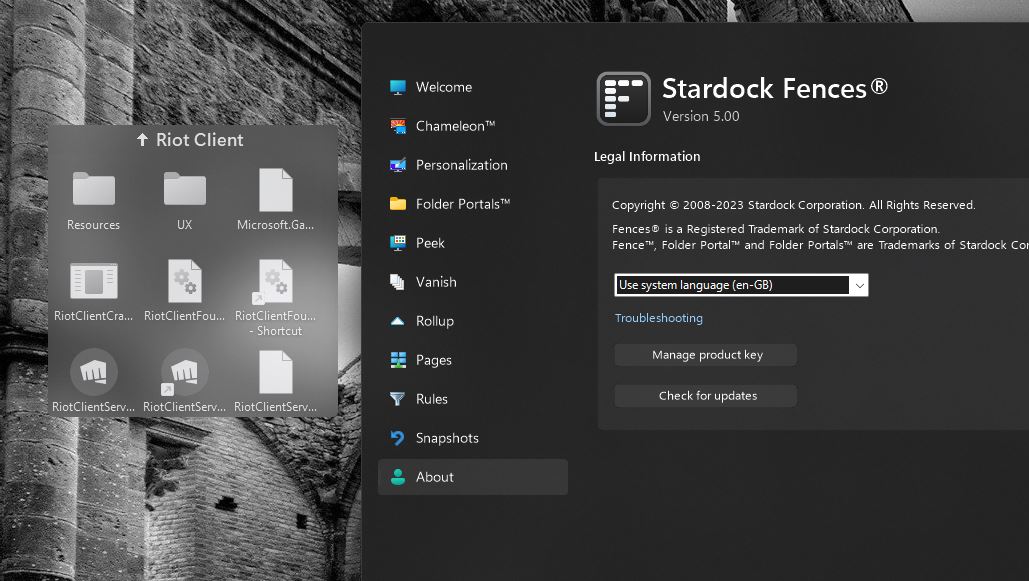
Sorry to hear you are having issues. Strange, I can not reproduce your issue on my Win11 system. On a Portal Fence if I double click on a folder icon. It will open that Fences inside the Portal Fences. Refer to screenshot below.

Please try purge and reinstall steps as mention here : [Link]. Just make sure to redownload the latest version from your account page. Reboot after the purge. Reinstall and reboot again after the installation. Retest and report back here.

Thank you,
Basj,
Stardock Community Assistant.


Reply #2 Top

Thank you for the response. I'll give it a try - sounds easy (I'm comfortable with computers and software).

Interestingly, if I click the folder to select it, then right-click for the context menu and choose "Open" it will drill down like expected. If I don't click to select the folder first then I get a completely different context menu.

Right-clicking a selected folder:

Right-click without pre-selecting the folder:

Reply #3 Top

Yes, right click menu will be different between right click on an icons vs right click on empty space within the Fences or within the desktop area.

Thank you,

Basj,
Stardock Community Assistant