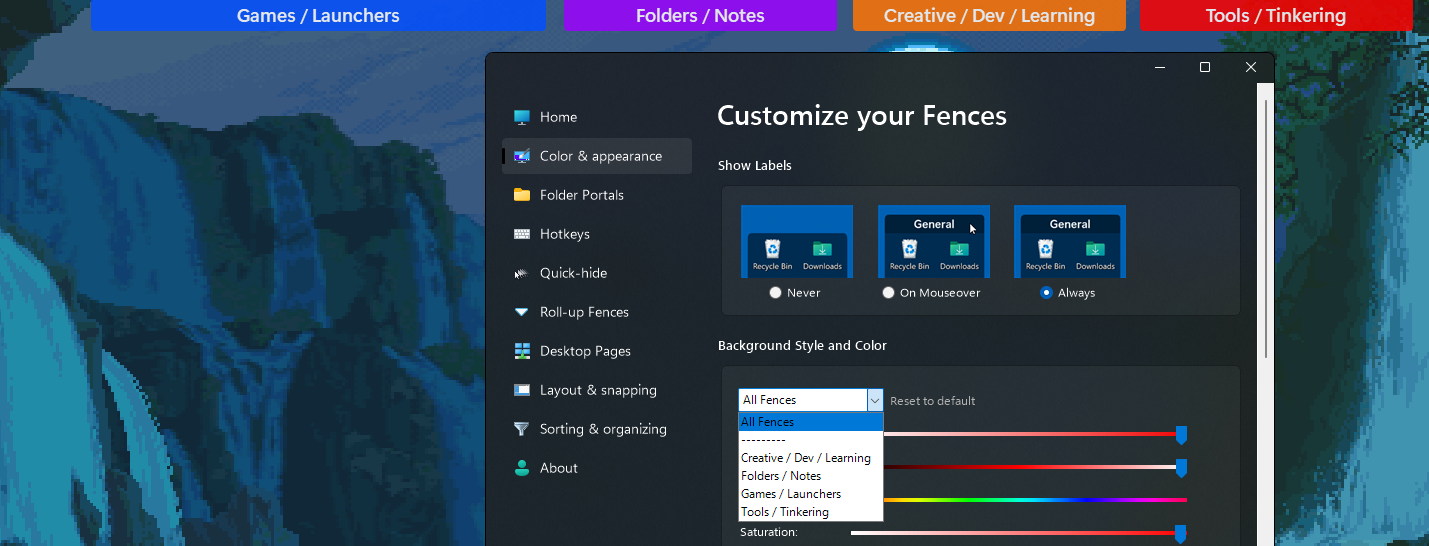
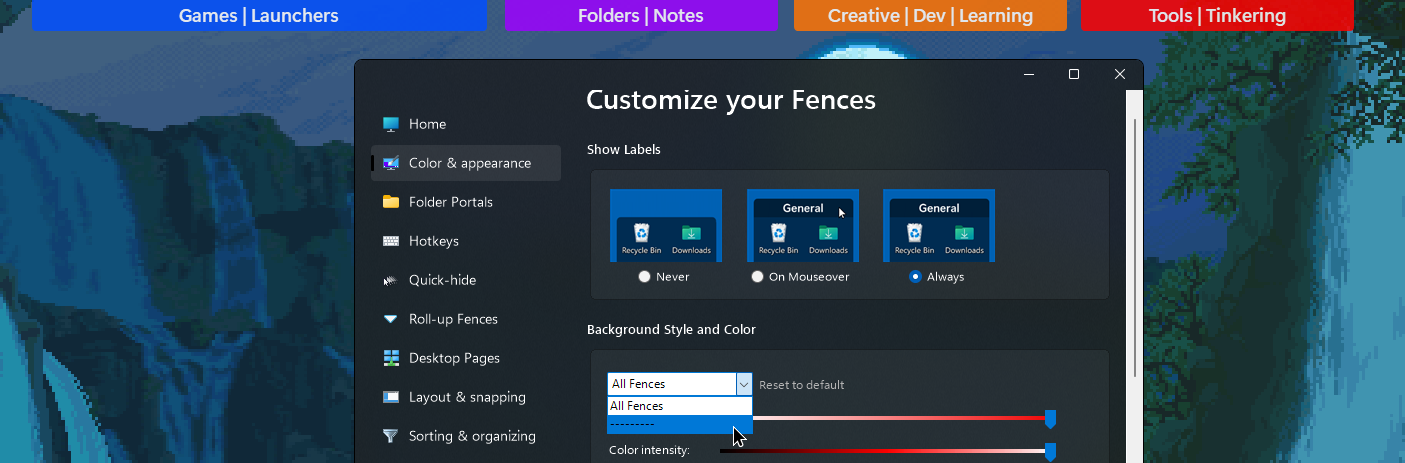
Fences won't show up under Background Style and Color

This is a problem I've had ever since 2 hours later into my purchase of this software. I was hoping for a fix, and have force uninstalled with Stardock Guides and installed Betas, but it just doesn't seem to help.

I would love to be able to customize the individual color of my Fences. It's frustrating how the app broke down like this on my first day using it months ago. Hope I can receive some help, and thanks in advance.
4,716 views 7 replies
Reply #1 Top

Hello,

Sorry to hear you are having issues.

Full numbered version of Windows ?

Version of Start11 ?


AzDude
Stardock Community Assistant

Reply #2 Top

I do not have Start11.

I am running Windows 11 with the Windows Specifications listed below:

Edition Windows 11 Pro

Version 22H2

Installed on ‎2022/‎05/‎20

OS build 22621.382


Experience Windows Feature Experience Pack 1000.22632.1000.0

Reply #3 Top

Sorry I mean Fences version.

Typo.

Reply #5 Top

Hello,
Sorry to hear you are having issues. But, I think your issue is on your naming of your Fences. I don't think Fences recognize that "|" you have within your fences name. Try removing those and report back.

Note : Once you have change all of those names. Close Fences 4 config Windows and than reopen it. The list should repopulate by then.

Thanks
Basj,
Stardock Community Assistant.

Reply #6 Top

They show up now, thanks a lot!
Although, it's a bit odd why "|" can do that. Perhaps fixing it in a later update or preventing users from naming fences with "|"?

Reply #7 Top

Quoting Mega, reply 6

They show up now, thanks a lot!
Although, it's a bit odd why "|" can do that. Perhaps fixing it in a later update or preventing users from naming fences with "|"?
End of Mega's quote

Hi MEGA Bacon,

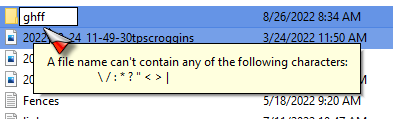
The | character is not allowed to be used in file and folder names in Windows (actually / isn't either), the Fences are essentially Folders that should be following the same rules. I would suggest also not using the / in Fences as well.

I am going to pass this information on to the developers for review. 

Paul Scroggins
Associate Technical Support Analyst