Fences 3
from  Stardock Forums
Stardock Forums
I cannot drag my fences by the title bar and I cannot re size from the sides what is going on ?


 Stardock Forums
I cannot drag my fences by the title bar and I cannot re size from the sides what is going on ?
Stardock Forums
Top
Hello,
Sorry to hear you are having issues. Need to know more on your system.
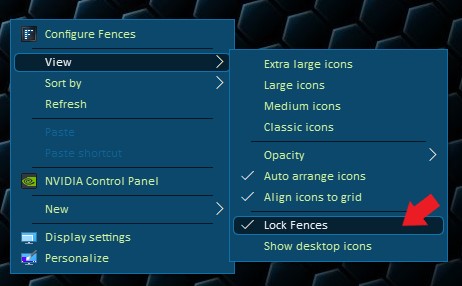
Thanks
Basj,
Stardock Community Assistant.
Stardock Forums
Top
I am running Version 3.1.3.3 on Windows 7 Version 6.1 (Build 7601: Service Pack 1). I do not see the Lock Fences selection in the settings.
 Stardock Forums
Top
Stardock Forums
Top
Please check your msconfig startup tabs, you need to check if Fences are listed twice there. Something like screenshot below.
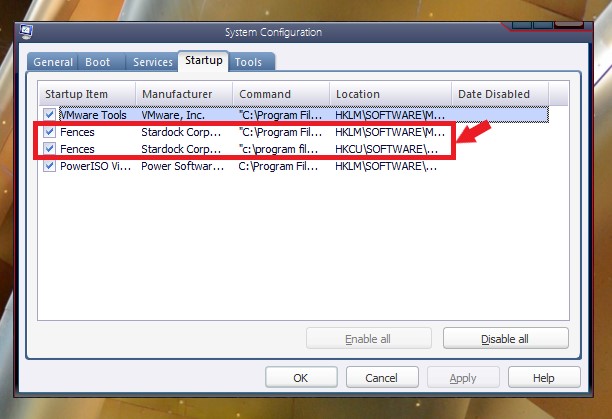
If it does not listed there or only listed once. Please try, uninstall Fences, reboot (important), reinstall Fences, reboot again. And test it. Report back here.
Thank you,
Basj,
Stardock Community Assistant
Stardock Forums
Top
the screen shot of the fences menu you posted is not the same as my version, that is a newer version, look at the version I specified and tell me where the selection is to unlock the fences.
Stardock Forums
Top
Here a screenshot from my system.
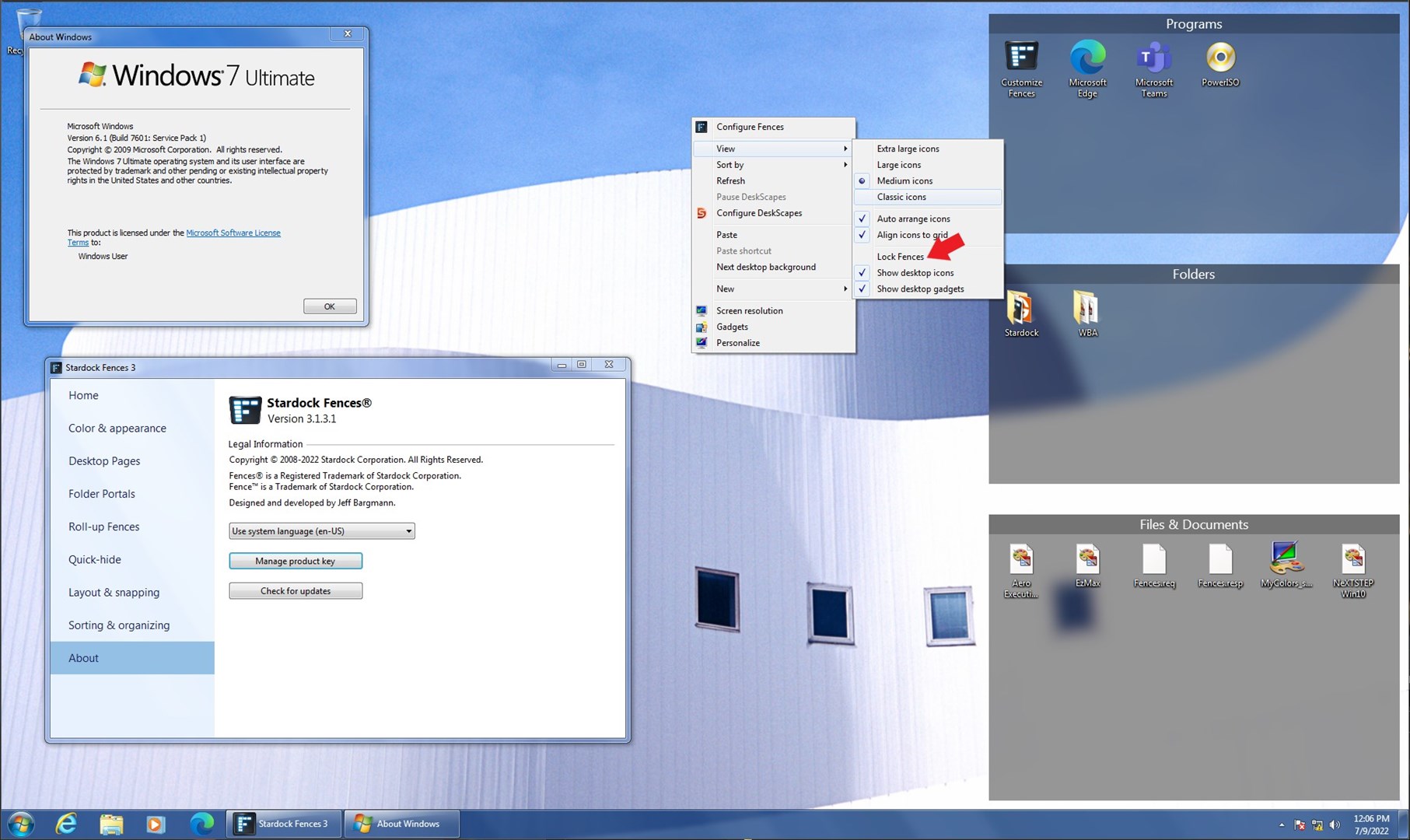
Thank you,
Basj,
Stardock Community Assistant
Stardock Forums
Top
Here with Fences v3.1.3.3
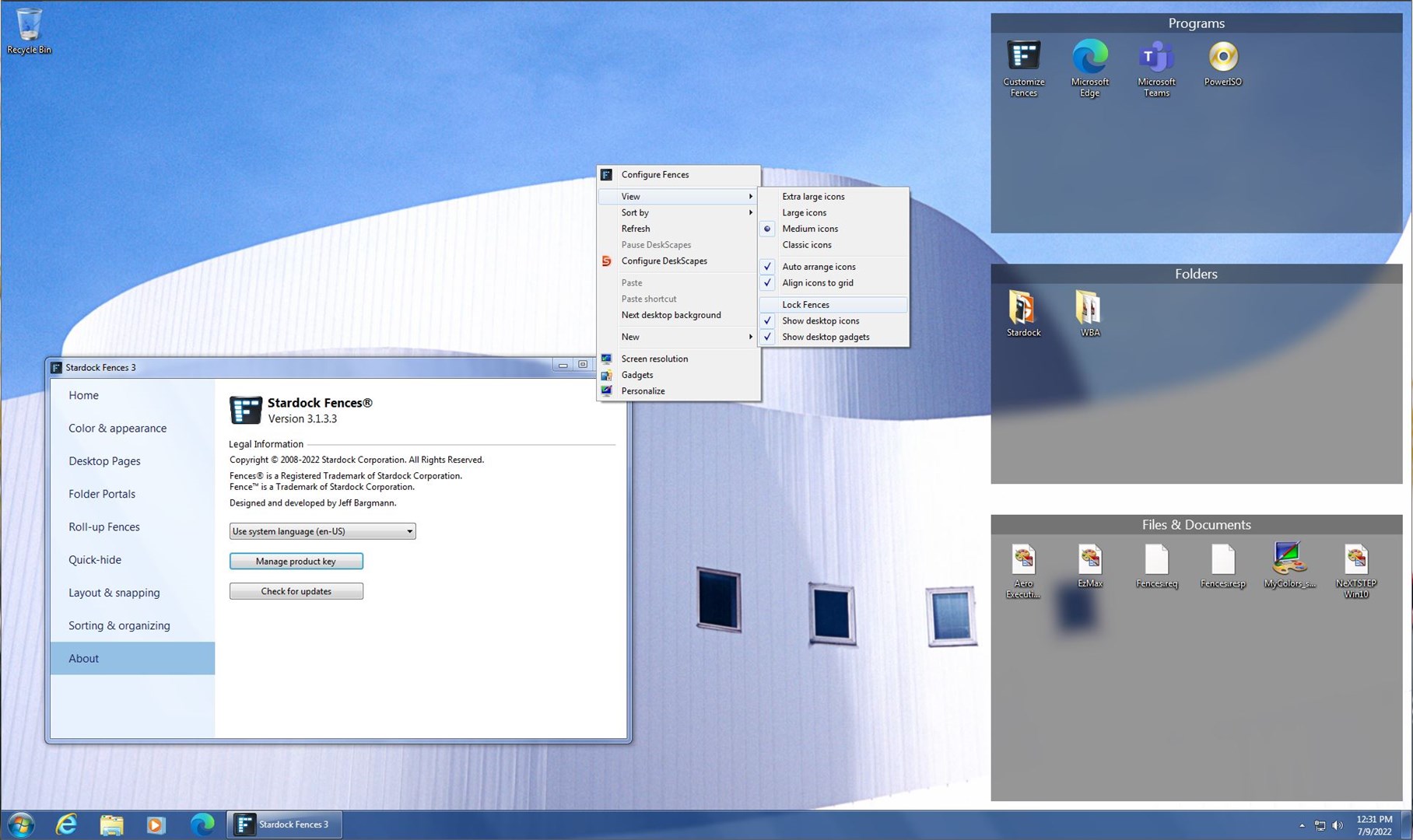
Thank you,
Basj,
Stardock Community Assistant
Stardock Forums
Top
Ok got it thanks 
Welcome Guest! Please take the time to register with us.