Groupy taking over windows explorer
from  Stardock Forums
Stardock Forums
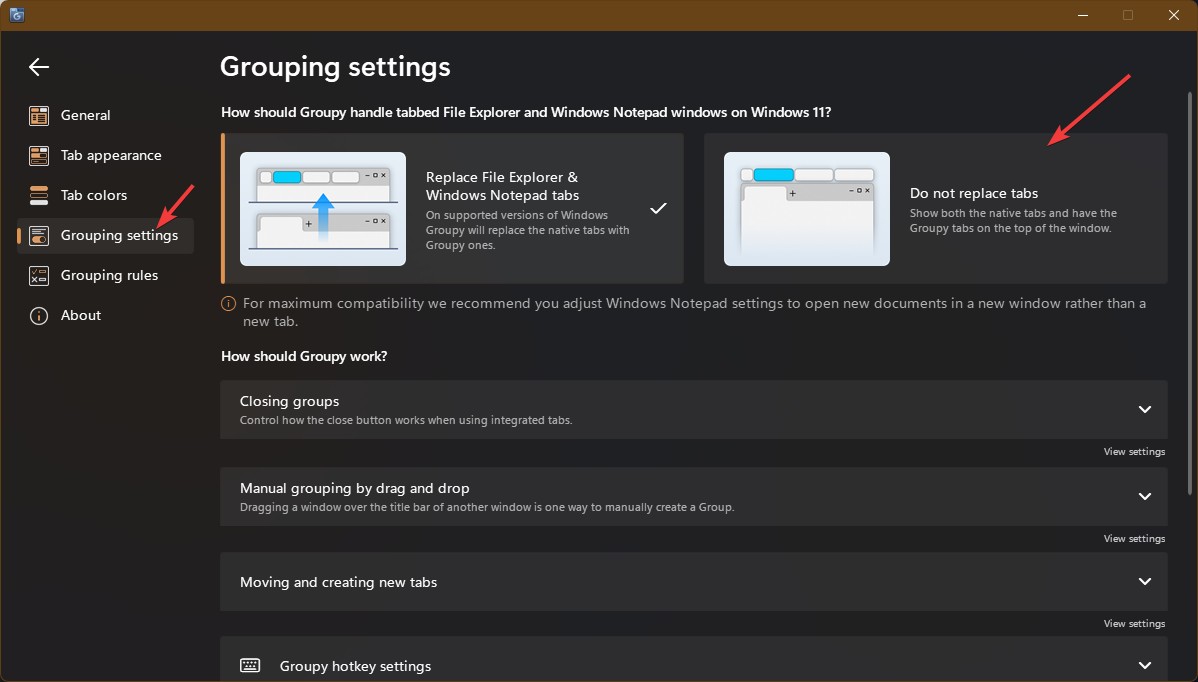
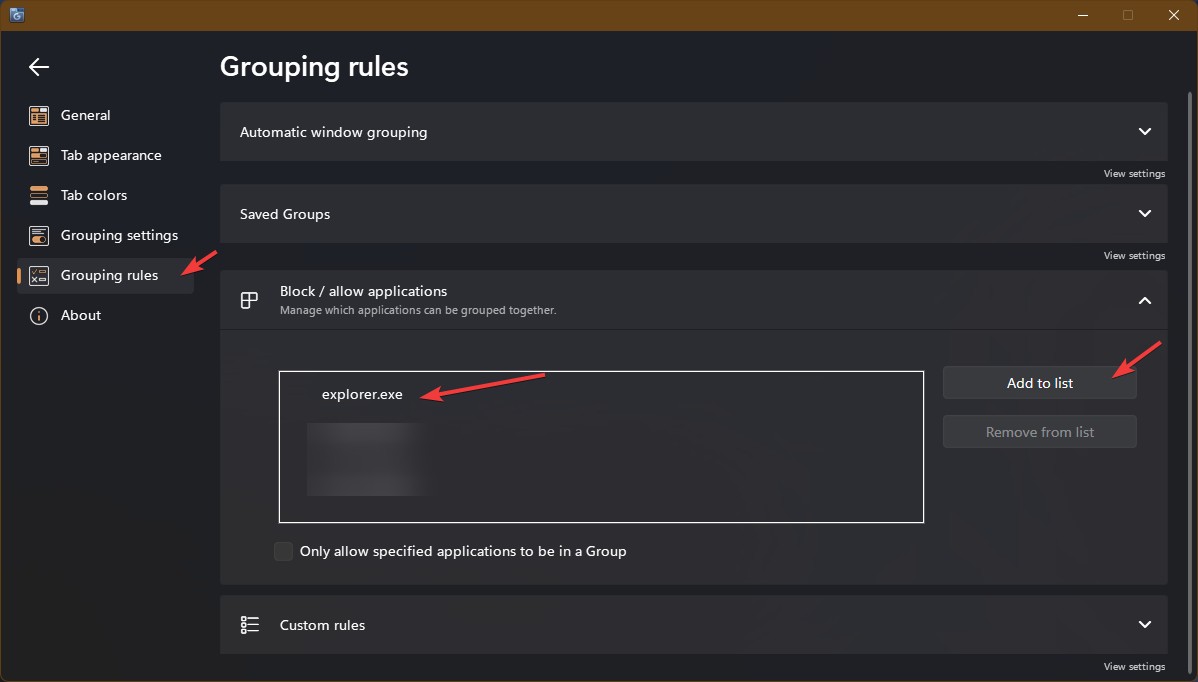
I don't want groupy grouping windows explorer and so in groupy settings I configured it such that windows explorer is excluded from groupy. However, groupy is still taking over windows explorer. After excluding windows explorer from groupy I open windows explorer and groupy tab shows along with the groupy menu button on far left and the + button.
I excluded explorer from automatic grouping, unchecked show create new tab option, unchecked always show tabs, etc but groupy is still taking over windows explorer.
How can I exclude windows explorer from groupy completely so that I can use windows explorer without groupy?
Thanks.