Help 2

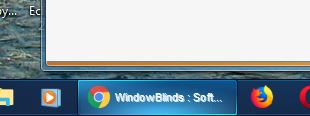
I removed Classic Shell and Winaero.  Now the taskbar buttons are fine, but I can't change the color and the text is blurry (see attached). How can I fix this? I chose the Lantana Theme.

Also, no matter what theme I use or what setting I change, I cannot replace the Windows 10 start menu with a Windows 7 style start menu. What am I missing?
5,805 views 11 replies
Reply #1 Top

Try the purge and reinstall steps : https://forums.stardock.com/486022/start10-support-faq#reinstalling

Just make sure to re-download the latest version from your account. Reboot after the purge. Reinstall using the latest version you download. Reboot again. Retest and report back here.

Thank you,


Basj,

Stardock Community Assistant

Reply #2 Top

To get a windows 7 style startmenu you need Start10 installed.

Reply #3 Top

Start 10 is installed, but I will follow previous advice to uninstall and then re-install to fix problem...

Reply #4 Top

I have followed your instructions and selected win8 style. Windows 10 start menu remains, and the taskbar is Windows 10 with the open windows underlined and non-3D as well. Are there additional settings I need to apply to get the Window 7 style start menu and taskbar?

Reply #5 Top

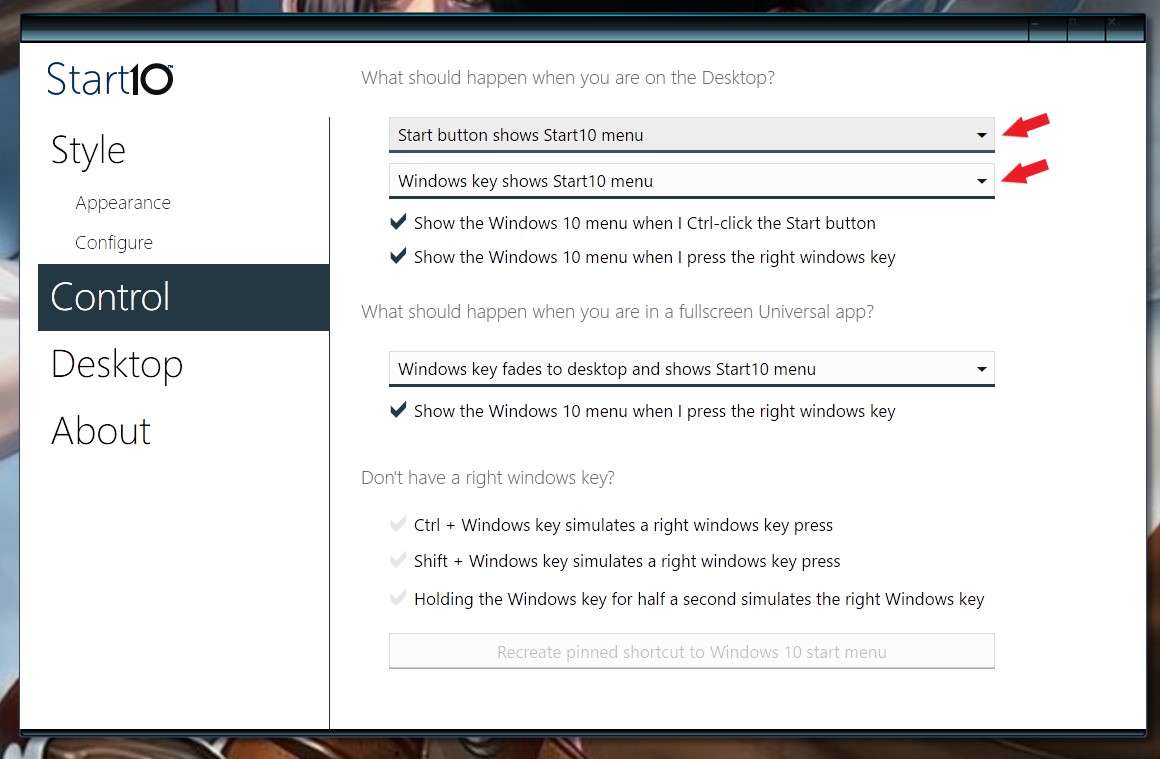
Please check these setting 

Thank you,


Basj,

Stardock Community Assistant

Reply #6 Top

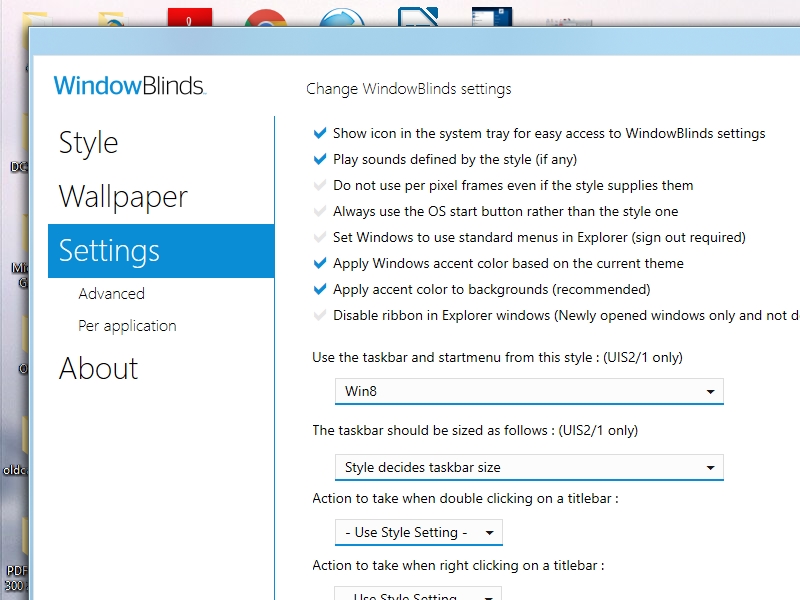
I don't see that application. Below is what I have:


How do I get the application you are displaying?


Reply #7 Top

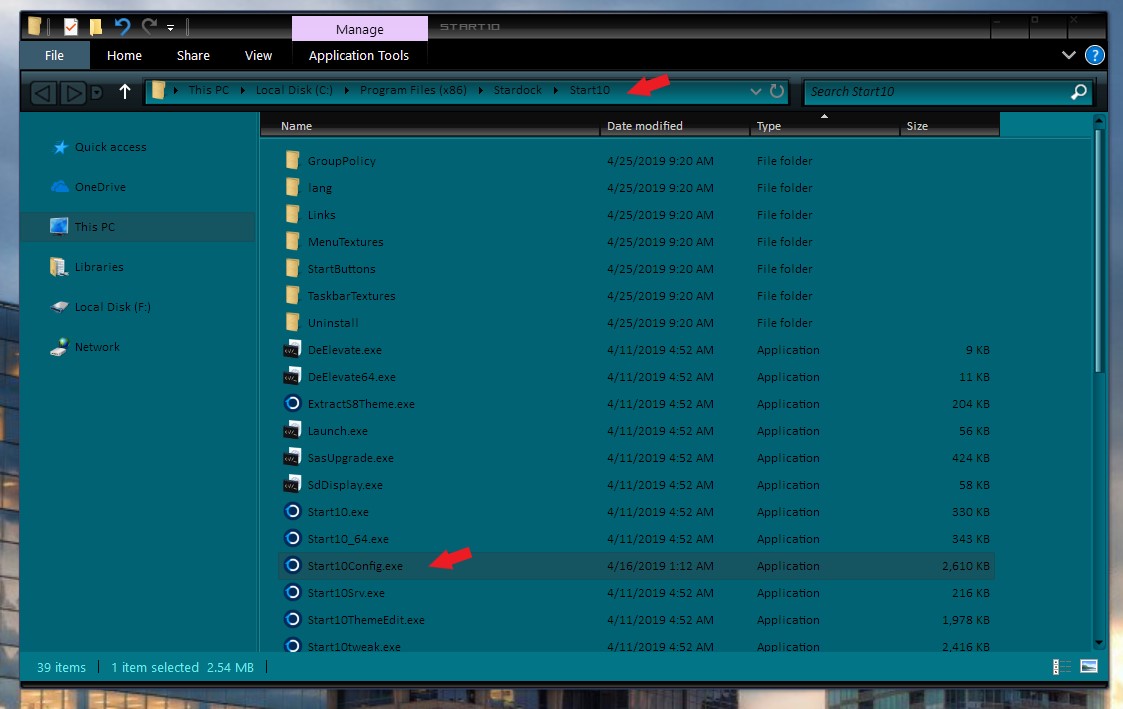
That is Windowblinds setting, not Start10 setting. Do you have Start10 install? If you do please double click on "Start10Config.exe to open up Start10 configuration windows.

Thank you,


Basj,

Stardock Community Assistant

Reply #8 Top

John asked

From : johnkolar
Sent: 6/1/2019 10:23:28 PM

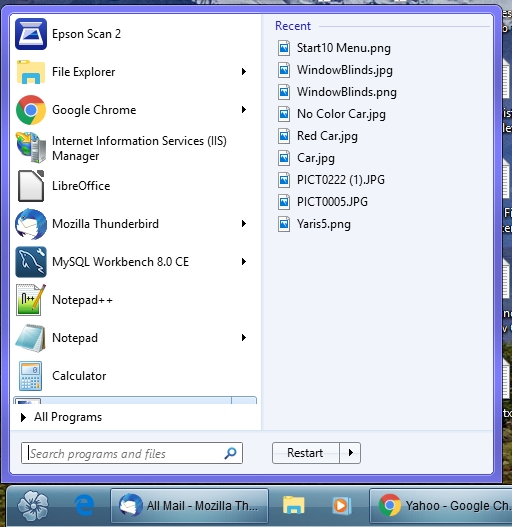
I have now successfully installed Start10 and Windowblinds. Everything seems to be working properly except the start menu does not grow in height to accommodate recently used apps. Instead they go below the visible area.

As you ca see Paint is partially hidden behind "All Programs" When the partially hidden app is highlighted the Recent menu appears to the right. If the partially hidden app is unpinned, another app takes its place. Start menu does not grow to fully expose all menu items.

One minor issue: as seen in pic above, Taskbar does not fully extend to left of screen. Is this behavior by design?

Reply #9 Top

First the easy part first.

Quoting basj, reply 8

One minor issue: as seen in pic above, Taskbar does not fully extend to left of screen. Is this behavior by design?
End of basj's quote

Yes that is by design.

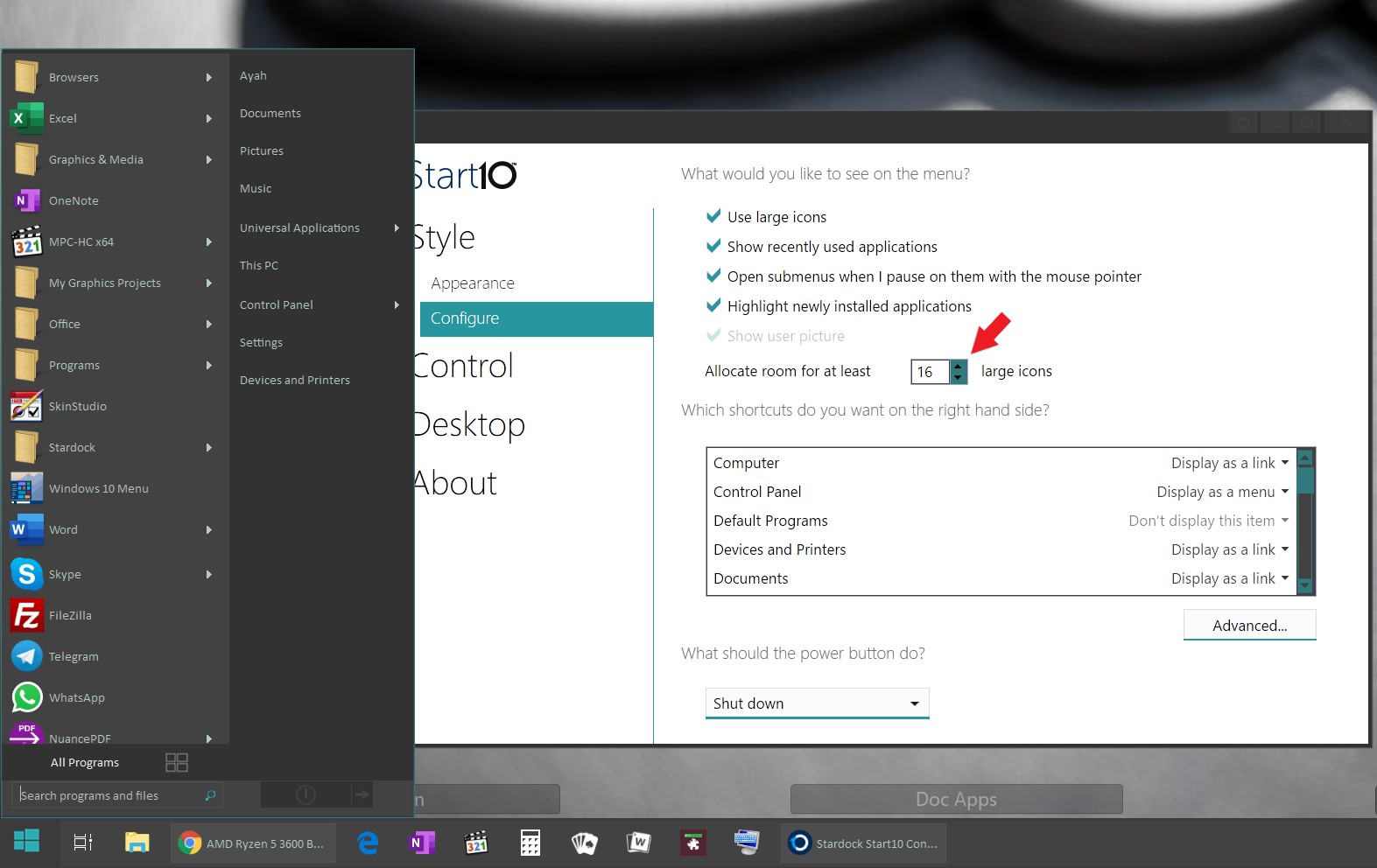
To add space for more recent app : Vertically is by adding "Allocate room for at least "XX" large icons" refer to below screenshot

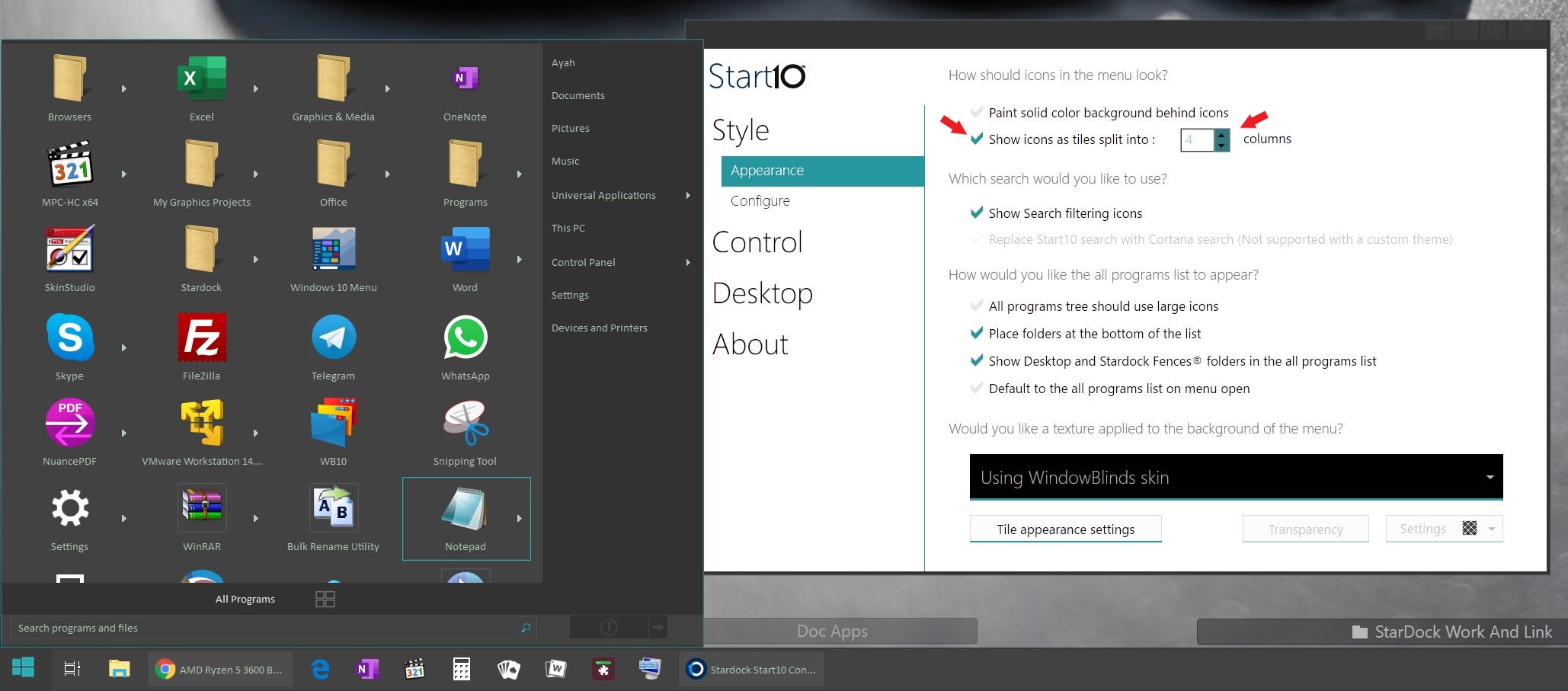
or you can also add space horizontally by activate and increasing the "Shows icons as tiles split into "XX" columns

Thank you,


Basj,

Stardock Community Assistant

Reply #10 Top

Hi Basj

Thanks for the help. I am now experimenting with developing my own skins. One minor issue: some applications (Mozilla Thunderbird for instance) won't accept the skin. Any way to work around this issue?


Thanks... 


Reply #11 Top

Hello,

Yes, some programs/apps will not work properly with Windowblinds. This is due to their designed. Programs such as Ms Office suite, Browsers, which usually have their own theme/skin engine.

Thanks

Basj

Stardock Community Assistant.