Following windows update, Groupy no longer groups

I had a windows update this afternoon - 2026-06 Security Update (KB5094126) (26200.8655) and on reboot, groupy no longer opens in groups. 

All was working fine before the windows update - if i opened a previously saved group of (for example) 8 folders, 8 folders would open, grouped just as i'd saved them.

After the update, if i open the same previously saved group of 8 folders, 8 folders would open separately, not grouped, requiring re-grouping (and it doesn't seem to snap onto the group as it did previously).

Another previously grouped set of 5 folders and an excel spreadsheet only opens 2 things - the spreadsheet and a root folder, which i then have to navigate through to find the folder i want.

584 views 6 replies
Reply #1 Top

Hello,

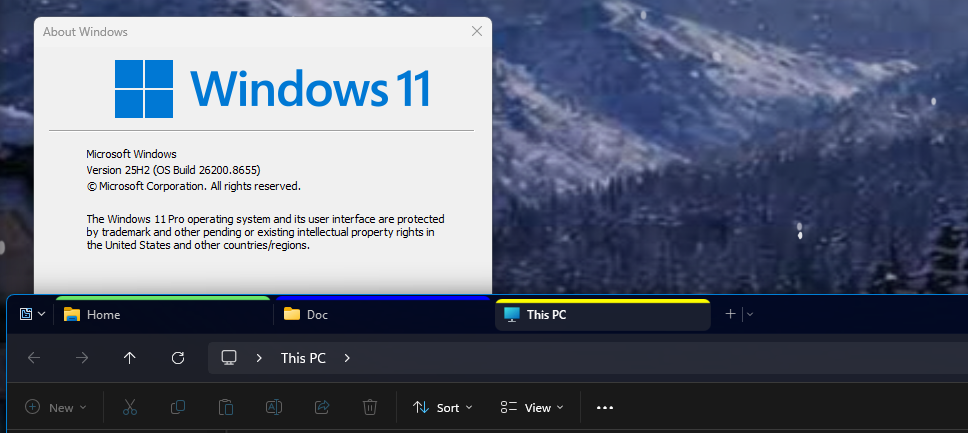
Sorry to hear you are having issues. Unfortunately, I can not reproduce the issue on my system. I am on Groupy v2.31. Refer to my screenshot below.  

Perhaps, something gone wrong when you update Windows. Please try, uninstall Groupy, reboot immediately (important), download latest version available in your account product download page: https://store.stardock.com/myaccount/products. Install it, reboot immediately again. Retest it and report back.Thank you,

Basj,

Stardock Community  Assistant.

Reply #2 Top

Hi Basj

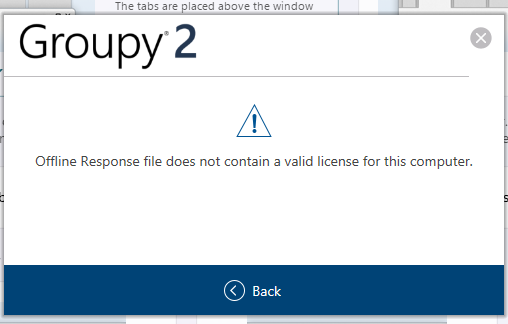
i've uninstalled, rebooted, reinstalled and rebooted but sadly i'm now not able to activate it with my activation key, despite having the current keys emailled to me, activating it through my account etc.  I've even attempted to activate the 30 day trial, just to get Groupy 2 going to see if it's working ok - all with no joy (even though i got the message saying the trial had been activated).

Getting an error code at activation - 212 - so i followed the instructions for deleting the Groupy folder after running %ProgramData%\Stardock\ at the windows cmd prompt.

 
I'm a long-time user of Groupy and it is an upgrade of Groupy 2 i'm trying to reinstall & activate - should i have installed Groupy first, activated that then done the same with Groupy 2?

Very confused....

I would have chosen to activate using an offline file, but i've never had a *resp file sent to me, in order to choose the offline option

Reply #3 Top

If you have purchased Groupy 2 you should have Groupy 2 activation key in your account. Please check it here in your account product page: https://store.stardock.com/myaccount/products. Use only Groupy 2 activation key to activate Groupy 2. Do not use Groupy 1 activation key to activate Groupy 2, unless you have Object Desktop activate subscription.

Quoting C&G, reply 3994295

I'm a long-time user of Groupy and it is an upgrade of Groupy 2 i'm trying to reinstall & activate - should i have installed Groupy first, activated that then done the same with Groupy 2?

End of C&G's quote

No, you do not need to do that.

Thank you,

Basj,

Stardock Community  Assistant

Reply #4 Top

Hi Basj

yep, i'm using the current and correct activation key - matches the one emailed to me and the one detailed in my account, but still getting the 212 error.  I even registered it through my account, activated through my account and can see the PCs it's activated/registered on, which includes my PC, but still it's not letting me past the activation screen.

I've uninstalled and reinstalled again, rebooting each time, but still no joy.
Been at it for over an hour now and i'm just stuck in a loop

Can i generate an offline *resp file to try that?

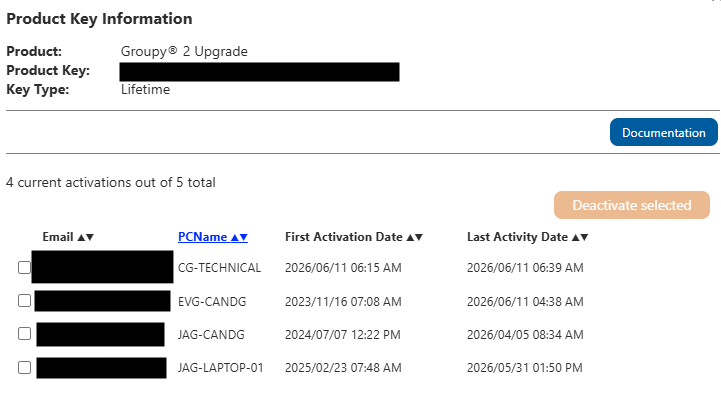
here's a snapshot (suitably redacted)

Reply #5 Top

From that look on your screenshot, and assuming you're trying to active it on PcName "CG-Technical" it did activated, no? Was you trying to activate on another system? Perhaps, you can try to deactivate it and try again, if it still fail, perhaps, you're having account issue.

Please raise support ticket using the link below, use the "Ask a question" option. Include all information details. Remember to record down the ticket number for future reference if needed. Do not raise multiple ticket, that will make your ticket back to the end of the line. Send once and wait. Ticket will be answer by the order they send in.

https://stardock.atlassian.net/servicedesk/customer/portal/4/group/13


Thanks
Basj,
Stardock Community Assistant