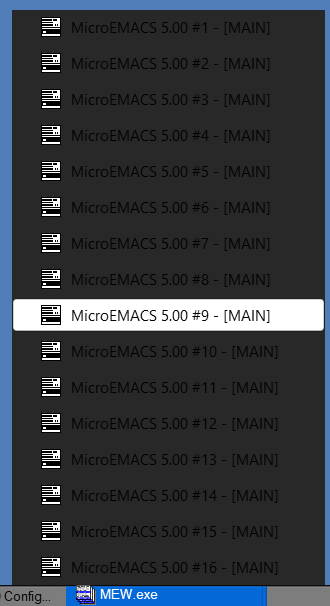
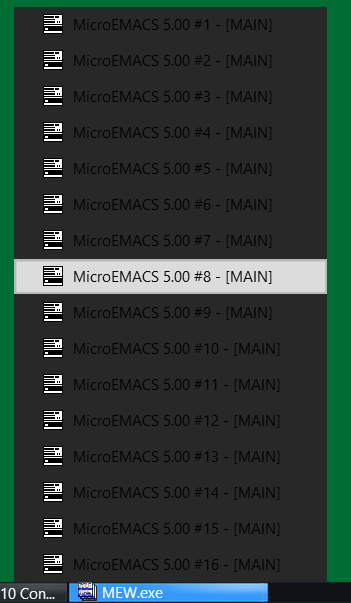
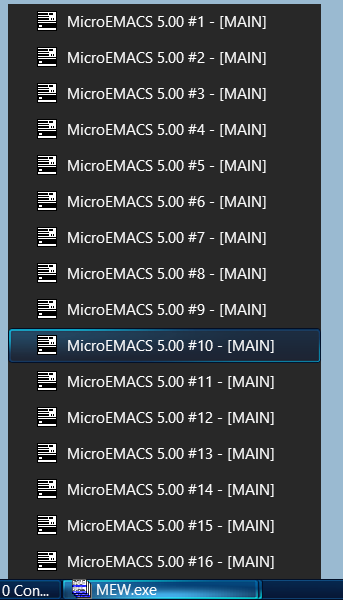
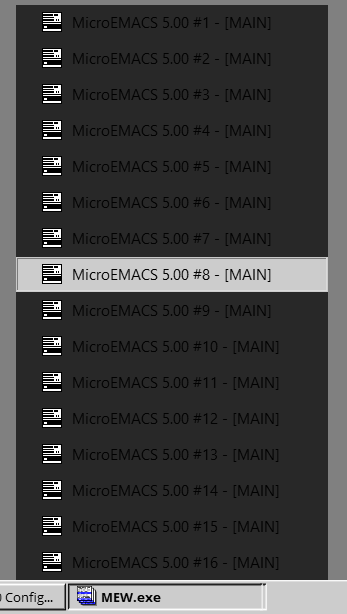
Taskbar Group Menu in Windows 10

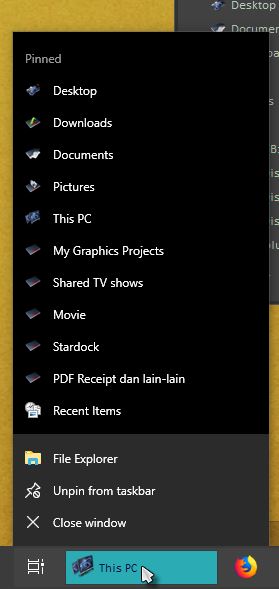
Skinning the taskbar group menu does not seem to work on Windows 10, is this a known issue with W10?

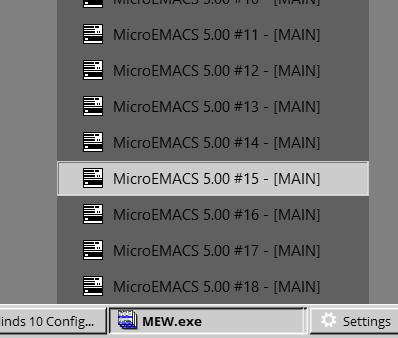
I tried with a few of the included styles and the taskbar group menu looks the same on all of them, a very dark background that blurs whatever is behind it, and it has black text (on some darker styles - white text). I tried editing the style and tweaking stuff in the "Taskbar Group Menu" section, and applying, but it doesn't affect the behavior of the task bar group menu.

I'm also curious if anyone knows how to change (or at least reverse the color) of Windows' built in task tray icons (speaker, battery, wifi, notification center). They can be either black or white (if you use a high contrast theme then W10 seems to be able to swap these to black icons).

cheers,
11,454 views 14 replies
Reply #1 Top

Hello,

If you talking about taskbar jumplist, refer below, than no, as far as I know that is not skinable. And same problem with Windows 10 taskbar all white tray icons.

Thank you,


Basj,

Stardock Community Assistant

Reply #2 Top

Thank you for the reply!

Do you or anyone else know which font setting controls the font in this one? Because it's possible to change the font from black to white by changing WB style.


Reply #3 Top

Hello,

Can you share the Theme name that make the font on Taskbar Jumplist menu turn Black.

Thank you,


Basj,

Stardock Community Assistant

Reply #4 Top

For instance, "The Captain", "True Classic", "Win8 Metro" -- black font

"Acrylic 7", "Ice", "Precision", "Win8" -- white font

It seems it is independent of the font color that's in the taskbar buttons themselves ...

The menu background seems to always be black or at least very dark. The "mouse hover" state of the menu seems skinnable?

Reply #5 Top

No, I don't see black font for the taskbar jumplist menu, checked on The Captain and Win 8 Metro, not sure if we are talking about the same thing. Could you show us what you are looking at.

Thank you,


Basj,

Stardock Community Assistant

Reply #6 Top


The one with the white font here, i think is "Acrylic 7". 

I believe it's called the "taskbar group menu", but I am not sure. It's anyway the menu that allows you to pick from multiple running apps when they have been grouped together as a taskbar button.. somehow WB is controlling this font color, and the look of the the "hovered over" state button, but alas, not the background color.

Being able to change the color from black to white would of course be nice :)  

Reply #7 Top


It seems I found some kind of solution to the problem, myself.

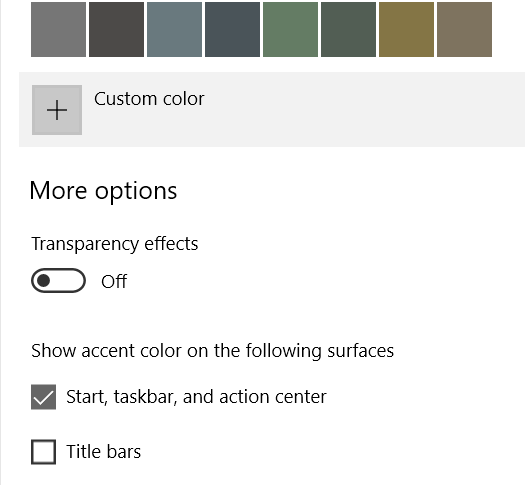
You have to turn "show accent color on Start, taskbar and action center" to a suitable color, in my case a grey color that makes it easier to see either completely black or completely white text.

That's the setting that controls the otherwise unskinnable "taskbar group menu." Maybe it's the same also for the "taskbar jumplist menu".

I have a few things to learn about Windows 10 I guess  ..

Reply #8 Top

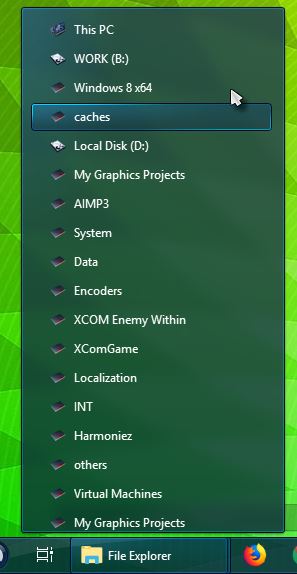
Sorry, my mistake. But on my system that menu look different. This is how Acrylic 7 Taskbar group menu look like on my system. 

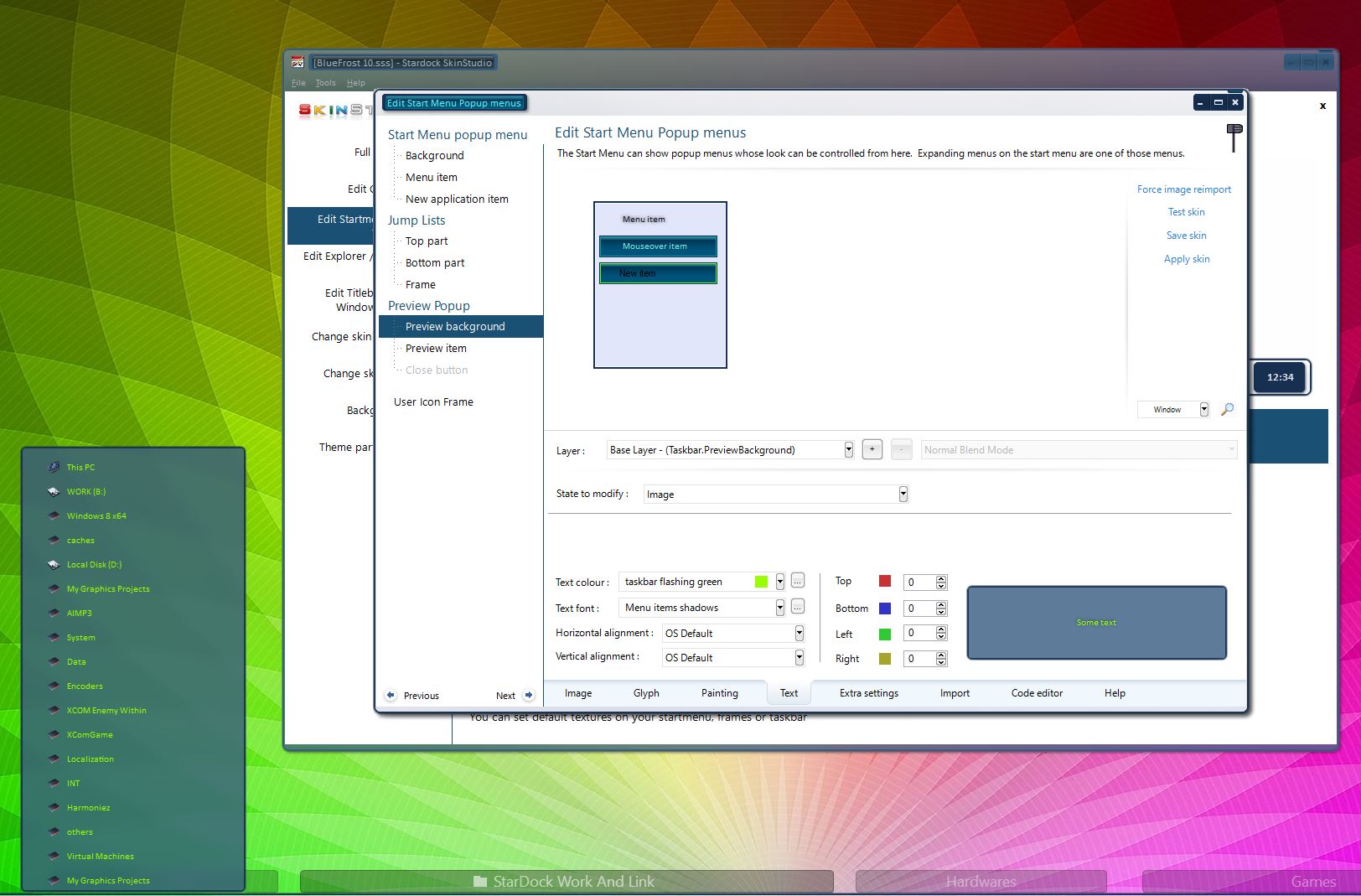
I believe that come from Preview background and the text color came from there also, if you look in skinstudio. Below is an example where I change that text color to bright green using my own skin for reference here.

Thank you,


Basj,

Stardock Community Assistant

Reply #9 Top

Quoting basj, reply 8

I believe that come from Preview background and the text color came from there also
End of basj's quote

Jazan, I'm trying to learn something here. Guess I'm not sure what actually brings up this menu so I can look. I do know exactly where you said to go to change the color. When I change it just to see the change nothing happens. Thinking I'm not looking at the same menu.

Could you please tell me exactly what steps you click on to show this menu. Thanks.

Reply #10 Top

Hey Dave,

Open as many windows explorer or anything, eg. notepad. It will eventually full up the taskbar with taskbar buttons. It will eventually group up into one taskbar button. If you open many enough it will eventually show that group menu. On my pc it take upto 18++ explorer to get to that.

Try it and let me know if you still need help on it.

P/s forget to mentioned that you need to hover your mouse over that single taskbar button for that menu to show up

Thank you,


Basj,

Stardock Community Assistant

Reply #11 Top

Quoting basj, reply 10

P/s forget to mentioned that you need to hover your mouse over that single taskbar button for that menu to show up
End of basj's quote

Thanks for the advice. However after opening 30 different things I had only the left TB button grouping and still had many open programs after it started to group. Since I have either never needed this menu or I have never had a problem I'm giving up. Maybe I have seen this menu bit never had a problem. Just don't see a menu on the taskbar that at the top says "This PC"

Again I do appreciate you advising me what to try.

Reply #12 Top

I make a video of it. Hope it clear enough for you.

https://youtu.be/mZ4GXPFg_6s

Thank you,


Basj,

Stardock Community Assistant

Reply #13 Top

Quoting basj, reply 12

I make a video of it. Hope it clear enough for you.
End of basj's quote

I don't see what you are seeing. I believe it's because my menu is being skinned like Win 7. I am using Oldnewexplorer which I believe you are not. A lot of things skin like win7 hence the menu I see re the popup menus. Have no other answer and believe what I said is corret. Thanks again however.

Reply #14 Top

For anyone who might still be interested,

I did mentioned, that that group menu can also show up with other apps open multiple windows such as Notepad, Excel worksheet, Word Doc. Attached is a video with Notepad open up 20+ text files. 

https://youtu.be/1fzSyoiT1B8

Thank you,


Basj,

Stardock Community Assistant