Icons falling out of Fences on Windows 10

I'm running Fences 3.0.9.11 on Windows 10.  Every since moving to Windows 10 I've had issues with icons falling out of my Fences.  Most of my fences are rolled up and at some point during the day every icon shows up on the desktop outside the fences.  This happens for rolled up and visible fences.  I have to go to each Fence and scroll through the icons to get it to pick them all back up and put them in the fence correctly.  See image below for example.  Has anyone else encountered this or found a fix?  It's driving me crazy! Thanks in advance!

Icons out of Fences

18,171 views 15 replies
Reply #2 Top

Hello,

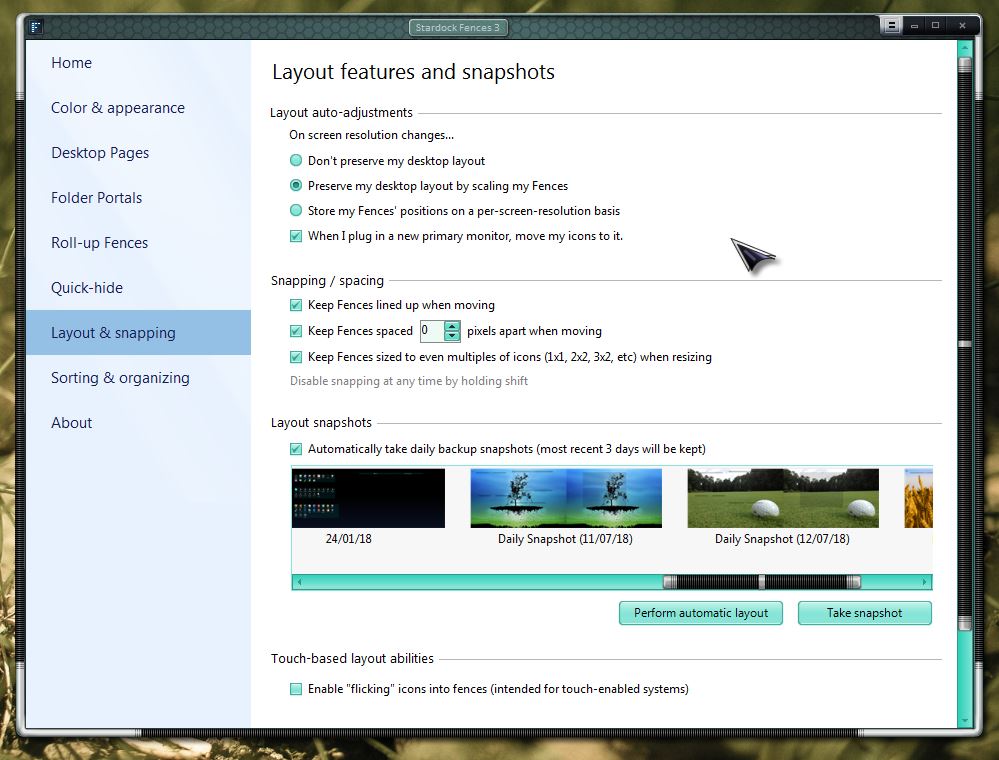
You can try to utilize the restore "Layout Snapshots" to restore your icons and fences.

Thank you,

Basj,

Stardock Community Assistant

Reply #3 Top

I used the tool to uninstall and reinstall.  I'll update how it goes today.  Thanks all!

Reply #5 Top

Hello,

I have forwarded your report to the Stardock support team for their review and recommendations.

Please keep an eye on this thread for any updates.

We really do appreciate your feedback, thanks.


AzDude
Stardock Community Assistant

Reply #6 Top

Quoting afulbright1580, reply 4

No luck.  It just happened again.  Any other ideas?  Thanks!
End of afulbright1580's quote

Are the icons that are falling from MS Office apps or are they network shortcuts?

Reply #7 Top

I'm having the same problem. I double click the title bar to roll-up and the icons stay in view while the fence rolls up.  It happens with folders and apps.

Reply #8 Top

Quoting upperverge, reply 7

I'm having the same problem. I double click the title bar to roll-up and the icons stay in view while the fence rolls up.  It happens with folders and apps.
End of upperverge's quote

If you have not run the purge (required) and reinstall of Fences 3 (we no longer support any prior version):

https://forums.stardock.com/486084/fences-support-faq#reinstalling

Please do so.  If that fails, post a video of the issue please.

----------------
Sean Drohan
Stardock Customer Service Manager


Reply #9 Top

Hi! The screen shot shows the issue.  It's happening with documents (Office, PDF, etc), program short cuts, folders on the device.  Basically everything falls out.  I haven't found a single workflow that guarantees it to happen but it seems to happen when I close a Webex meeting more often than anything else.

Reply #11 Top

Quoting upperverge, reply 10

Running the purge and reinstall worked for me. Thanks.
End of upperverge's quote

Great, Glad it workout for you. Thanks for reporting back.

Basj,

Stardock Community Assistant

Reply #12 Top

Quoting upperverge, reply 10

Running the purge and reinstall worked for me. Thanks.
End of upperverge's quote

Excellent...

Reply #13 Top

I am running Fences 3.0.9.11, and all but a few of my icons are suddenly outside of the Fences and scattered around my desktop.

I have tried restoring from a snapshot, and that doesn't work.

I have tried running the purge, reinstalling Fences, and restarting.  That doesn't work either.

Restoring a snapshot after doing the above steps doesn't work either.

I have a lot of icons, and I spent quite a lot of time getting them organized,  I would rather not have to repeat restoring them.

Is there anything I left out, or did in the wrong order?

Note: I am running Windows 10, and am using multiple screens, with fences defined on several screens.

Any suggestions?

Thanks


Reply #14 Top

Update: One of the stored snapshots has the original Fences layout I had set up.  Restoring that snapshot does nothing.  However, if I could see that snapshot at a higher resolution, it would be a big help in restoring my snapshot manually.  Can you tell me where that snapshot is located?

I have looked in C:\Users\USERNAME\AppData\Roaming\Stardock\Fences\Backups, which seems to have .png files showing stored layouts. 

However, there is no .png file in this folder with a date later than 12/10/2020.  The snapshot I tried to restore is dated 5/1/2021, and is referred to in "Restore Snapshot" as "Daily Snapshot (5/1/2021)".

Since I can still see this snapshot in Fences, I assume the file for it is on my computer somewhere.  Can you tell me where it is or how to search for it?

Thanks.

Reply #15 Top

Quoting kimballrudeen, reply 13

I am running Fences 3.0.9.11, and all but a few of my icons are suddenly outside of the Fences and scattered around my desktop.
I have tried restoring from a snapshot, and that doesn't work.
I have tried running the purge, reinstalling Fences, and restarting.  That doesn't work either.
Restoring a snapshot after doing the above steps doesn't work either.
I have a lot of icons, and I spent quite a lot of time getting them organized,  I would rather not have to repeat restoring them.
Is there anything I left out, or did in the wrong order?
Note: I am running Windows 10, and am using multiple screens, with fences defined on several screens.
Any suggestions?
Thanks
End of kimballrudeen's quote

Hello,
Sorry to hear you are having issues. Need to know more on your system and issues.

  1. Windows version, please use Microsoft's Winver.exe to get the Full version numbers.
  2. Do you have OneDrive Sync turn on for Desktop? That might be the cause of it. Windows will move your desktop icons to a new location and added a new icons linking to that shortcut in your Desktop. You can stop OneDrive Desktop Sync and move back all those moved icons back into your desktop. Or physically rebuild you fences and save the Layout snapshot again.

Thanks
Basj,
Stardock Community Assistant.