Fences 6 – Secondary monitor flashes wallpaper fragment when exiting Peek with different resolutions (Win 11 LTSC)
 Stardock Forums
System Environment
OS: Windows 11 Enterprise LTSC (24H2)
Fences Version: Fences 6 (Lifetime license)
Monitor Setup: Dual extended displays; primary and secondary monitors have different native resolutions
Wallpaper Tool: Wallpaper Engine (set to a static wallpaper on the secondary monitor)
Issue Description
When using the Fences 6 Peek (Quick-Look) feature:
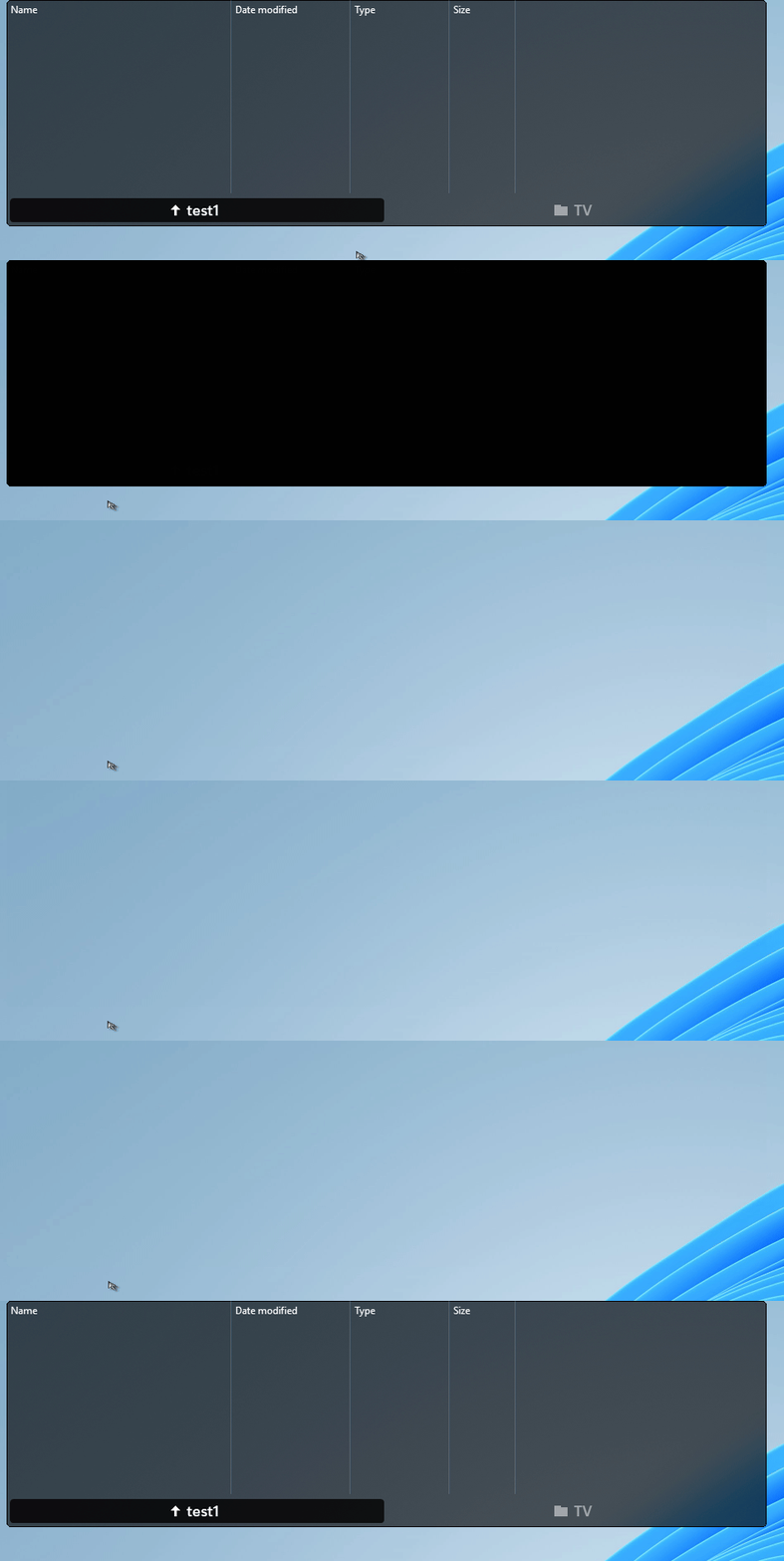
Activating Peek: Both monitors correctly hide all windows and show the desktop wallpaper.
Deactivating Peek: The primary monitor restores windows normally, but the secondary monitor briefly flashes a fragment of wallpaper (not the whole wallpaper, just a partial rectangular area) for a split second before returning to normal.
This only happens when the two monitors have different native resolutions. It does not occur when both monitors share the same resolution, or when only one monitor is connected. The issue is confirmed to be caused by physical resolution differences – scaling settings have been ruled out.
Troubleshooting Already Attempted (None Worked)
Set a separate wallpaper for the secondary monitor (cropped precisely to its native resolution)
Used Wallpaper Engine to take over wallpaper rendering instead of Windows default
Tried all Windows wallpaper fit modes (Fill, Fit, Stretch)
Uninstalled and reinstalled the GPU driver
Checked Fences settings — there is no “Only show Peek on primary monitor” option
Disabled desktop icons on the secondary monitor
Forced both monitors to the same refresh rate
Disabled Windows visual animations (adjusted for best performance)
Ensured all required runtimes (.NET Framework, Visual C++ Redistributable) are installed, as system is LTSC
Questions
Is this a known rendering/timing issue with Fences 6 when using monitors with different native resolutions?
Is there a hidden registry key (e.g., HKEY_CURRENT_USER\Software\Stardock\Fences\Fences 6\Peek) that could force Peek to only work on the primary monitor?
Does Stardock have any plans to fix this in a future update, or is there an official workaround for LTSC systems?
Additional Notes
Peek works flawlessly when both monitors have the same resolution, or when using only a single monitor.
The flash happens exactly at the moment DWM restores the wallpaper after exiting Peek, suggesting a rendering buffer synchronization delay between displays of different sizes.
System is a clean installation of Windows 11 Enterprise LTSC (24H2), fully updated.
Any help or workaround would be greatly appreciated. Thanks in advance!