cannot open Snipboard

Cannot open Snipboard. The "Open Snipboard" (right-click the Snipboard taskbar icon) does not work. Win+V only shows Snipboard when the keys are pressed. Double-click the Snipboard taskbar icon and the control/settings dialog appears. How is Snipboard accessed?
33 views 2 replies
Reply #1 Top

Ah. One must right-click the Snipboard taskbar icon and then select the "Paste Bar" menu item to see the paste bar. Quite cumbersome, that is. So, there is no usable shortcut key for the paste bar (Win+V does not work to keep the paste bar visible).

Reply #2 Top

Hello,
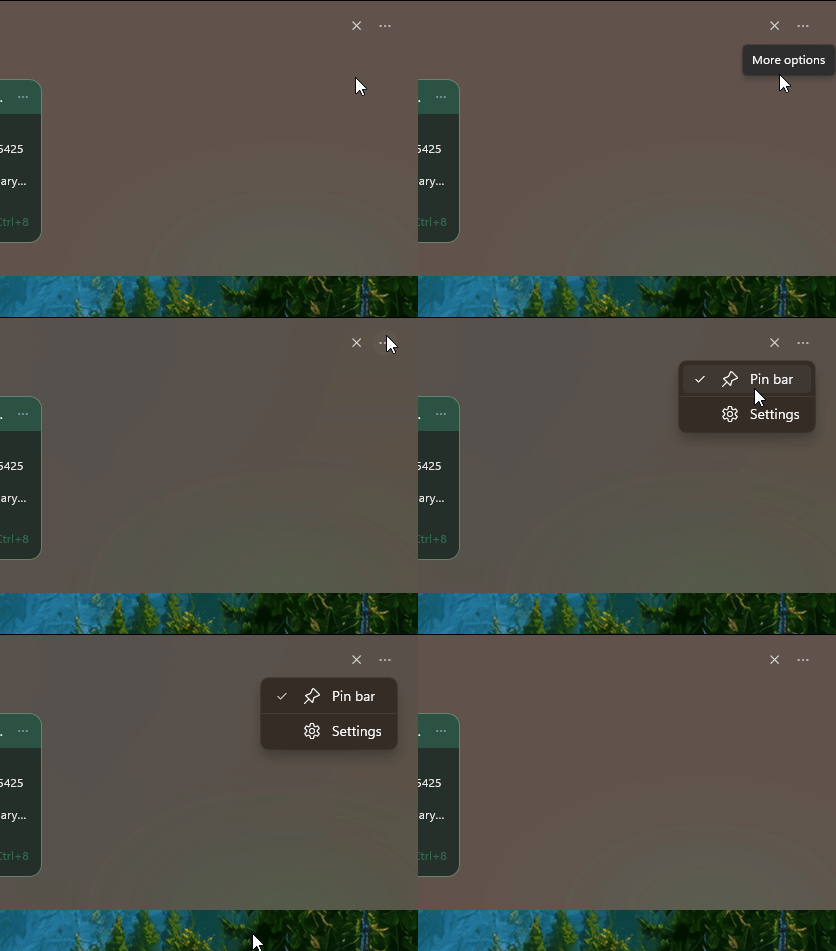
Sorry to hear you are having issues. But, not really sure on your work flow, how is Snipboard don't work for you. I believe once you set Snipboard to load on Startup. The "Paste bar" will appear when you press Win+V and it stay on unless you click else where away from the Paste bar. Was you expecting the paste bar to appear permanently? I believe you can do so by use the "pin bar" feature. 

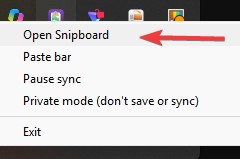
To get to Snipboard configuration windows, you can use Snipboard icon in your taskbar tray area, right click on it and select "Open Snipboard"


Thank you,
Basj,
Stardock Community Assistant.
