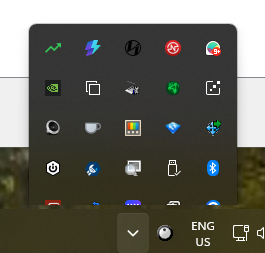
Start11 Show Hidden Icons shows underneath taskbar

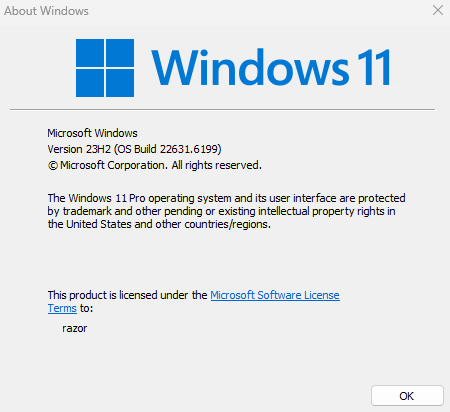
Windows Version Number: 11 Pro 10.0.22631 Build 22631
App Version: 2.8

When I click on the Show Hidden Items button, the hidden icons jump up and then down, so that the bottom icon is completely invisible and the 2nd row from the bottom is half covered by the taskbar.
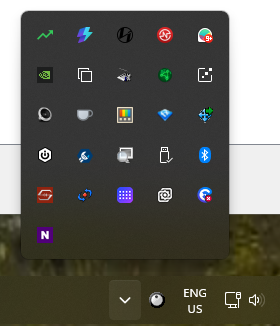
If I click the button repeatedly, after a few attempts it will show properly
253 views 3 replies
Reply #1 Top

Hello,
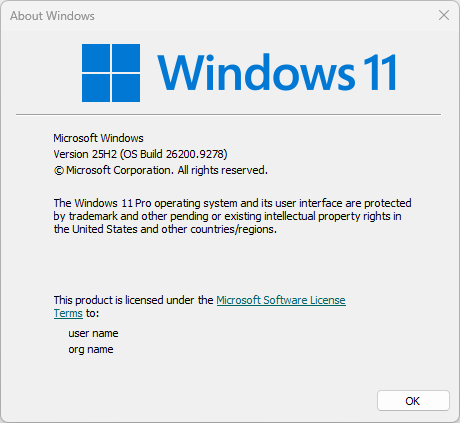
Sorry to hear you are having issues. Need to know your Windows 11 full version number. Use Winver.exe which come with Windows. Its show something like below. For example, from below screenshot it shows, it is running Windows 11 v25H2 (OS Build 26200.9278)


Thank you
Basj,
Stardock Community Assistant.

Reply #2 Top

Hi, it is running version 23H2 OS Build 22631.6199

Reply #3 Top

Please update your Windows 11 from version 23H2 to the latest 25H2 OS Build. Start11 has evolved significantly to align with Windows 11 updates, so keeping your system current ensures the best compatibility and performance.

Thank you,

Basj,
Stardock Community Assistant