Start11 v2 Release (2.81) Feedback
With the Start11 v2.81 release today, we are creating this thread so that users can report any observed issues.
Thank you for your interest and any time you put into making Start11v2 a better product.
With the Start11 v2.81 release today, we are creating this thread so that users can report any observed issues.
Object Desktop members can get the release from within Object Desktop Manager
Individual purchases (as well as Object Desktop Members) can also be obtained from your account page: https://store.stardock.com/myaccount/products
For guest check-out purchase (no account), from this link: http://www.stardock.com/support/productkeyretrieval
Please include the following for anything found:
Exact Windows version \ build (winver.exe)
Detailed steps to recreate the issue seen
Screenshots and videos are very helpful. Videos can be uploaded to a cloud drive service (GoogleDrive, DropBox, OneDrive, YouTube), with a shared link included in your post. Images can be copied and pasted directly into a post.
If there are specific apps that the app does not work (well) with, please note what apps and their exact versions. If any app is not common, a link to a trial version would be appreciated.
Thank you for your interest and any time you put into making Start11v2 a better product.
9/21/2026
UI: 2.81
File version: 2.8.1.0
Fixes taskbar alignment problem with centered taskbar icons on secondary displays when the taskbar is at the bottom.

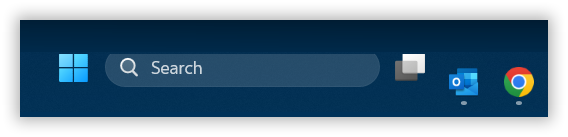
Start button is misaligned. It's too high up. 2.81. Windows 11 [Version 10.0.26200.9457] Primary monitor.
Hello,
Sorry to hear you are having issues. Please try, uninstall Start11v2, reboot immediately (important), download latest version available in your account product download page: https://store.stardock.com/myaccount/products. Install it, reboot immediately again. Retest it and report back.
Thank you,
Basj,
Stardock Community Assistant.
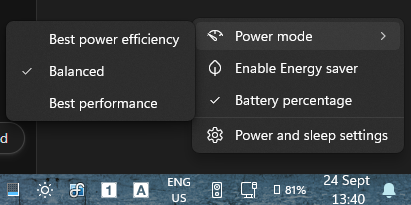
I do not understand why you release "Stable Versions" when you have pending bugs that are no yet corrected. I posted about how the right click on the battery behaves and got no answer. Now everytime I boot I have to deactivate the enhanced taskbar, click on the battery on the Windows 11 taskbar and back activate it to have it working for the rest of the session. This is irritating, I spend time to pinpoint the bug, commented extensively and what I see is just a new version with nothing solved
i was having alignment issues as well but i just got a taskbar related windows update right now that fixed my alignment issues.
this update was released just a few days ago so its been slowly rolling out to everyone.
to confirm if you've got the required windows update and its taskbar features, go to:
settings > personalization > taskbar > taskbar behaviors
and see if you have the 2 newly added options:
taskbar position
taskbar size
if you have those 2 options then you got the latest windows update regarding the taskbar.
now i have start11 taskbar size set to small and windows 11 taskbar size set to default and everything is aligned.
setting windows 11 taskbar size to small reduces the size of the icons and removes the date which i think its supposed to.
I had the same issue I don't know when it first started. But the fix that I did was to change this setting go to taskbar tab and then scroll down until you see task bar position change the primary monitor to allow windows to control taskbar position. Then it worked and if you like it on the ether side or top. Then go to windows settings, then go to personalization, then go to taskbar, then under taskbar behaviors you should find the position option there to change.
I do not understand why you release "Stable Versions" when you have pending bugs that are no yet corrected. I posted about how the right click on the battery behaves and got no answer. Now everytime I boot I have to deactivate the enhanced taskbar, click on the battery on the Windows 11 taskbar and back activate it to have it working for the rest of the session. This is irritating, I spend time to pinpoint the bug, commented extensively and what I see is just a new version with nothing solved
There is a great brand new Windhawk mod called "Separate System Tray Icons". For the moment it provides a solution to my problem for fast switching of the power mode with right clicking. I hope nevertheless that Stardock corrects this bug at some point:

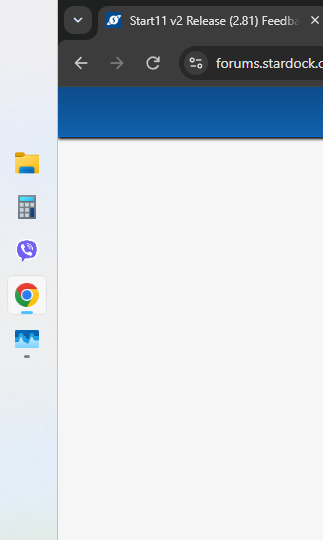
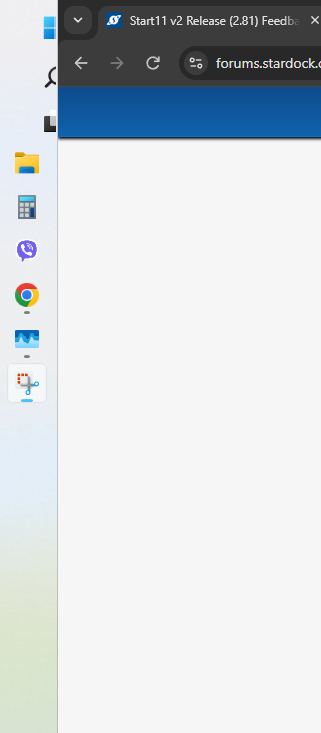
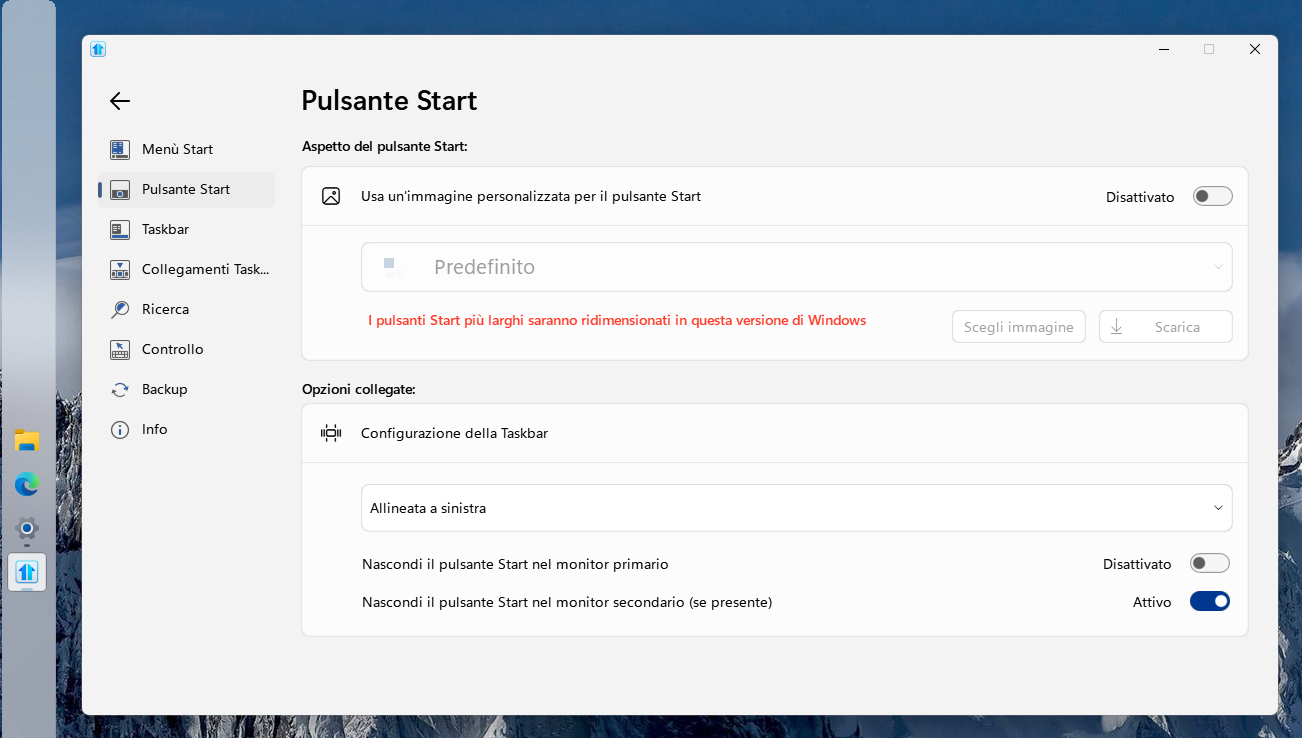
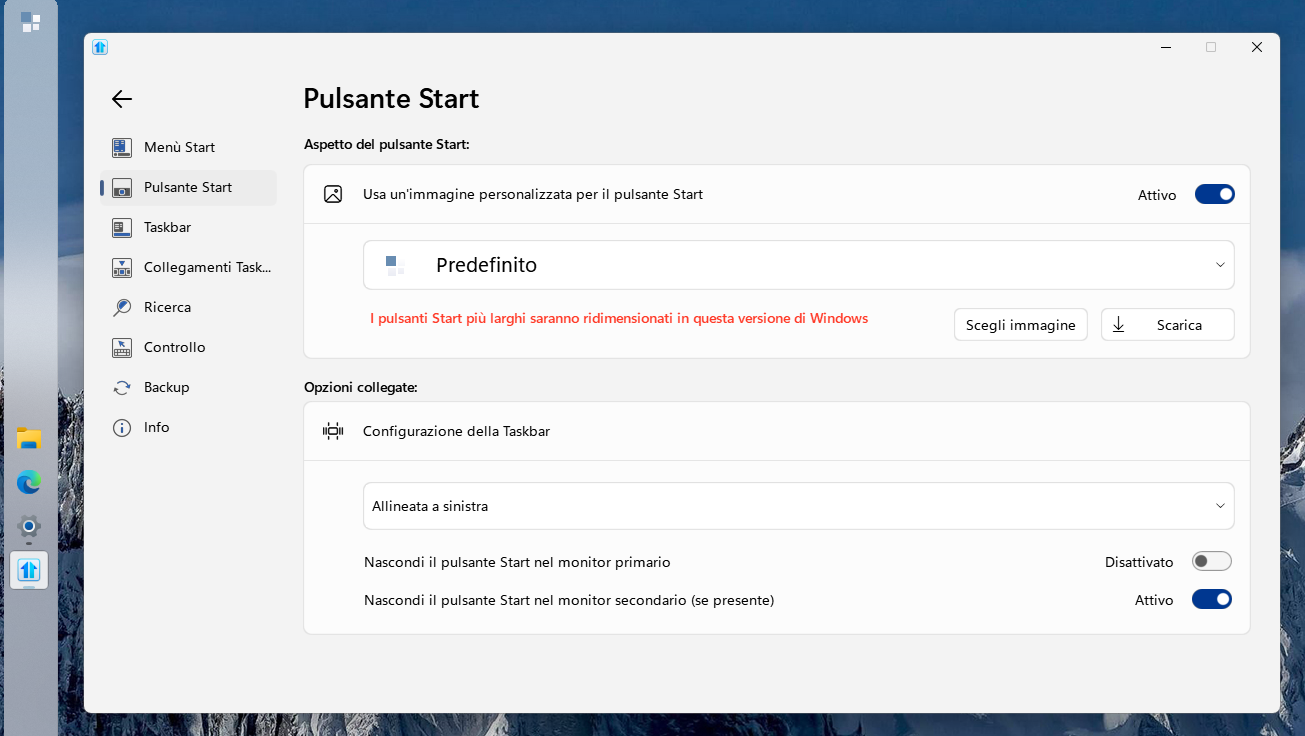
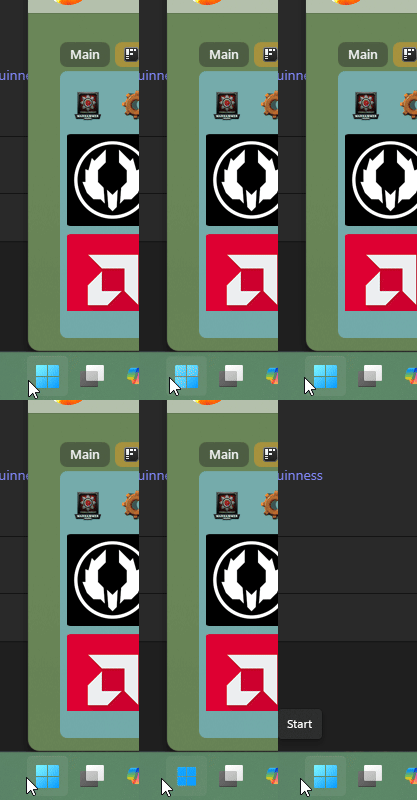
Just a little bug with the latest version (2.8.1), with Taskbar on the left side the Start button does not show unless I give it a custom icon.
WITHOUT:

WITH:

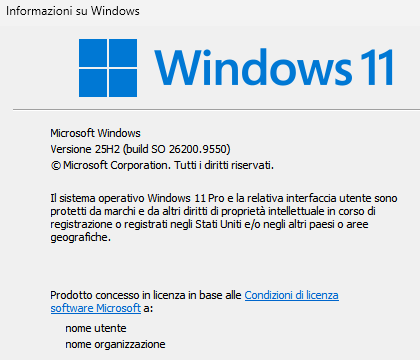
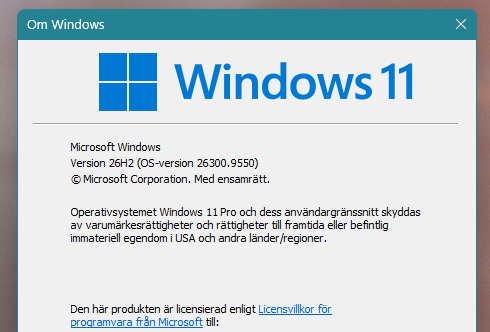
Windows version:

When no icon is shown the Start button area is still clickable with left button to open the Start Menu, but does not respond to right click.
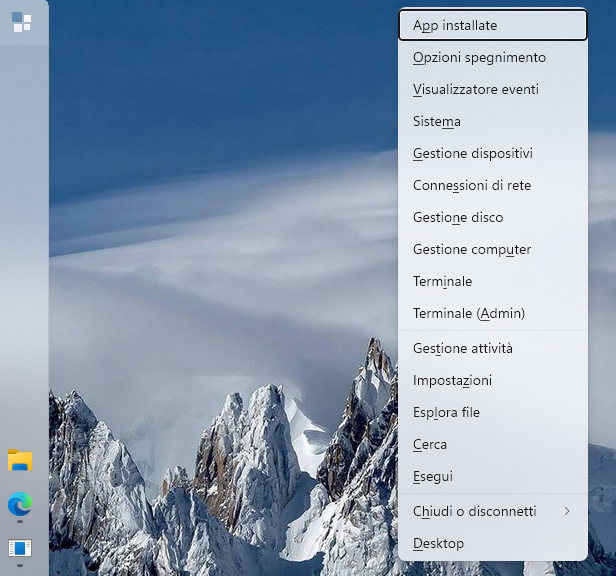
With custom icon set, right click works but the menu is displayed far right:

Already went through the uninstall-reboot-install-reboot routine.
Thanks.
Baio
Uninstall and remove settings followed by re-install fixed it.
Are you answering to my post?
Hello,
Sorry to hear you are having issues. This is why we encourage user to create your own thread so it don't get confused with others posting.
Thank you,
Basj,
Stardock Community Assistant.
Hello,
Sorry to hear you are having issues. This is why we encourage user to create your own thread so it don't get confused with others posting.
Thank you,
Basj,
Stardock Community Assistant.
So what's the point of this thread?
Baio
Hello, This thread is meant for sharing feedback or issues that are more general in nature—things that many users might encounter with the new release. It helps the team and community see patterns and track broad version‑related concerns in one place.
For more complex or system‑specific problems, we encourage users to open their own dedicated thread. That way, support can focus on the details of that individual setup without the risk of it getting mixed in with unrelated reports. Of course, Support and Dev staff do sometimes step in here, but separating unique cases makes it much easier to provide proper and personal assistance.
Think of this thread as a “big picture” feedback hub, while individual threads are the best way to get tailored help for your specific situation.
Thank you for helping keep the discussions organized!
Thank you,
Basj,
Stardock Community Assistant
Found a really strange bug. When pressing just one pixel ouside the Windows blue logo color but still inside the button box, it opens the original start menu. But when I press on the blue color in the logo it opens Start11 V2. Very strange.
Link to screen recording: https://imgur.com/a/start11-button-bug-wmzVeuA
Found a really strange bug. When pressing just one pixel ouside the Windows blue logo color but still inside the button box, it opens the original start menu. But when I press on the blue color in the logo it opens Start11 V2. Very strange.
Link to screen recording: https://imgur.com/a/start11-button-bug-wmzVeuA
Hello,
Sorry to hear you are having issues. But, I can't reproduce your issue on my system.

Please try, uninstall Start11, reboot immediately (important), download latest version available in your account product download page: https://store.stardock.com/myaccount/products. Install it, reboot immediately again. Retest it and report back.
If the issue still appear. We need more information on your system.
Thank you,
Basj,
Stardock Community Assistant.
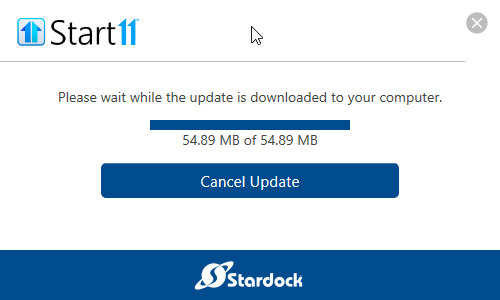
I'm offered an update to 2.81 from 2.80 and it won't install. The download finishes, and then the dialog doesn't make any progress. No errors are shown, I just sit here with 100% download completed.
I'm using Windows 25H2 (OS Build 26.200.9457).
How do I fix this?
I'm offered an update to 2.81 from 2.80 and it won't install. The download finishes, and then the dialog doesn't make any progress. No errors are shown, I just sit here with 100% download completed.
I'm using Windows 25H2 (OS Build 26.200.9457).
How do I fix this?

Hello,
Sorry to hear you are having issues. Please download directly from your account product page: https://store.stardock.com/myaccount/products. Try it and report back.
Thank you,
Basj,
Stardock Community Assistant.
Downloading directly and installing the package worked. Is the internal upgrade feature known to be broken? That's a shame.
Great, glad to hear it work. Download using in app updater usually work, but, there are times where the server might have some issue which causing issue.
Thank you,
Basj,
Stardock Community Assistant
Hi!
I have reinstalled but still the same. I was guessing its related to me having 39" screen with 5120 x 2160 resolution and scaling is set at custom 115% in Windows settings. But I have tested some more and the bug is only when I have windows button centered. Its only on the left side of the icon, pressing outide the blue color logo on the right side of it does not trigger Stock Start Menu. When button is placed to the left, it never triggers Stock Start menu no matter where i press on the button.
Hi!
I have reinstalled but still the same. I was guessing its related to me having 39" screen with 5120 x 2160 resolution and scaling is set at custom 115% in Windows settings. But I have tested some more and the bug is only when I have windows button centered. Its only on the left side of the icon, pressing outide the blue color logo on the right side of it does not trigger Stock Start Menu. When button is placed to the left, it never triggers Stock Start menu no matter where i press on the button.
Hello,
Have you tried as a test running at 100% scale and see if it still an issue? Also you're running Windows 11 v25H2, yes? Need to know its OS Build number too. Use Winver.exe to get it.
Thank you,
Basj,
Stardock Community Assistant.
I changed it to 100% scale now, and the bug is gone. So it looks like its realted to the 115% custom scale I had set.
I also tried 125% (which is a fixed option in Windows) and the button behaves normally, no bug.

Welcome Guest! Please take the time to register with us.
Select a reason for giving karma:
You're about to visit an external site:
Sign up here to get the latest news, updates, and special offers delivered directly to your inbox.