New Secure Boot Certificates for Older Computers

If you're prior to 2025, update before June 2026 expiry

https://techcommunity.microsoft.com/blog/windows-itpro-blog/act-now-secure-boot-certificates-expire-in-june-2026/4426856

For folks with Windows computers from before 2025 and non-copilot, secure boot certificates will be expiring in June 2026 including W11 and W10.

  • Affected: Physical and virtual machines (VMs) on supported versions of Windows 10, Windows 11, Windows Server 2025, Windows Server 2022, Windows Server 2019, Windows Server 2016, Windows Server 2012, Windows Server 2012 R2—the systems released since 2012, including the long-term servicing channel (LTSC)
  • Not affected: Copilot+ PCs released in 2025
  • Important: Check with your OEMs on the latest available OEM firmware. Apply any available firmware updates to your Windows systems before applying the new certificates. In the Secure Boot flow, firmware updates from OEMs are the foundation for Windows Secure Boot updates to apply correctly.

Please read the external link (even though it's a year old, it's valid) as your system requires the updated certificate. You may have been updated already, but it behooves one to check. How to do so is mentioned in the article.

5,627 views 27 replies +1 Loading…
Reply #2 Top
Quoting pelaird, reply 3993118

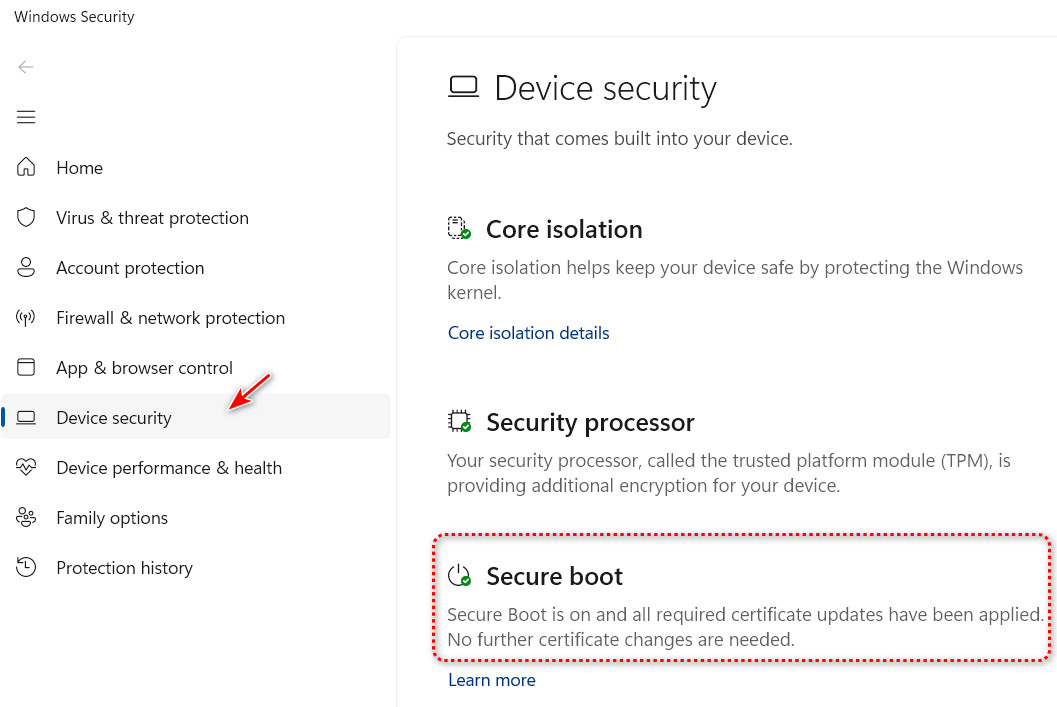
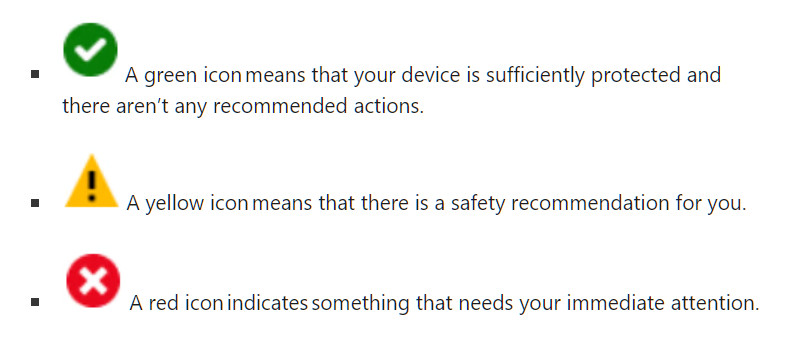
And here's a good way to check if your Secure boot certificates are up to date in the Windows Security app.


Check for Secure Boot Cert Updates

End of pelaird's quote

Excellent find, pelaird.

+1 Loading…
Reply #3 Top
Your PC will still boot after the cert expires, fwiw. Secure Boot doesn't stop your computer from working. What happens is Microsoft resigns stuff with the new cert going forward, So new Windows updates, recovery tools, and new blocks against malware wont verify on a box that never picked up the new cert. You just stop getting them.
+2 Loading…
Reply #4 Top
Quoting tbrandt, reply 3993199

Your PC will still boot after the cert expires, fwiw. Secure Boot doesn't stop your computer from working. What happens is Microsoft resigns stuff with the new cert going forward, So new Windows updates, recovery tools, and new blocks against malware wont verify on a box that never picked up the new cert. You just stop getting them.

End of tbrandt's quote

Thanks for your reply, tbrandt. I hope that's true.

Reply #5 Top

Straight from the horses mouth:

The impact of Secure Boot certificate expiration

"Microsoft is updating the Secure Boot certificates originally issued in 2011 to ensure Windows devices continue to verify trusted boot software. These older certificates begin expiring in June 2026. Devices that haven’t received the newer 2023 certificates will continue to start and operate normally, and standard Windows updates will continue to install. However, these devices will no longer be able to receive new security protections for the early boot process, including updates to Windows Boot Manager, Secure Boot databases, revocation lists, or mitigations for newly discovered boot level vulnerabilities.

"Over time, this limits the device’s protection against emerging threats and may affect scenarios that rely on Secure Boot trust, such as BitLocker hardening or third-party bootloaders. Most Windows devices will receive the updated certificates automatically, and many OEMs provide firmware updates when needed. Keeping your device current with these updates helps ensures it can continue receiving the full set of security protections that Secure Boot is designed to provide."

reference Microsoft Article

+1 Loading…
Reply #6 Top

I have no idea how to resolve this issue. It's very confusing. When I check on it, it says my computer has the old Boot certificate but how do I update it?

Reply #7 Top
Quoting Chasbo, reply 3993670

I have no idea how to resolve this issue. It's very confusing. When I check on it, it says my computer has the old Boot certificate but how do I update it?

End of Chasbo's quote

Windows 10 or 11? Full version from winver.exe?

Windows Update should automatically install the new certificate.

To check if it has been installed using PowerShell:

1) Open PowerShell as an administrator.

2) Enter this command exactly. (I recommend copy and paste.)

([System.Text.Encoding]::ASCII.GetString((Get-SecureBootUEFI db).bytes) -match 'Windows UEFI CA 2023')

If the 2023 certificate is active it will return: True

If the 2023 certificate is not active, it will return: False


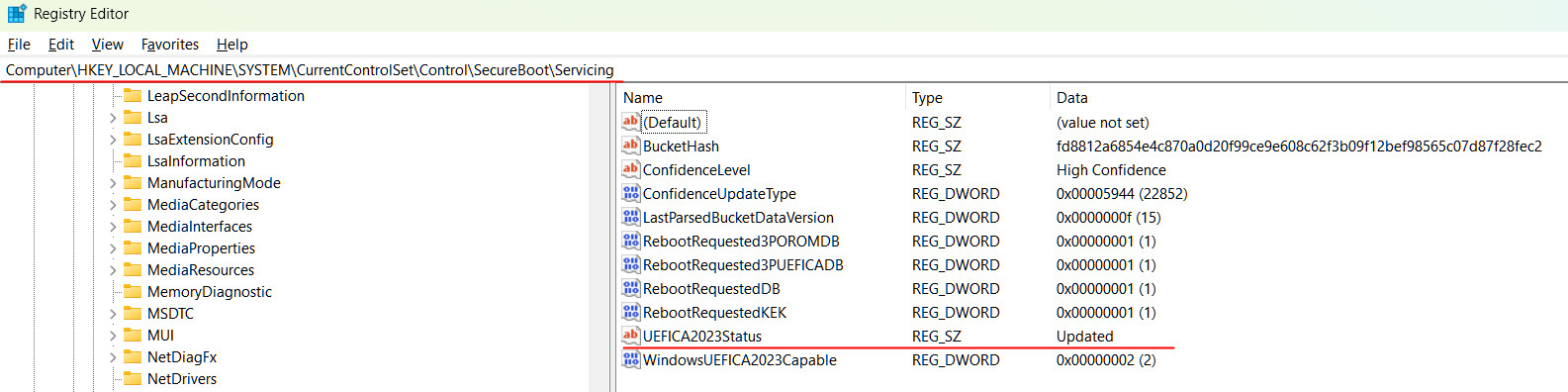
You can also check the Registry at:

Computer\HKEY_LOCAL_MACHINE\SYSTEM\CurrentControlSet\Control\SecureBoot\Servicing

Look for UEFICA2023Status in the right hand column, and it should say Updated in the Data Value.


Reply #8 Top

Thanks a lot pelarid. The PowerShell method is what I did. The information came back: True.

Reply #9 Top
Quoting Chasbo, reply 3993686

Thanks a lot pelarid. The PowerShell method is what I did. The information came back: True.

End of Chasbo's quote

Awesome! Your good to go. :thumbsup: 

Reply #10 Top

I'm certain that if I did that the result would be "What on earth is Windows 7?"

Reply #11 Top

Cheers pelaird.

Tried Both Methods and All Is Good For Me.(I Knew I Had To Check This Sooner Or Later)

Reply #12 Top

Doc is not happy.

Reply #13 Top

Ouch! Have you run the most recent Windows Update?

Reply #14 Top
Quoting pelaird, reply 3993716

Ouch! Have you run the most recent Windows Update?

End of pelaird's quote

Yes, I have. After some research and msinfo32, I'm planning to get into the BIOS and change Secure Boot to 'on'. Although there's an updated BIOS out there, I'm a tad chicken to flash mine, as I don't plan on adding new devices, etc.

Reply #15 Top

Doc, I have updated my BIOS many times without incident, just make sure to create an Image Backup before you update. It's possible the new certificates are already present in the update. Check with your OEM for the BIOS to see if they are included.

Also, it just may require Secure Boot to be turned on the the certificates to be updated by Windows Update, but if you haven't had Secure Boot turned on, you probably don't need the new certificates anyway.

Reply #16 Top

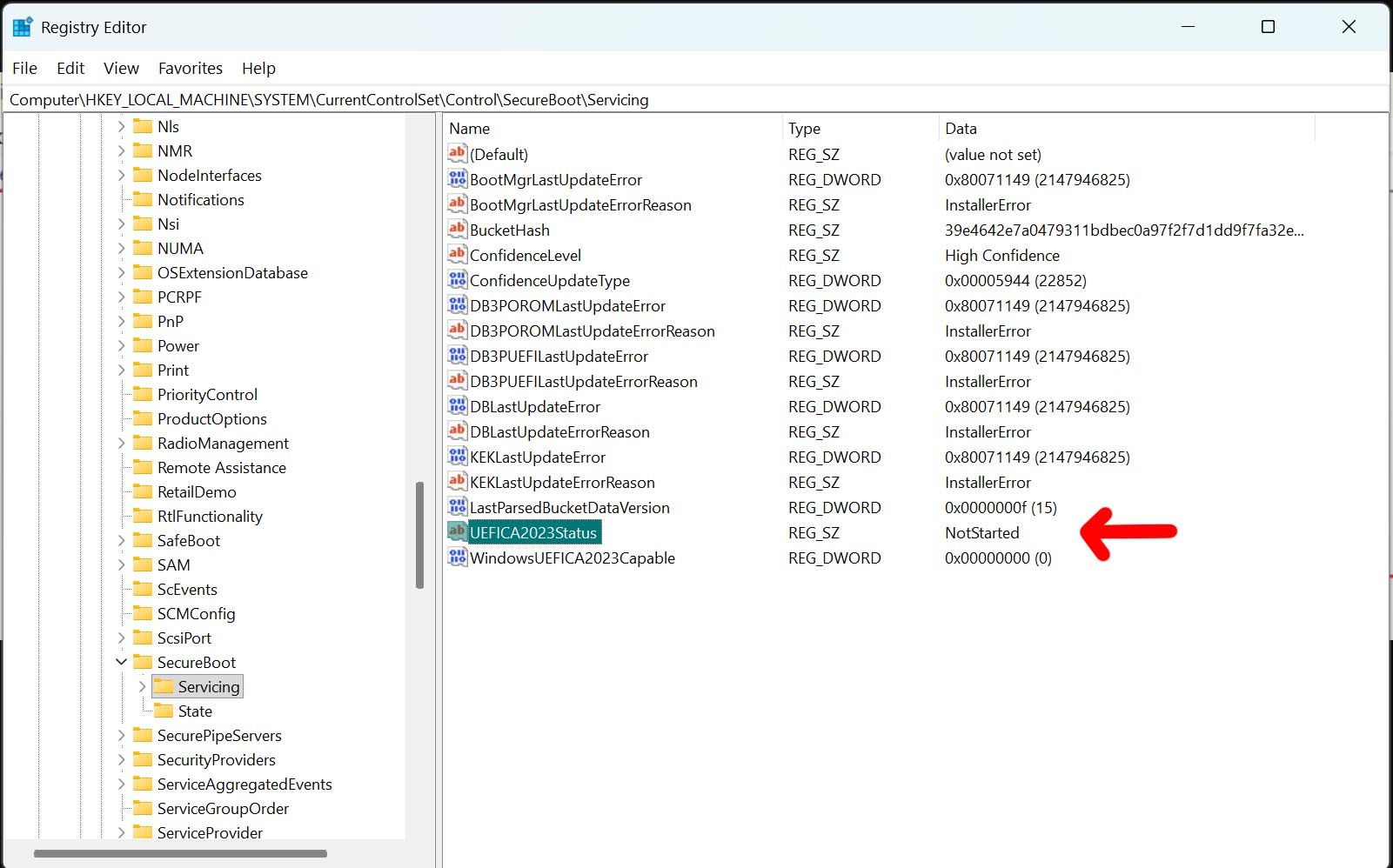
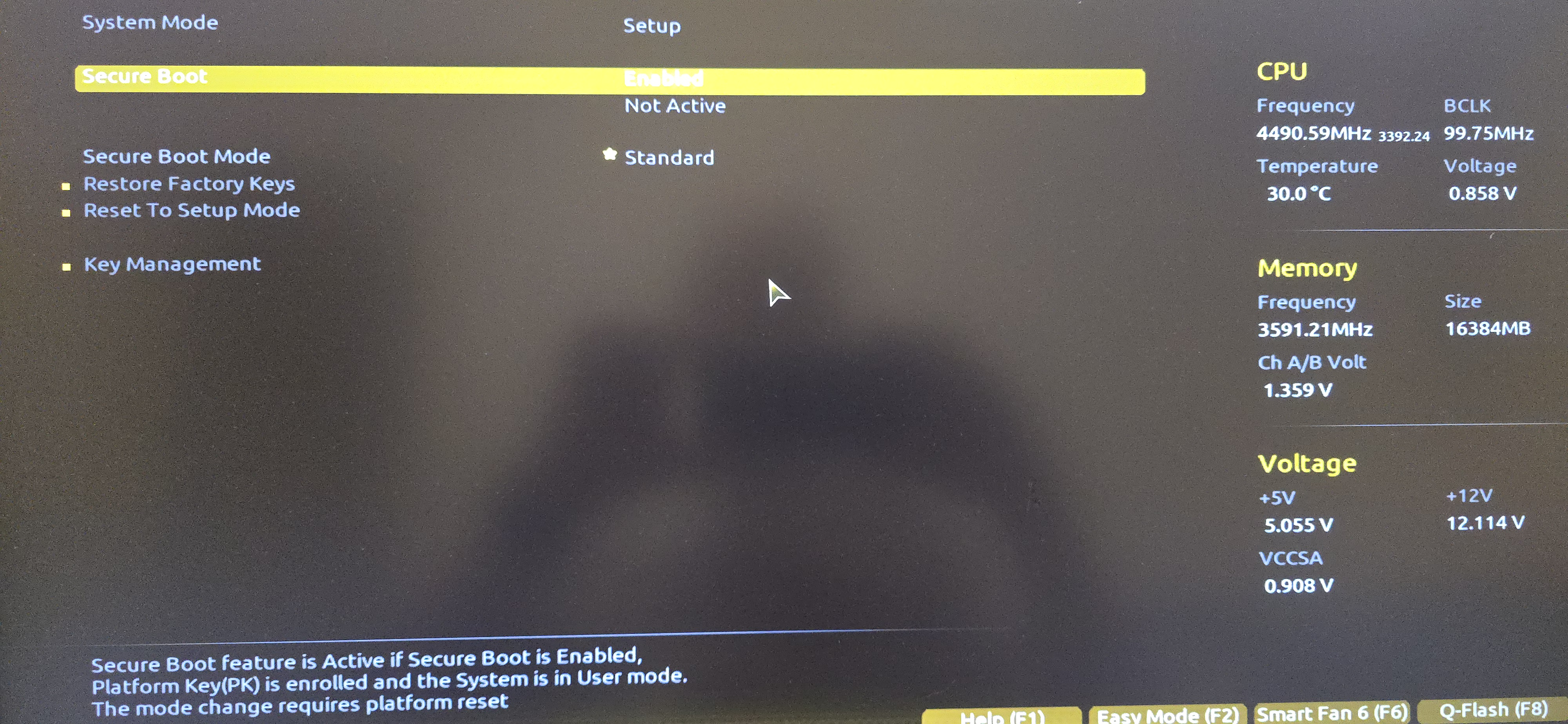
Turned out just great! Turned Secure Boot on in BIOS and it says it's on, but in regedit says it's off. 

Reply #17 Top

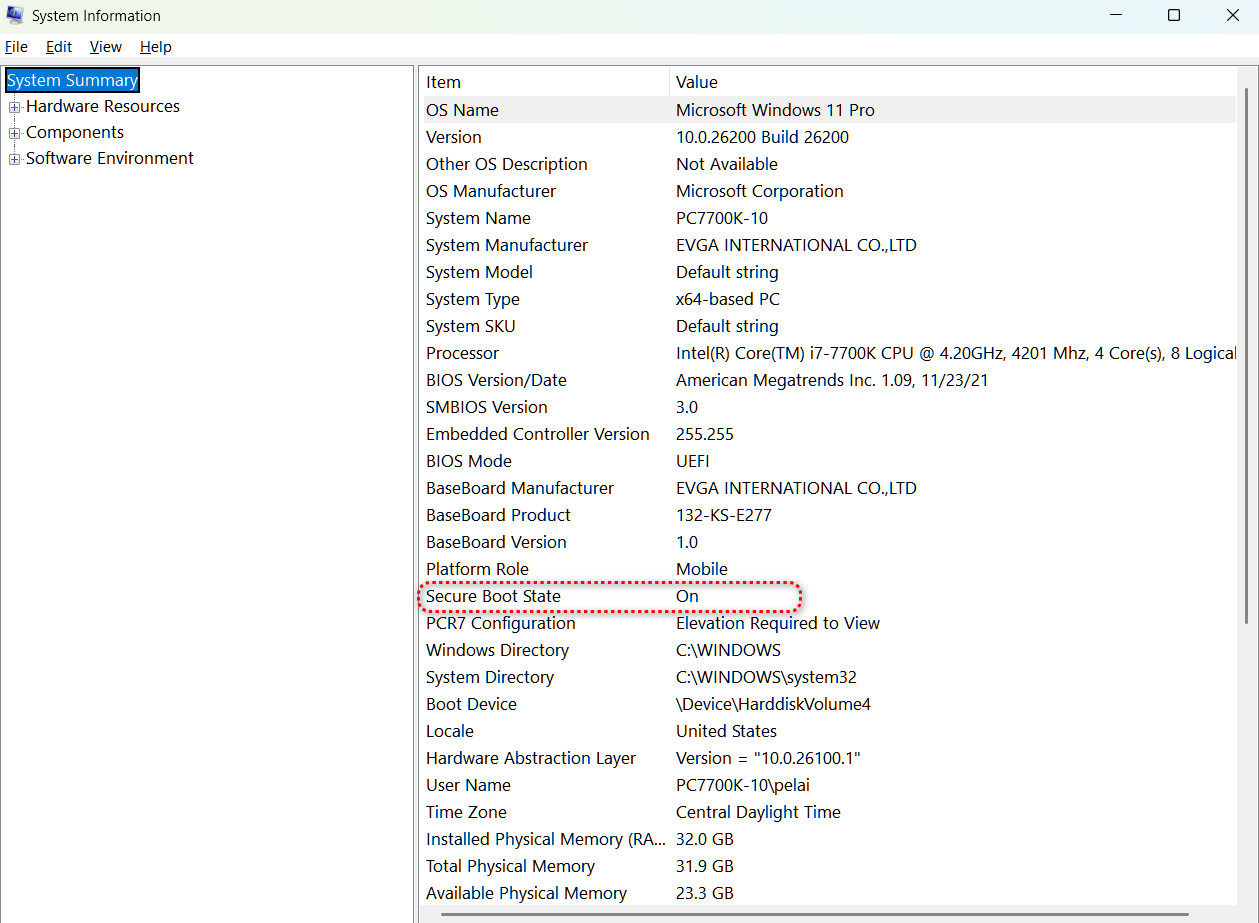
Check the System Info.

Reply #18 Top

Says it's off.

But Bios says it's on:

This isn't in the User mode and I'm out of my depth here. Wish the MS wonks would drop a word here. I doubt it'll update on its own. My mother board is Gigapixel bios version F20a which is outdated. Maybe updating would give me a new key. Who knows? Sure as heck, not me.

Reply #19 Top

I think you mean Gigabyte F20 BIOS. Check the Gigabyte web site for a guide, or submit a support ticket for help.

Have you tried clicking the Help button?

Reply #20 Top

No, I haven't as of yet. A part of me just wants this to go away. And it's F20a...at least that's what my machine said...but it's shady. Not to be trusted.

Reply #22 Top

Thanks, pelaird. I'm on W11, though. I will look at it, though.

Reply #23 Top
Quoting DrJBHL, reply 3993803

Thanks, pelaird. I'm on W11, though. I will look at it, though.

End of DrJBHL's quote

Sorry to hear that.  :( 

Reply #24 Top

It doesn't matter that you are running Windows 11, the instructions will still work even though it mentions Windows 10. The BIOS doesn't really care what Operating System is installed. Everything it does takes place prior to handing over to the OS.

Reply #25 Top

Let's hope.