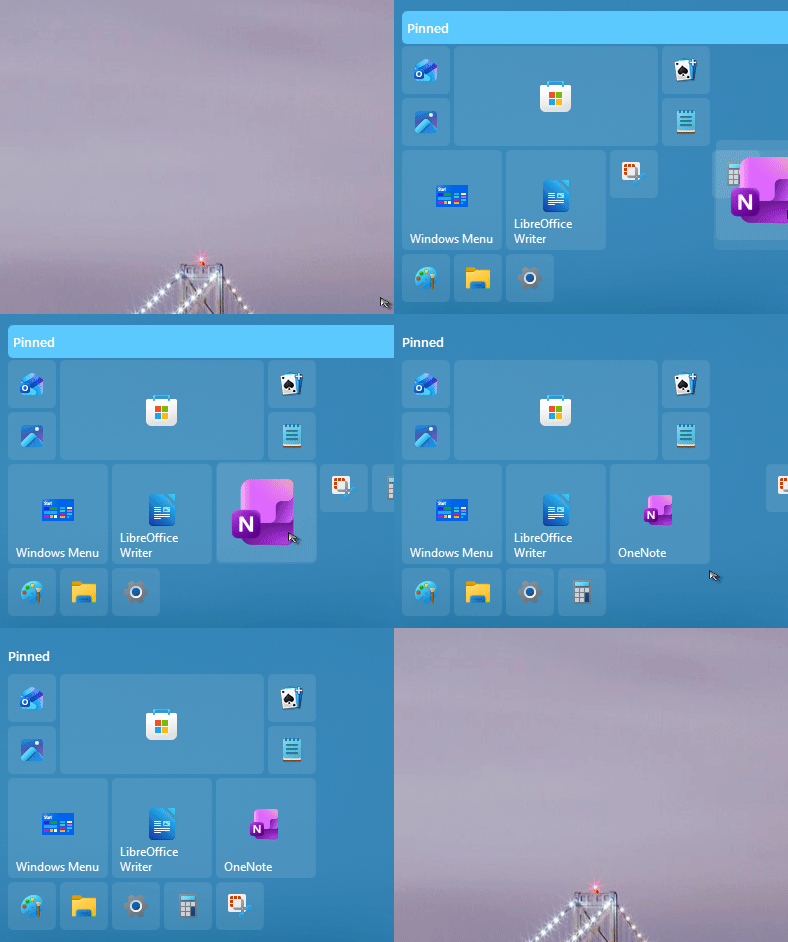
Windows 10 style issue with icon placement

Placing icons in the windows 10 style menu behaves extremely poorly. I've had this issue for the past year, will it ever be fixed? 

Thanks 

0 views 6 replies
Reply #1 Top

Hello,
Sorry to hear you are having issues. But, I can't reproduce your issue on my system. Need to know more information on your system.

  1. Windows 11 full version and OS Build number. Use Winver.exe.
  2. Start11 full version number installed.
Just need to be a little patience.


Thank you,
Basj,
Stardock Community  Assistant.

Reply #2 Top

It's crazy that you banned my account for opening this topic, lol.

Version 25H2 (OS Build 26200.8457)

Versiojn 2.71

Another example of the issue, the preview is totally messed up: i.imgur.com/TTviiNY.gif 

https://imgur.com/TTviiNY

Reply #3 Top

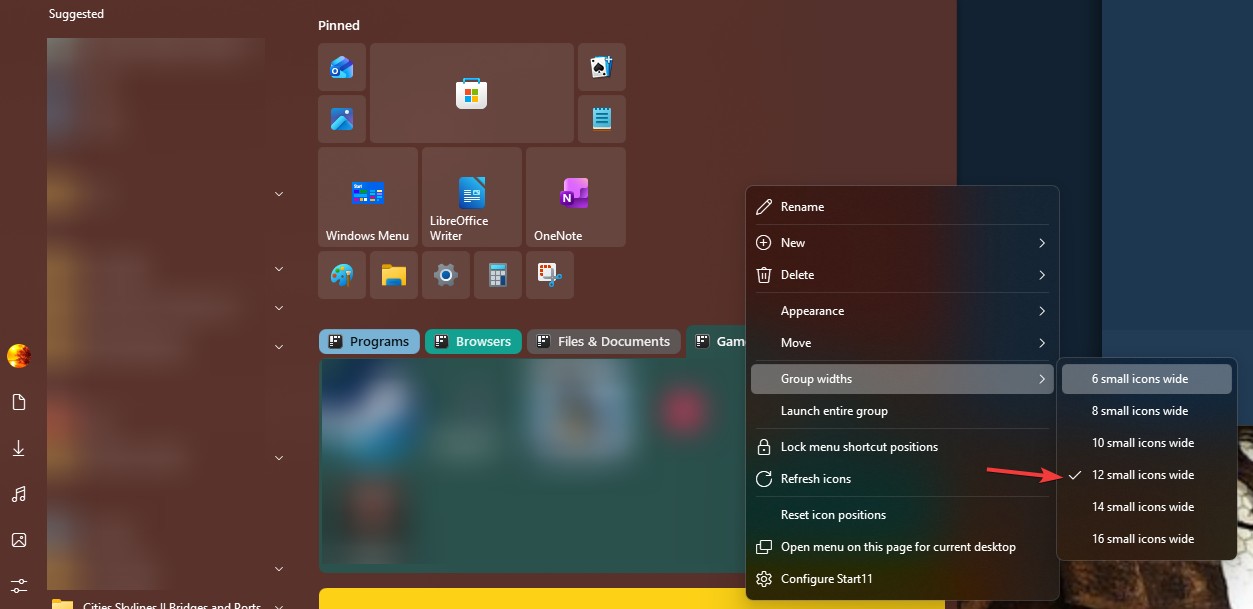
Would like to suggest to set the Group widths wider, at least temporarily while arranging things. You can set it back to 6 small icons wide later if you wish.

Thank you,


Basj,

Stardock Community  Assistant


Reply #4 Top

I currently have it set to 8 small icons wide, selecting 12 changes my layout, but the issue is still there, the placement preview is not correctly displayed, but the icon is correctly placed.


It seems that it's worse when I try to move an icon from one group to another. 

Also can I have my other account unbanned? that's where my purchase is and I can't tell which was the reason for a ban.


Reply #5 Top

Hello,

I have forwarded your problem/question to Stardock Support Team for their assistance. Please keep an eye on this thread for any updates. We appreciate your feedback and patience. Thank you.


Basj,

Stardock Community  Assistant

Reply #6 Top

Hi Andreicb,

Thanks for posting.

Quoting andreicb2, reply 3993382

I currently have it set to 8 small icons wide, selecting 12 changes my layout, but the issue is still there, the placement preview is not correctly displayed, but the icon is correctly placed.

It seems that it's worse when I try to move an icon from one group to another. 

Also can I have my other account unbanned? that's where my purchase is and I can't tell which was the reason for a ban.

End of andreicb2's quote

Regarding the account, it seems it was flagged as Spam from another post.  I've unbanned the account; please make sure all future posts are consistent with our community policies and guidelines. 

Regarding the icon placement, your videos seem to show icons being moved rather rapidly before giving time for them to settle properly.  If you try pausing for a moment when arranging them how you want, does that improve the results?

Best regards,

Adam McGuinness
Stardock Support Specialist