MultiplicityConfig.exe 4.0.7.2 crashes immediately at startup - c0000409
Windows 11 / ThinkPad T16 Gen 2 AMD - trial works normally on Windows 10 PC
 Stardock Forums
I'm evaluating Multiplicity 4 Pro using the free trial on two PCs. The same Multiplicity 4.0.7.2 trial installer was used on both machines.
On my Lenovo ThinkPad T16 Gen 2 AMD running Windows 11 Enterprise, Multiplicity installs successfully, but the Multiplicity Configuration Utility crashes immediately every time it is launched. The configuration window never appears.
Affected system
- Lenovo ThinkPad T16 Gen 2 AMD (21K8)
- AMD Ryzen 7 PRO 7840U with Radeon 780M Graphics
- 32 GB RAM
- Windows 11 Enterprise
- OS build 26200
- MultiplicityConfig.exe version 4.0.7.2
Behavior / troubleshooting
- Multiplicity installs successfully.
- Multiplicity Service is present, running, and configured for Automatic startup.
- When Multiplicity is launched, MultiplicityConfig.exe appears briefly in Task Manager and then terminates approximately one second later.
- Running it as Administrator produces the same result.
- Rebooting does not resolve the issue.
- The configuration UI never appears in Alt+Tab or on any attached display.
- Windows Reliability Monitor records a new Multiplicity Configuration Utility failure each time I attempt to launch it.
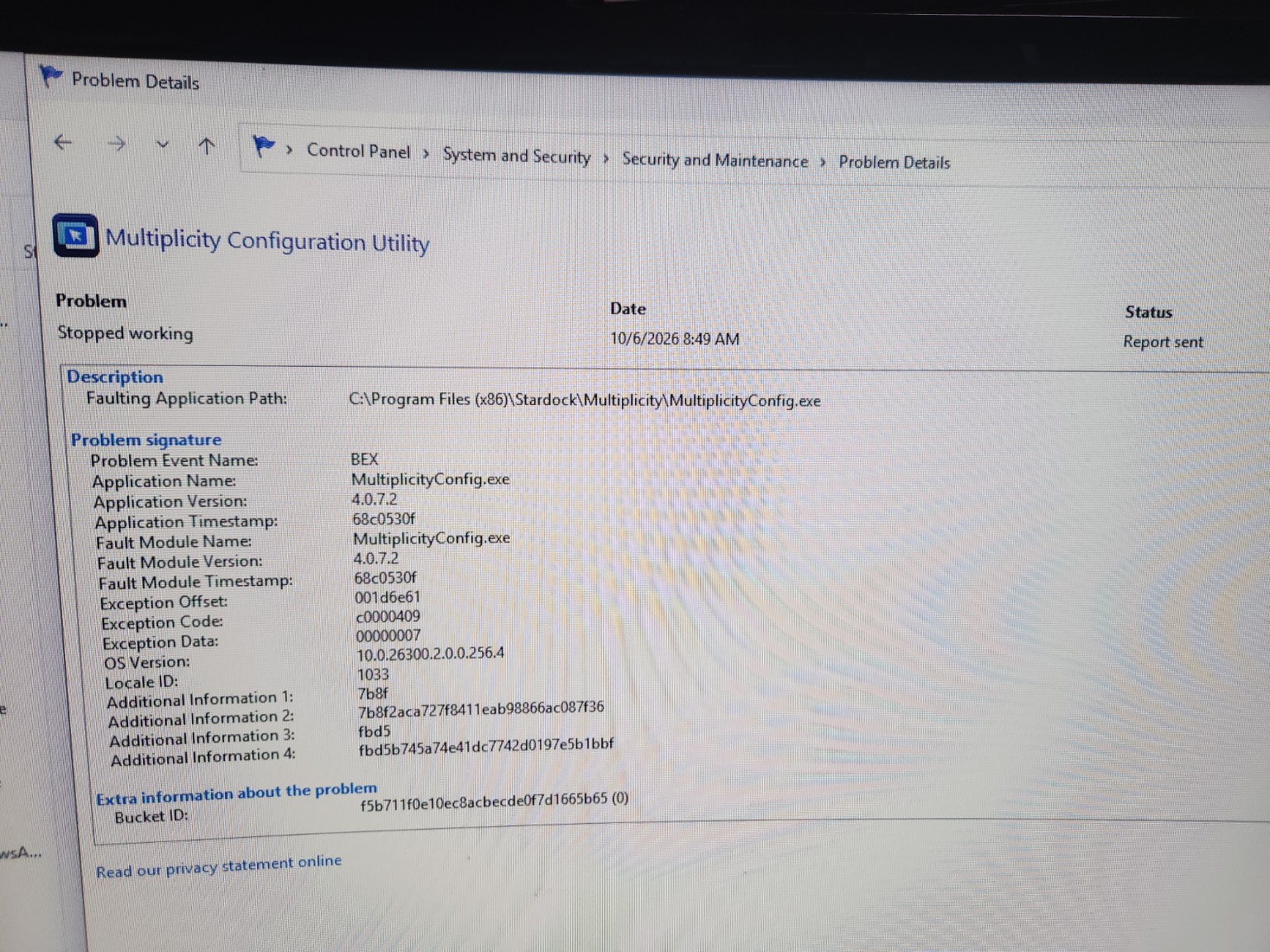
Reliability Monitor crash details
- Problem Event Name: BEX
- Application Name: MultiplicityConfig.exe
- Application Version: 4.0.7.2
- Fault Module Name: MultiplicityConfig.exe
- Fault Module Version: 4.0.7.2
- Exception Code: c0000409
- Exception Offset: 001d6e61
Comparison system
I installed the identical Multiplicity 4.0.7.2 trial installer on an MSI laptop running Windows 10 on the same network. On that machine, Multiplicity installs successfully, the Configuration Utility opens normally, and the application appears to operate as expected.
My intended configuration is to use the Windows 11 ThinkPad as the Primary PC and the Windows 10 MSI as the Secondary PC using Seamless mode.
I noticed that the Multiplicity 4.2 beta changelog for version 4.2.0.1 (8/31/2026) includes "Addresses potential crash issue," and that MultiplicityConfig.exe 4.2.0.2 was released 10/02/2026.
The current free-trial download provides MultiplicityConfig.exe 4.0.7.2.
Could this startup crash be addressed by the newer 4.2 build? If so, is there a way for a trial user to obtain 4.2.0.2 for testing before purchasing Multiplicity 4 Pro?
I can provide additional crash logs or diagnostic information if needed.