Pressing Left Cursor Loses Focus in Search

Would like to move back a character in the search string

Hi,

I have an annoyance with Start11. 

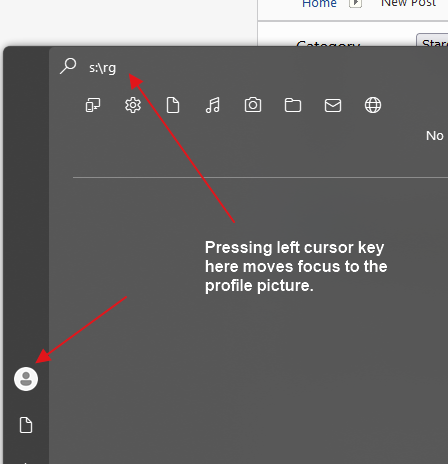
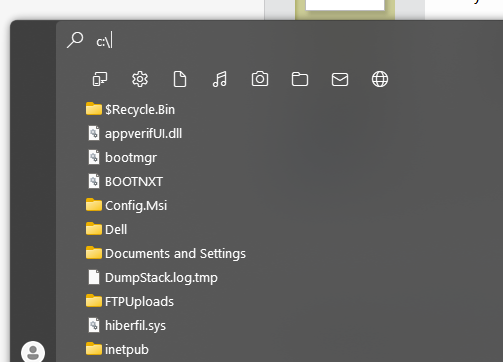
I use the search a lot to open folders and applications.  I find if I make a typo on a folder path, the expected behaviour to move back a character using the left cursor key doesn't work and moves the focus to the profile picture instead.   Searching for applications, such as "winword" works as expected, it's only file paths that has the problem.

Can focus remain in the search box when click the left cursor key when searching for folder paths?


Thanks


Andy

Moved to Start Menu Products Area
1,304 views 7 replies
Reply #1 Top

Hello,
Sorry to hear you are having issues. Need to know more on your system.

  1. Windows 10 or 11? Also need its full version and OS Build number.
  2. Start11 full version number.
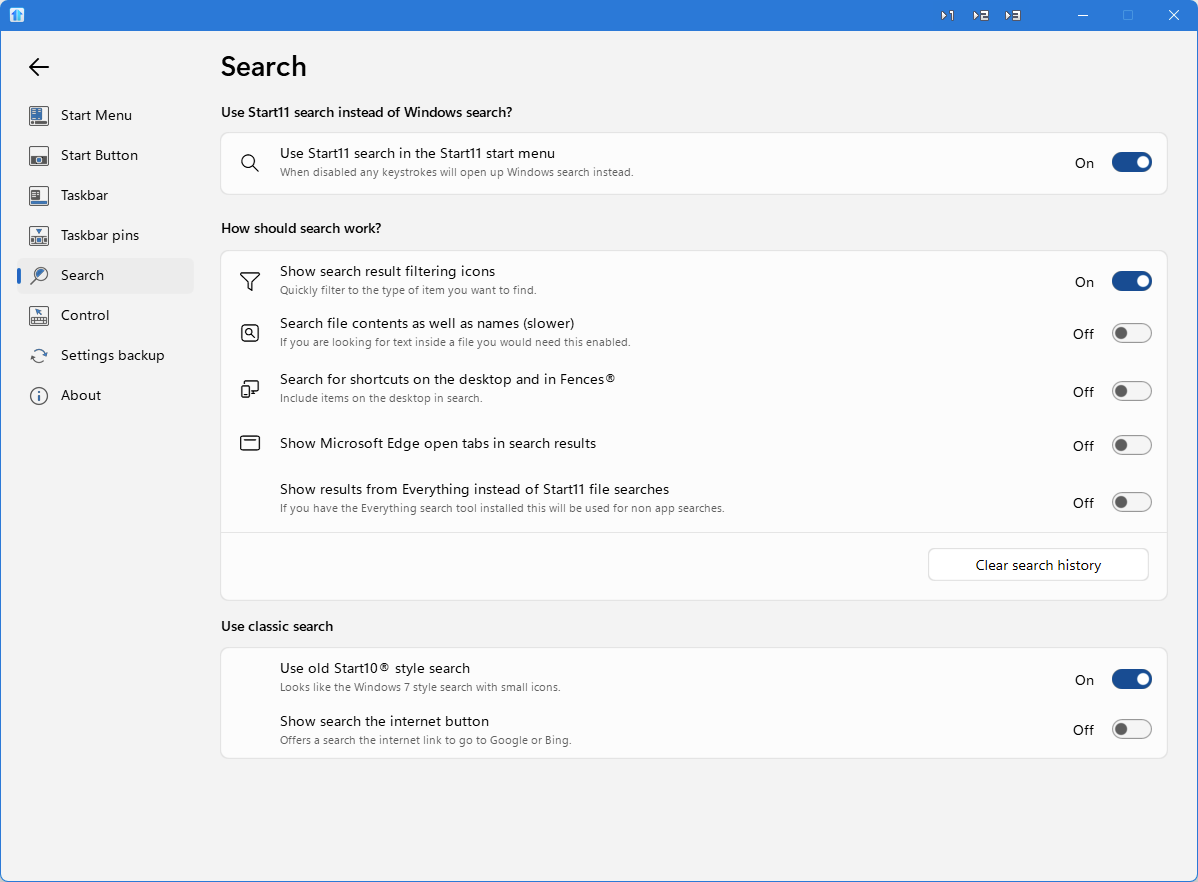
  3. Post screenshot on your Start11 Search tab area.

Thank you,
Basj,
Stardock Community Assistant.

Reply #2 Top

Hi,

  1. Windows 11 Education, Version : 23H2, Build : 22631.4751
  2. Start11 version number : 2.51
  3. Did you mean this :


To re-create the problem :

1) Click start

2) Type c:\winddows

3) Press left cursor key to begin moving the cursor back to delete the extra "d"

4) Search textbox loses focus and profile icon gets the focus.


Thanks


Andy

Reply #4 Top

Hello,
I can reproduce it. I have forwarded your problem/question to Stardock Support Team for their assistance. Please keep an eye on this thread for any updates. We appreciate your feedback and patience.

Basj,
Stardock Community Assistant

Reply #5 Top

Hi Huddy72

Thank you for posting.  We now have this logged for review.

Internal Ref: ODNT-9456

Best regards,

Adam McGuinness
Stardock Customer Support Specialist

Reply #6 Top

Hello again,

This has been addressed in a recent beta release of the program.  We encourage you to give it a try and let us know what you think.  

For instructions how to get the latest Beta, and additional details and feedback, please see:

Thanks again and best regards,

Adam McGuinness
Stardock Customer Support Specialist

Reply #7 Top

Hi Adam,

I have downloaded the beta version (v2.52.1) and it works perfectly now.  I can now use the cursor keys in the search textbox.


Thanks for sorting this :)

Andy