Unable to delete shortcuts from Start 11 after disconnecting from OneDrive
from  Stardock Forums
Stardock Forums
1. Disconnected from OneDrive (ended subscription to Office365)
2. Uninstalled OneDrive from the computer (PC, Windows 11)
3. All my shortcuts in Start11 failed. (I expected this)
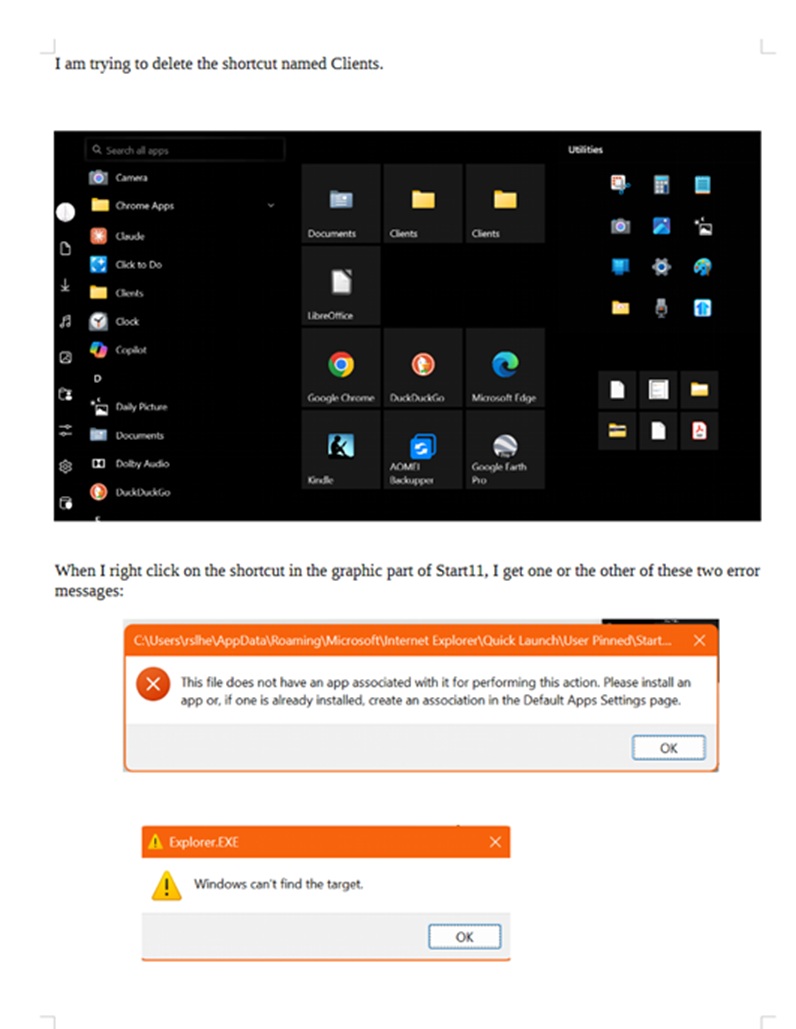
4. However, I am unable to delete the shortcuts from either the alphabetical list or the menu
5. Curiously, when I right-click on the shortcut on the expanded menu (not certain of the terminology here, but that part of Start11 to the right, where I have the shortcuts laid out.), instead of a menu, I get either of two messages. See image below.
6. Claude and I have been working for the past hour to figure out how to delete the shortcuts and have failed.
7. Goal: delete broken shortcuts and regenerate them with working links.