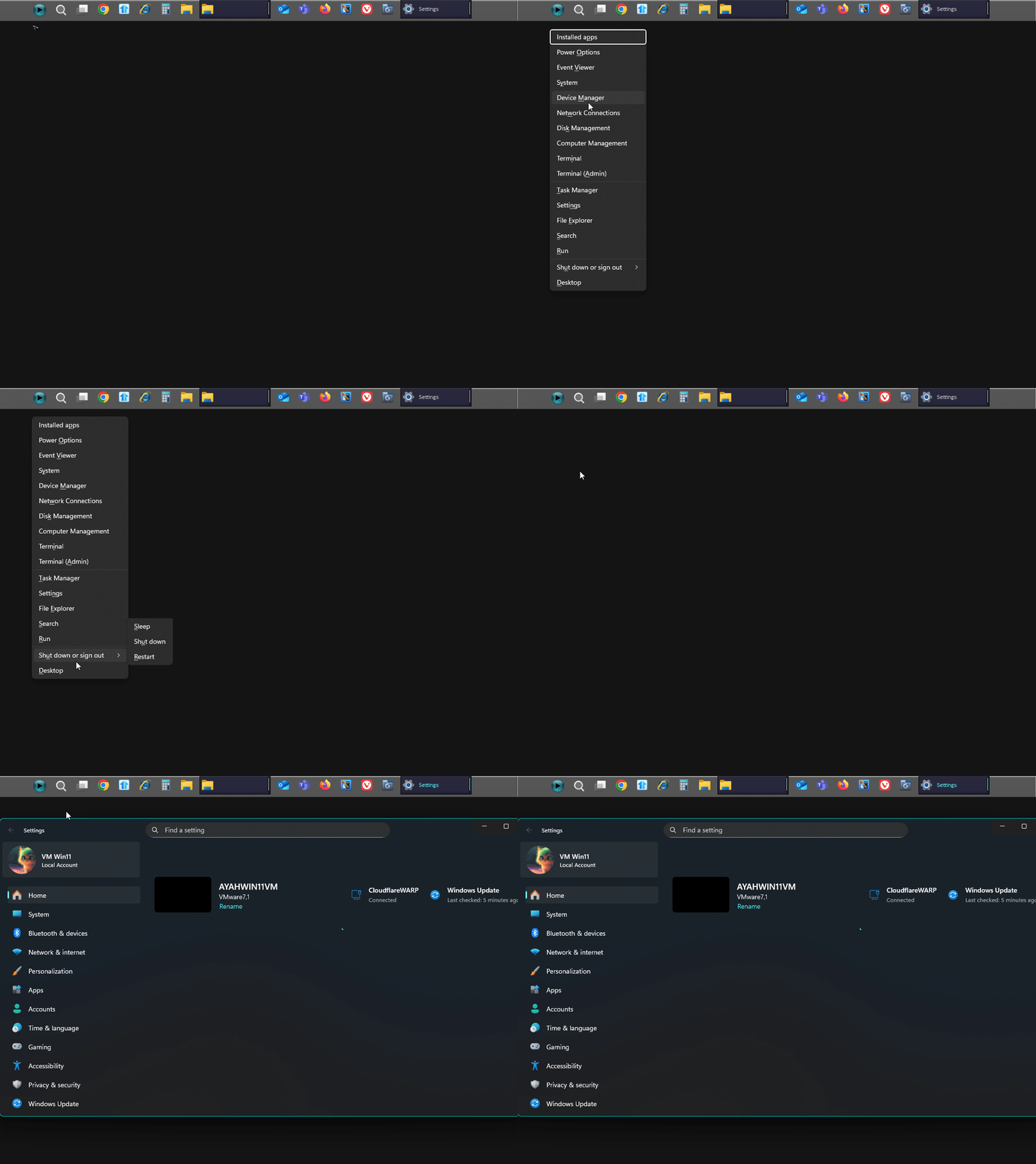
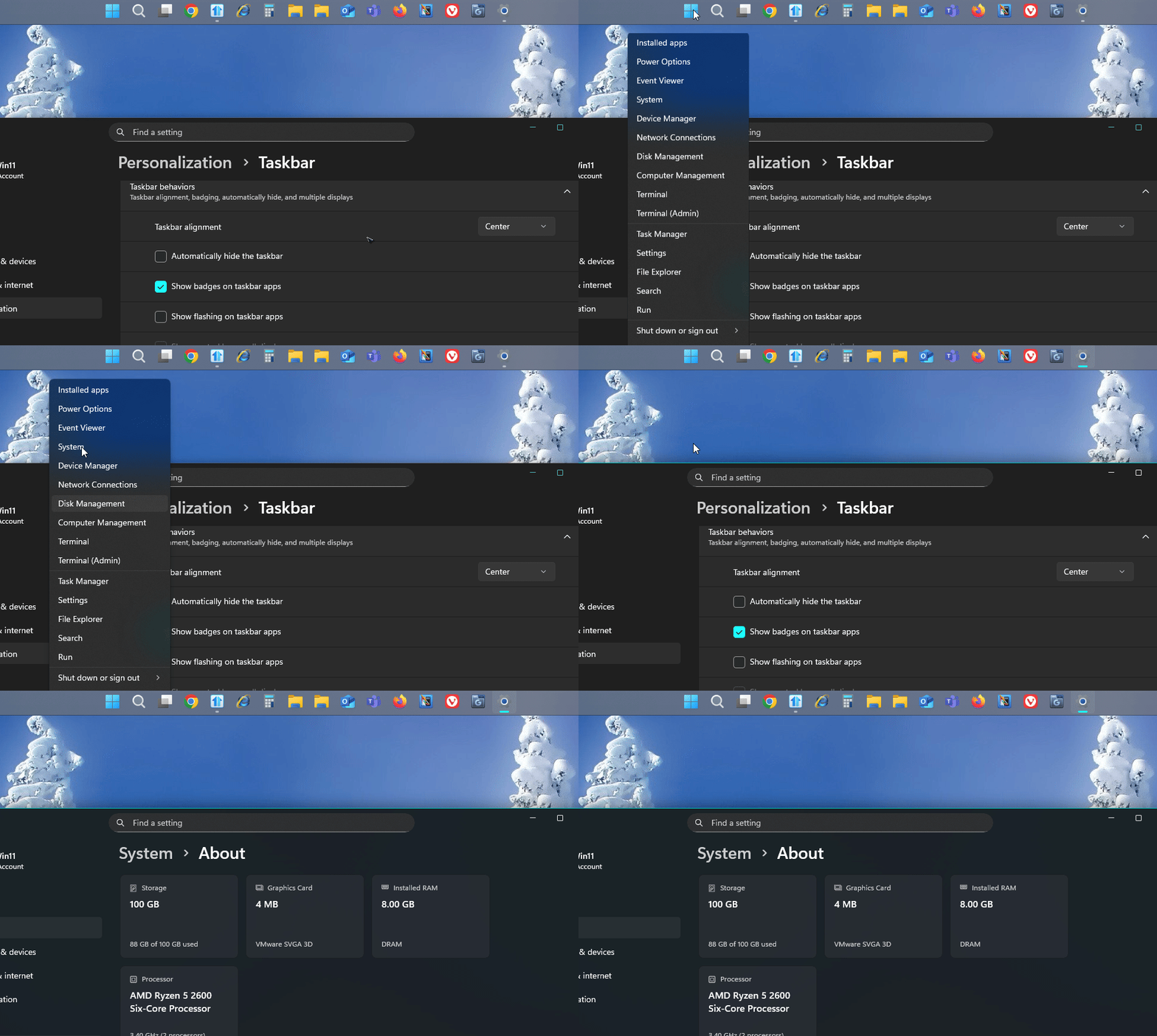
Win+X menu: mouse pointer hovering two spots above highlighted/selectable entry in Windows 11

When I right-click on the Start button per "Show Win+X menu when right clicking...", my mouse pointer displays two entries above the one that's highlighted and selectable. For example, if I want to go to Device Manager, I have to move my mouse pointer up two selections to Event Viewer and click.

This happened in Start11 1.5 and continues to happen after I upgraded to Start11 2.08. My Windows version is Windows 11 Home 24H2 Build 26100.1150. This problem doesn't appear in Windows 10. This happens no matter what style of Start Menu I use.

6,279 views 21 replies
Reply #1 Top

Hello,
Sorry to hear you are having issues. I can not reproduce your issue on my system. Not sure if this new issue for Windows 11 v24H2. This version is not available for my system yet. However, I have forwarded your problem/question to Stardock Support Team for their assistance. Please keep an eye on this thread for any updates. We appreciate your feedback and patience.

Basj,
Stardock Community Assistant

Thank you.
Basj,
Stardock Community Assistant.

Reply #2 Top

I just realized there was some aspect I failed to mention when I reported. My taskbar is aligned to the top. That may make a difference in reproducing.

Reply #3 Top

I still can not reproduce your issue on my system, refer short video below. Tested on Windows 11 24H2 (OS Build 26100.2605)

Would like to recommend to try these steps, uninstall Start11, reboot immediately (important) Re-download latest version from your account, install it, reboot immediately again after installation is done. Retest it and report back.

Thank you,

Basj,
Stardock Community Assistant

Reply #4 Top

I've already installed the beta, which didn't fix it. So I uninstalled that, and went back to 2.11, installing that again. No improvement. Maybe there's a Start11 setting which makes this happen.

Reply #5 Top

OK, I have found a way to alleviate this problem temporarily, but it means turning off "Position the start button in the center of the taskbar". When off, the cursor tracks with the selections correctly. When turned back on, it goes back to being two entries off.

I made a short video to attach, but I can't see how to add it.

Reply #7 Top

Hello,

I still can not reproduce your issue in my system. If you have Windows 11 Pro, please try testing it on Windows Sandbox. https://forums.stardock.com/505872/start11-support-faq#windowssandbox. Try and see if you have the same issue in the Sandbox.

Thank you.
Basj,
Stardock Community Assistant.

Reply #9 Top

OK, when I switched to using the Enhanced Taskbar and center-aligned it again, now the cursor tracks in the Win+X menu normally. I now need to remember why I wasn't using the Enhanced one before. :)

Reply #10 Top

This, I can reproduce, I have forward your problem/question to Stardock Support Team for their assistance. Please keep an eye on this thread for any updates. We appreciate your feedback and patience.

Basj,
Stardock Community Assistant

Reply #12 Top

Hi SteveMagruder,

We now have this logged for review.

Internal Ref: ODNT-9362

Best regards,

Adam McGuinness
Stardock Customer Support Specialist

Reply #13 Top

Update: In v2.5.3, the Win+X menu doesn't work at all. No entries get highlighted as my mouse moves over it, and no entry is clickable. This may have been true with a previous release, but I'm now just getting around to report it, due to being very busy with other things.

Reply #14 Top

I am on v2.55 Beta. But I can not reproduce your issue. Refer to my quick video below.

Please try, uninstall Start11, reboot immediately (important), download latest version available in your account product download page: https://store.stardock.com/myaccount/products. Install it, reboot immediately again. Retest it and report back.

Thank you,

Basj,
Stardock Community Assistant

Reply #16 Top

Here I tested with Enhance taskbar off.

Thank you,

Basj,
Stardock Community Assistant

Reply #18 Top

OK, I was just playing with settings, and when I turn off "Position the start button in the center of the taskbar", the Win+X menu works perfectly. Of course, I would rather have this turned on.

Reply #19 Top

I believe it is best to turn on Start11 enhance taskbar to let Start11 to control how your taskbar properly. If you turn it Enhance taskbar off do expect some issue, especially when you have the taskbar on your top border, which Windows 11  taskbar by default do not support.

Need to know, what is the specific reason you do not like Start11 Enhance taskbar to be turn on?

Thank you,

Basj,
Stardock Community Assistant

Reply #20 Top

When the Enhanced Taskbar is turned on, the Widget on the far left disappears, and I use that for my weather-at-a-glance and other things to look at.

Reply #21 Top

I do see the the Win+X still work with Enhance turn off and Windows taskbar buttons center, but your original highlight issue returned on this one.

I have forwarded your problem/question to Stardock Support Team for their assistance. Please keep an eye on this thread for any updates. We appreciate your feedback and patience. Thank you.

Basj,
Stardock Community Assistant