Create Desktop Shortcuts

Start11 V2

Hi

When are you going to standardize the creation of a Desktop Shortcut on all of the Menu Types, it is very frustrating having to switch back and forth between menu formats, just to get a Desktop Shortcut?

Kind Regards

Melvyn Shepherd

3,389 views 4 replies
Reply #1 Top

When are you having trouble making a desktop shortcut in particular?

Reply #2 Top

Hi

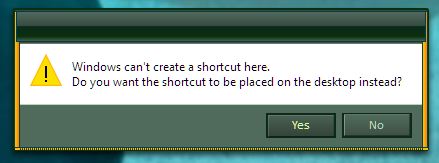
I like to use the Windows 7 Style, but I have to change to the Windows 11 Style to create an App Desktop Shortcut.

I tried the Windows 11 Pro style, but I still could not create a shortcut.

Hope this helps.

Kind Regards

Melvyn Shepherd


Reply #3 Top

Quoting melvynshepherd, reply 2

to create an App Desktop Shortcut.
End of melvynshepherd's quote

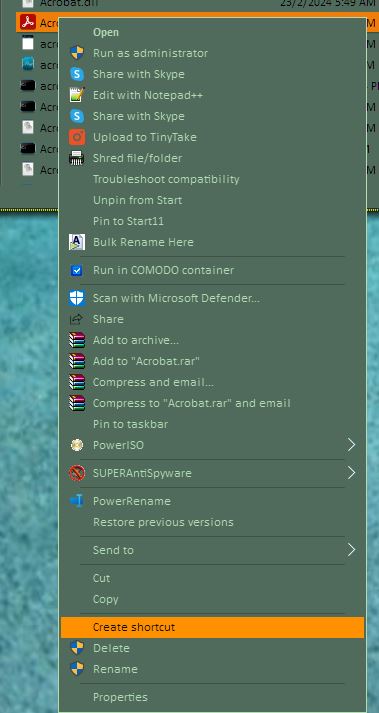
This is how I usually make an App desktop shortcut. Not sure what you mean by it involve "Start11" styles?

Maybe you will need to explain a little bit more on what you mean.

Thank you,

Basj,
Stardock Community Assistant

Reply #4 Top

Hi

First of all, there is no standard way of creating a Desktop shortcut for an app, it differs depending on the menu style you that you are using.

When you right click on app you get the "More" submenu, which also differs in content, depending on which menu style you are using, it should be standard throughout the different menu styles. It also differs depending on whether you press the Start Button on your keyboard or whether you click on the Start 11 Icon. Every time the 'More' submenu is given as an option it should include a "Create Shortcut on Desktop" option, sometimes it does and other times it doesn't, and this is my main point.

I personally do not pin all my apps to the start11 menu because it gets too long.

Kind Regards

Melvyn Shepherd