Update
from  Stardock Forums
Stardock Forums
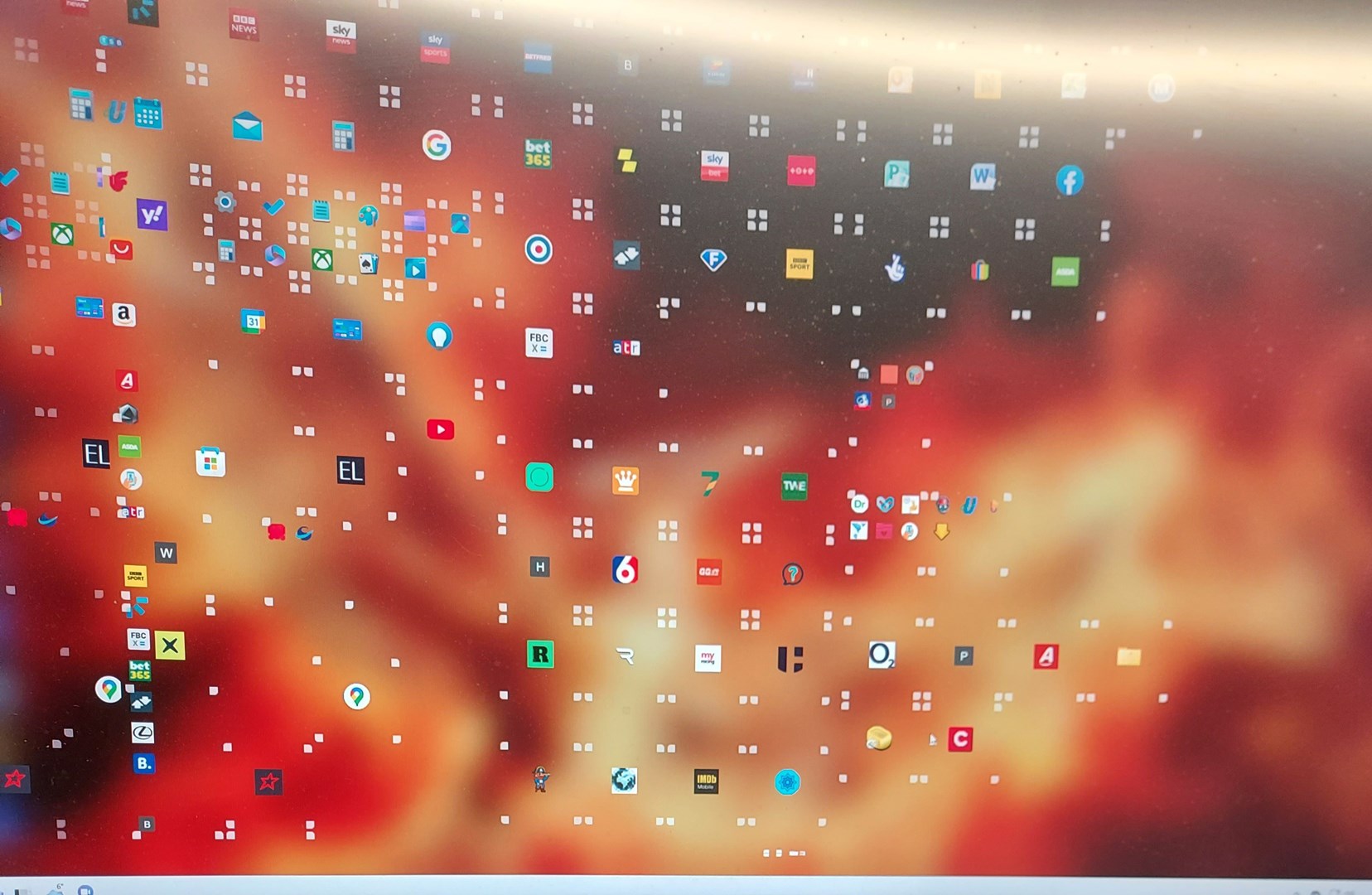
Hi there just update start 11 this morning, but now it keeps changing itself, took image won't let me upload to show you


 Stardock Forums
Hi there just update start 11 this morning, but now it keeps changing itself, took image won't let me upload to show you
Stardock Forums
Top
Stardock Forums
Top
Hello,
Sorry to hear you are having issues. But, I am not sure what I am looking at. But, please try uninstall Start11, reboot immediately, re-download latest version from your product page. Install it and reboot again. Retest it and report back.
Thanks
Basj,
Stardock Community Assistant.
 Stardock Forums
Top
Stardock Forums
Top
morning started pc just, did the same, i have taken it off and reinstalled it, at the moment it working fine , see what happens as that never done it before
Stardock Forums
Top
Great, do report back if it happen again.
Thank you,
Basj,
Stardock Community Assistant
Stardock Forums
Top
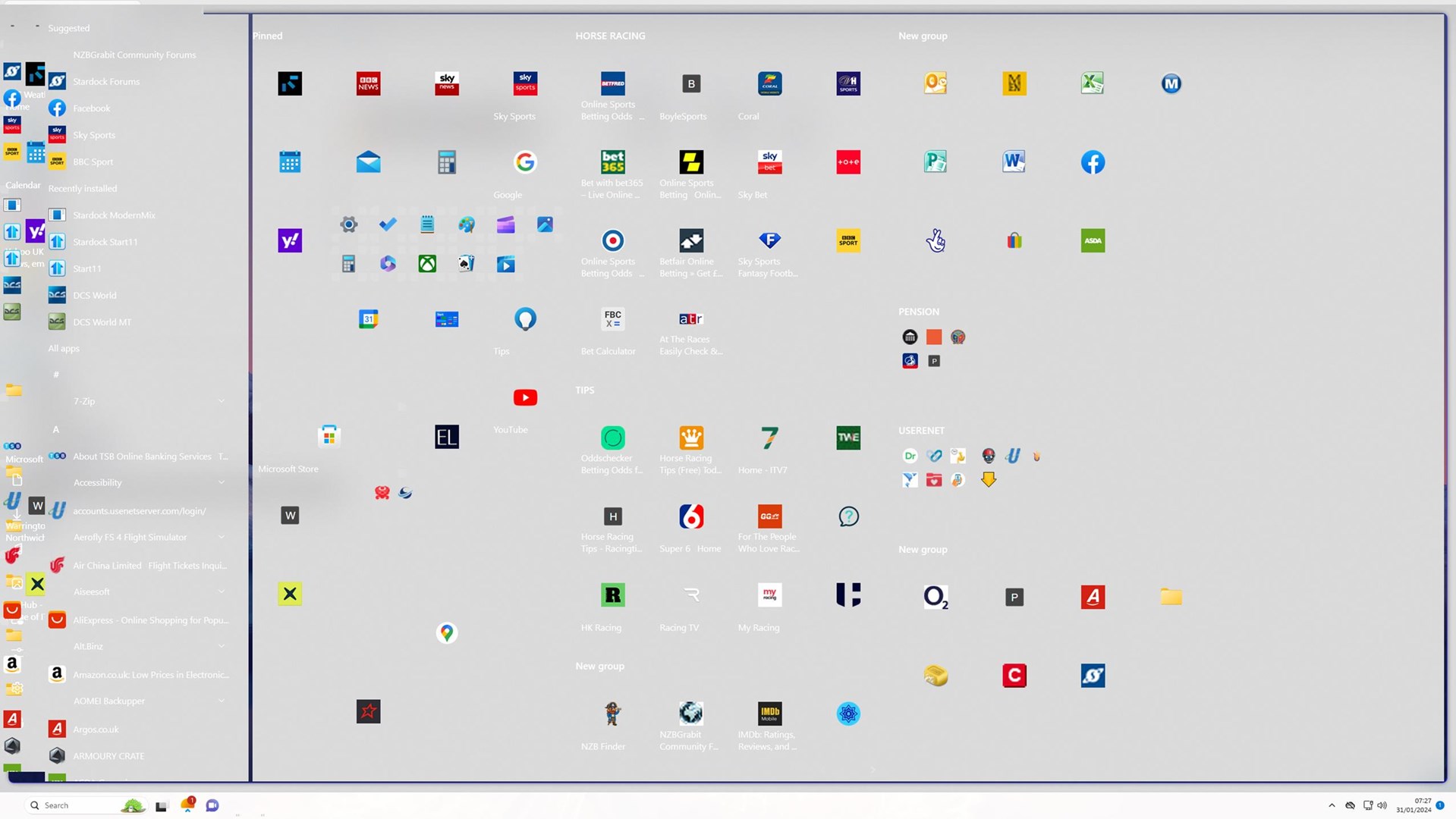
hi it just has again
Stardock Forums
Top
Need to know,
Thank you,
Basj,
Stardock Community Assistant
Stardock Forums
Top
hi there it windows 11 pro, version 22H2 (OS build 22621.21.34
2560* 1440 scale 100%
it already windows 10 style full option
version 2.05, which was update yesterday, removed as instructed put back on this morning , dont wamt to update my laptop as it working fine, up till yesterday i had no issue with it at all, even virus check clean
Stardock Forums
Top
now it just froze my pc had to force it down, do you have older version so i can put on please
Stardock Forums
Top
I can't reproduce your issue on my system. Any specific steps you have to take to make the issue appear on your system. For example after playing a game that using different resolution. Or after or while playing full screen video etc?
Thank you,
Basj,
Stardock Community Assistant
Stardock Forums
Top
nothing at all, probably months last any game was played, like i said running perfect until the update, do you have an older version i can try as this it the new one to rule it out please if not might have go back to old way which i dont like
Stardock Forums
Top
Please try purge and reinstall steps as mention here : [Link]. Just make sure to redownload the latest version from your account page. Reboot after the purge. Reinstall and reboot again after the installation. Retest and report back here.
Thank you,
Basj,
Stardock Community Assistant.
Stardock Forums
Top
just to let you, done that purge, could not find a version of my page, download from your main site activated again, just take my time trying to set it up how i want it got lot of duplicated items on the start which i get through slowly at the moment there no issue , thanks for your support
Stardock Forums
Top
Great, do get back to us if the issue reappear.
Thank you,
Basj,
Stardock Community Assistant
Stardock Forums
Top
Have Windows 11 Pro 23H2.
Startt 11 v1.47
Update will not install, error states I do not have the minimum requirements, mentions Windows 10 and Server 2016.
Stardock Forums
Top
Hello,
Sorry to hear you are having issues. Please create your own new thread. Seem your issue has nothing similar to OP issue. We will help you there in your own new thread.
Thank you.
Basj,
Stardock Community Assistant.
Welcome Guest! Please take the time to register with us.