Arabic UI Glitch (BUG REPORT)

After setting language to Arabic, The start menu glitches.

The Problem is, Whenever I Change the language to Arabic, (or apparently any right-to-left language) about all the start menu fonts "Invert" Like this:

My question is, Why is that happening, and when will you fix this bug?
2,100 views 4 replies
Reply #1 Top


Why is that happening, and when will you fix this bug?
End of quote

I believe you might have the font set as Arabic, and typing direction as right to left but when you switch to English, do you switch typing direction as well? Does your keyboard have the shift-alt combo to change alphabets, and does it automatically also switch typing direction?

It's very interesting because the English and Arabic words and Arabic vowels are reversed while the fonts are both in opposite directions from each other and the direction they should be in.

I wonder if the same problem occurs in Windows OS's in Hebrew.

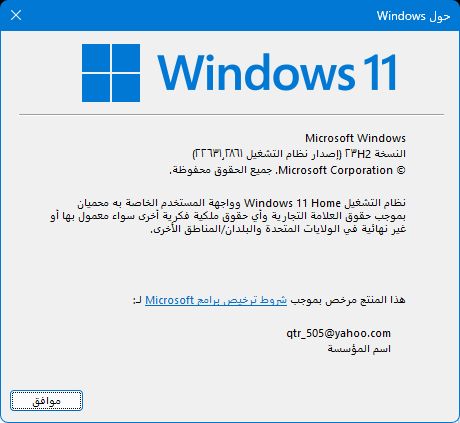
Please run winver for your Windows version and build, and your Start11 version, and Windowblinds version if you have it installed. Also, any other customization software you might have installed.

Reply #3 Top

Could you transpose those Arabic numbers to Western ones?


Reply #4 Top

Hello,
Sorry to hear you are having issues. Please post how you desktop look like with Windows 11 default Start menu on it, without Start11 installed. Also please try installing the latest Start11 v2.04 (Beta) and see if it help. :https://forums.stardock.com/524909

Thanks
Basj,
Stardock Community Assistant.