Start 11 V2 - keeps using thumbnails of PDFs?

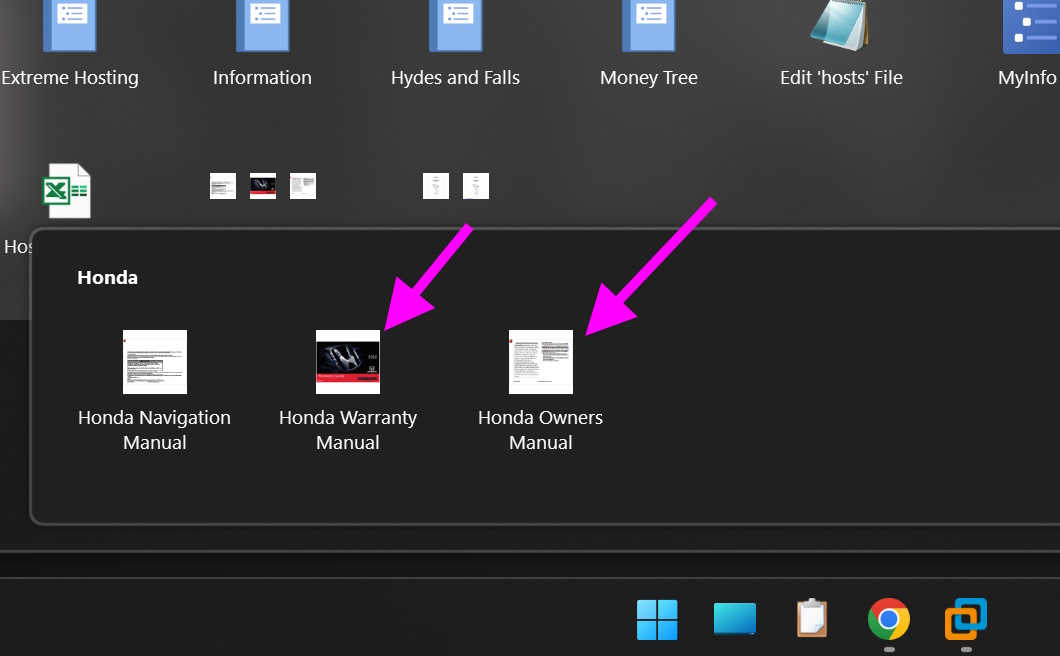
I pinned some PDFs to my menu.  I don't want start 11 to use the PDF's thumbnail. I want it to use the default icon.  How can I do this?  I have turned on the "Always use icons..." in Explorer's Options.
872 views 1 replies
Reply #1 Top

I have Folder Options>Always show icons never thumbnails unchecked

I pinned a pdf file to my Start11v2 (Windows 10 Style) Menu which was showing the thumbnail in the original location, and it displays as a generic pdf icon on my start menu.

So, I don't think it has anything to do with the Folder Options setting.

Not sure why this is happening to you, unless you had previously assigned custom icons to these files.

Windows 11 Pro - 22635.2700; Start11v2 - 2.02