Icons resufe to go into single Column

Cant get icons in a single column

I am using the latest version of fences, 4.  I can not get the icons to show up in a single column no matter how I resize the fence, change the sort order, or ever delete the fence, and start over again.  You can see below the icons show in 2 columns, when the size of the fence is decreased, by dragging the right side handle of the fence, the fence size decreases.  However the icons do not re-organize, they simply are hidden completely from my desktop!  It took me a while to figure out why key items were not showing on my desktop, even when I opened the desktop in explorer and could see them.

29,006 views 24 replies
Reply #1 Top

Hello,
Sorry to hear you are having issues. Need to know more on your system.

  1. You on Windows 7,8,10 or 11? Also, need to know its full version number. Use Winver.exe for it.
  2. Fences version numbers.
  3. Monitor resolutions and scaling factors. (100%, 125%, 200% etc)
  4. Desktop icon size.

Thanks
Basj,
Stardock Community Assistant.

Reply #2 Top

So sorry, an oversight on my part....

It's a fairly High End system:

  • Windows 11 Pro 21H2 (All updates current as of 01/28/23)
  • Intel i-7 7700k  4.2 Ghz
  • 32 Gigs DDR5 RAM
  • NVidia GeForce 2080i
  • Acer EI491CR 49" 32:9 Ultra-Wide Curved monitor running at 3840x 2160
  • 1Tb boot drive with 70% free
  • Fences Version 4.0.7.2

Not to sure of desktop icon sizes, as I use the ctrl^scroll wheel on the desktop to size them to my liking*


*as you know, when you hold the control key down, on the desktop, and use the scroll wheel on the mouse, you can scale the icons, making them larger and smaller. 


That said, If I make them quite large, make that VERY large, the fence will move the icons to a single column, which I then have to use the scroll bar on the fence to move the list of icons up and down.


You can see how large I have to make the icons to get them to convert to a single column, as compared to my original photos 2 posts up.


Reply #3 Top

That might be it. Try to set the icons size to "Medium Size" or "Classic Size" and see if the issue still there.

Thank you,

Basj,
Stardock Community Assistant

Reply #4 Top

As instructed above, If I select "Large" (Desktop/Right Click/View/Large)  icons, the icons in the fence file into a single column, with all icons showing.  If I select Medium, they go into 2 columns, with the right column completely hidden, to not even know they are there.  There is no "scroll left/right bar" at the bottom or the top of the fence.

If I select "Small Icons" They also go into 2 columns, however I can see about 20 pixels of the icons in the second column

I have taken 3 screen captures, with the right click menu opened, showing the current selection for that screen capture.

This does not to me, seem to be a matter of my particular setup.  I had this same problem, while running Fences on Windows 10, with a different graphics card and monitor / resolution.  I remember making the icons large, and holding Ctrl down, while scrolling the scroll wheel back to reduce the icons, till they went into a single column, and then moving the scroll wheel forward EVER so slightly, till the went back into a single column, and not were cut off.  I have just had to deal with much larger icons than I like, as I do like the functionality of fences.  It was just a couple days ago that I decided to finally post about the issue.


Reply #5 Top

You have not tell me about your scaling factors

Quoting basj, reply 1

Monitor resolutions and scaling factors. (100%, 125%, 200% etc)
End of basj's quote

Thank you,

Basj,
Stardock Community Assistant

Reply #6 Top

Sorry, the scaling is set to 200%.


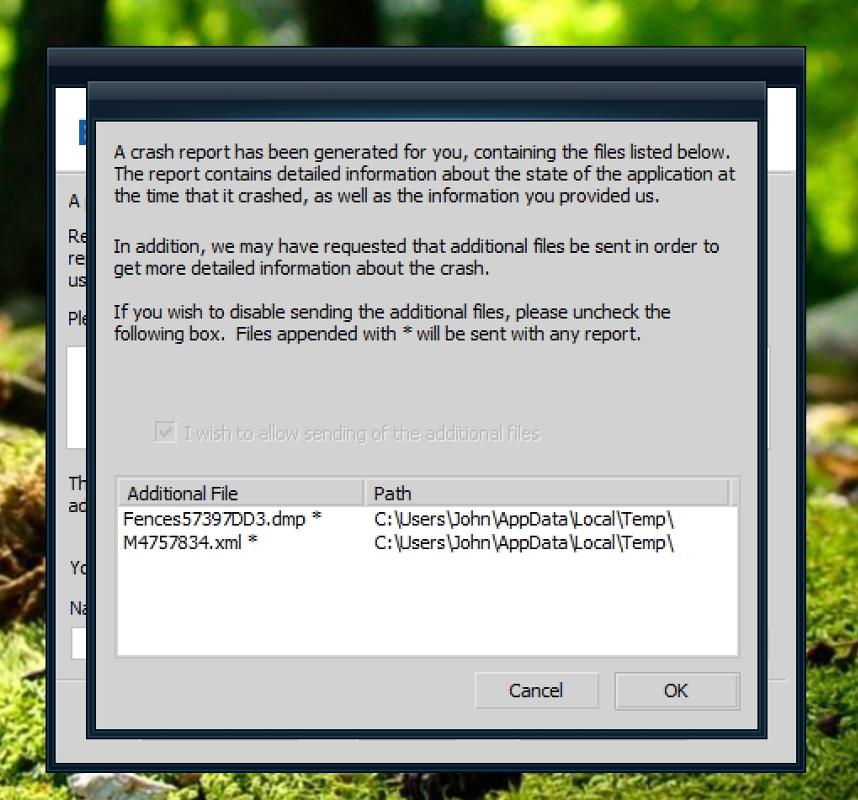
Just today Fences crashed, and I had it send the error report.  for "Name" field on the crash report, I used the username I use here on the support forums: JohnWPB. 

Reply #7 Top

Quoting johnwpb1, reply 6

Sorry, the scaling is set to 200%.
End of johnwpb1's quote

As a Test, if you set it to 100%, restart, does the issue appear?

Thank you,

Basj,
Stardock Community Assistant

Reply #8 Top

Yes the icons appear correctly at 100% scale.


Isn't the point of Stardocks products to customize Windows? Should it not be capable of adjusting the columns based on the screen resolution or scaling, no matter what that might be?


Reply #9 Top

From what I know it is something to do with the way Windows scaling those icon that causing the issue. However, to be sure, I have forwarded your problem/question to Stardock Support Team for their assistance. Please keep an eye on this thread for any updates. We appreciate your feedback and patience.

Basj,
Stardock Community Assistant

Reply #10 Top

I think I have an idea of the root of the problem. If you put too many icons in a fence vertically a scroll bar automatically appears so you can scroll the fence to see all of the icons. So something triggers if too tall then add scroll bar kind of thing. This does not occur however if icons are to the right in another column. There is no scroll bar. Therefore it appears whatever the trigger is for vertical was not added in the same way for anything that would occur a horizontally.


Once that is remedied and you can trigger that the horizontal area has been passed AND there is enough room vertically, THEN DO wrap the icons

Reply #11 Top

I have the same problem with Win 10 Home version 22h2. The monitor is set to 1920x1080 at 125%. Fences worked just fine in version 3, so I have reverted to that. I was told then by support, "This is a known issue with Fences. It actually occurs because of the icon size for the desktop. If you chose 'Medium Icons', this will make the fence single-file."

My icons are already set to medium and I do not want to play with this. I will wait until I see a workable solution. 


 I cannot find the URL to create a support ticket. Anyone know it?

Reply #12 Top

Quoting jsmith51never, reply 11

I have the same problem with Win 10 Home version 22h2. The monitor is set to 1920x1080 at 125%. Fences worked just fine in version 3, so I have reverted to that. I was told then by support, "This is a known issue with Fences. It actually occurs because of the icon size for the desktop. If you chose 'Medium Icons', this will make the fence single-file."

My icons are already set to medium and I do not want to play with this. I will wait until I see a workable solution. 

I cannot find the URL to create a support ticket. Anyone know it?
End of jsmith51never's quote

Hello,
I have forwarded your problem/question to Stardock Support Team for their assistance. Please keep an eye on this thread for any updates. We appreciate your feedback and patience.

Note: Technical issue, don't need to create support ticket. It is handle via Forum.

Thanks

Basj,
Stardock Community Assistant

Reply #14 Top

I have the same problem discussed above. I have the icons set to medium and they are still in 2 columns. 

Reply #15 Top

I am the original poster, and am happy that I am not alone. The more people that report it, the more attention the more  solutions will happen I hope ;)

Reply #16 Top

Hello,
Sorry to hear you are having issues. I recheck this issue, have you tried restarting the system or at least restarting Explorer.exe once the single column are set. Refer my video below. Its seem to be working on my Win11 22H2 OS build 22621.2428 system with Fences 4.21. Icons size set at medium icons and scale at 200%.

Added note: Also tested on 125% scale too and restart explorer.exe helps with the issue.

Thanks
Basj,
Stardock Community Assistant.

Reply #17 Top

basj;  That appears to work, and thank you for a "patch".  However, that does not fix the obvious problem that is happening, on now verified multiple systems.  You have shown this for fact with your video.  You can clearly see in the screen shot of your video, the icons are not arranging themselves as they should when resizing the fence, and icons are being hidden from view.  This in fact proves there is a bug, and needs a solution.

I personally do not want to restart my computer whenever I change icons sizes, fence sizes, or move things around.


Reply #18 Top

Yes, I did saw that all the time, but it only happened after I changed Windows scaling. You don't changed your scale factors every few minute do you? And the issue resolve itself after you restart Explorer.exe. And that will stick until you change your scale again.


Thank you,

Basj,
Stardock Community Assistant

Reply #19 Top

I changed the scaling on my PC over a year ago when I installed Windows 11, and haven't touched it since.

I still have the problems with fences. I am stuck at "Small desktop icons". If I try to change the icon size while holding down the Ctrl key and using the mouse scroll wheel, to get them the size that *I* want, the second column disappears, and no mater of rebooting it fixes it.  I had to just revert to the icon size that Window Blinds tells me I can use.  

Right now, if I attempt to make the icons in the fence even the TINIEST bit smaller, they revert to 2 columns, the second column being totally hidden.

Reply #20 Top

Please post a video of this issue so we can try to understand your issue better.

As a reference:

Thank you,

Basj,
Stardock Community Assistant

Reply #21 Top

While your help is greatly appreciated.....  I am sorry, I just don't have the time to keep messing with this, more less uploading a video.


If you look at the very first post, almost a year ago, you can see where I resized the fence from wide, medium, narrow, and that the icons simply so not auto organize.  What more is there? A video will show the same thing.  Many people are now reporting the same problem. it is a BUG, end of story. You can submit your video to Stardock, as it clearly shows the problem I and others have explained ;)


Reply #22 Top

If you watched my first video, yes the Fences don't arrange the icons into one column when I change the scale from 200%, but, once I restart Explorer.exe, the Fences did show that it can then have one column Fence. So, I am not sure why it is not happening in your system. It might be something conflicting with Fences in your system. A cleanboot might help identify if there is something conflicting/interfering with Fences . https://forums.stardock.com/486084/fences-support-faq#cleanboot. And I've forward this issue again to Support for their input.

Thank you,

Basj,
Stardock Community Assistant


Reply #23 Top

I can't find a fix or resolution for this problem.  My Fences 5 has been working since it was updated from 4 and today all of my fences default to two columns.  Resizing the fence by dragging the edges will cause the fence to resize to 2, 3 or more columns, but never a single column.  

Suggestions?

Reply #24 Top

Quoting jak, reply 23

I can't find a fix or resolution for this problem.  My Fences 5 has been working since it was updated from 4 and today all of my fences default to two columns.  Resizing the fence by dragging the edges will cause the fence to resize to 2, 3 or more columns, but never a single column.  

Suggestions?
End of jak's quote

Hello,
Sorry to hear you are having issues. But, you are reporting your issue on Fences 4 thread. I believe it is best for you to start your own thread and we will help you from there. Also include more details in your post as requested here: https://support.stardock.com/space/SHC/1387003915/Contacting+Stardock+About+Start+Product+Issues. Also, best to include video capture showing us the issue.

Thank you.
Basj,
Stardock Community Assistant.