Start menu reverts to search menu

I've used stardock for many years to keep the windows 7 menu.  This is the first issue and it's happening all the time with version 1.36.  The traditional version 7 menu I've requested from stardock suddenly rerverts to what looks like the search menu.  I can only fix this once it happens by rebooting.  I have no idea what set of actions causes this but it's extremely annoying.  
1,716 views 6 replies
Reply #1 Top

Hello,
Sorry to hear you are having issues. Need more details.

  1. You on Windows 7,8,10 or 11? Also, need its fullversion number please. Use Winver.exe.
  2. Post screenshots or video grab showing your issue would help us understand it better.

Thanks
Basj,
Stardock Community Assistant.

Reply #2 Top

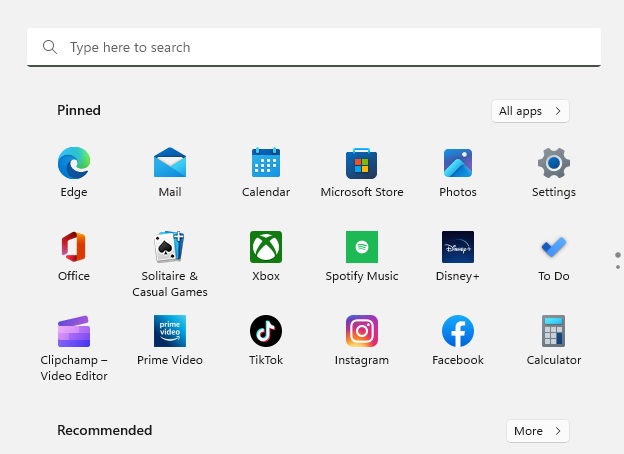
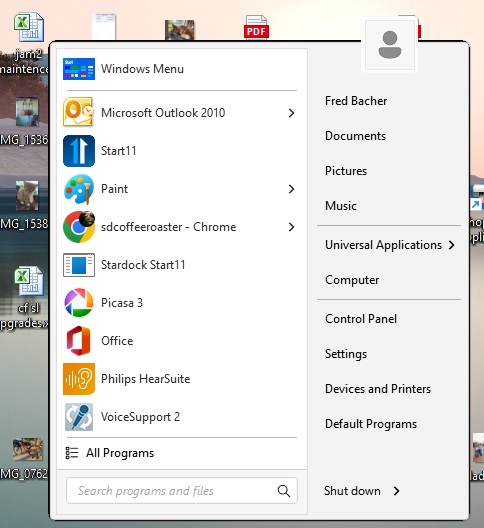
Thanks.  I think I did two posts of this same issue, sorry.  win 11, home edition, 22h2, build 22621.963.  I opted for the center orientation of the start menu on the task bar (traditional win 7 start menu) and that seems to be what makes the start menu screw up and revert to the search menu.  I put the start menu over to the left side orientation and so far it has not messed up once.   The first image is what I expect when I select "start" and the 2nd is what will suddenly pop up instead of the right start menu.  Nothing corrects this except for a log out or reboot.  But selecting the left orientation seems to NOT yield this error.  Hope this helps you find out what's going on.  Thanks.


Reply #3 Top

Hello,

That look like the default Windows 11 Startpanel. Need to know few things.

  1. What is the Startbutton you have on your Start11?
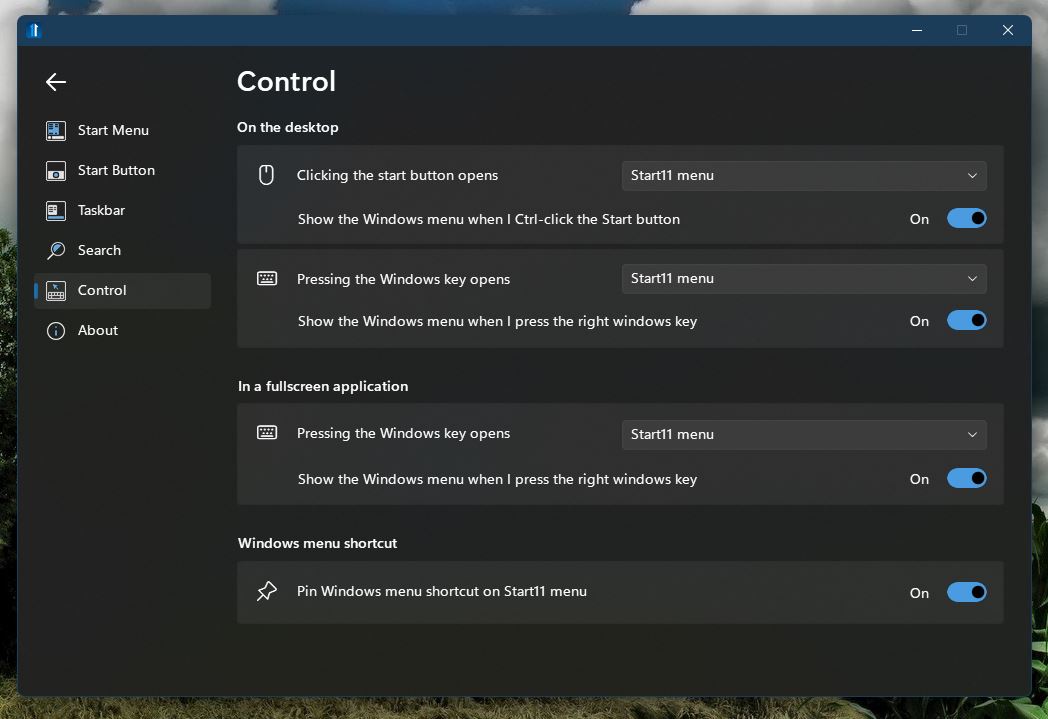
  2. What is your setting on this page on Start11.

Thank you,

Basj,
Stardock Community Assistant

Reply #4 Top

So here's the other thing I almost forgot.  When I try to run stardock, most of the time I just get a flash of it's dialog box opening and closing very quickly and so right now at least I can't open it.  This has never been an issue in the past but started with the latest update.  Going to try a cold reboot and see if I can open the program.  Like I said I've been using this since Microsoft changed the interface from the win7 one without a single issue and only use it to keep the win7 interface.   But the start button is just some generic gray rectangle:  

Reply #5 Top

Please try this, uninstall Start11, reboot immediately after, reinstall Start11, reboot again, retest it and report back.

Thank you,

Basj,
Stardock Community Assistant

Reply #6 Top

I would if I was still having the problem with the start menu on the left.  But since I moved it from the center location I have not had an issue.  So, don't fix what no broken, lol.  Stardock even opened it's dialog today when I selected it.  I think there is some issue with the center location which I was trying out and it screwed the program up.  I reboot everyday by the way so the laptop is off at night.  My next step was to uninstall and reinstall stardock but no need now I guess.