Lost Fences on desktop

I am running into an issue in my setup. I have a dell Laptop 7760 with docking station and also feed 2 x U3219q 4 K monitors of that. All my stuff work fine except fences. As on boot the 2 external monitors don't show anything till after login and that seems to be a problem. Sometimes my fences folders / dropdown show on laptop screen sometimes on the correct monitor. But what's more frustrating is that i lost a one dropdown and kind find it anywhere ? 

Not sure if that has anything to do with running Dell Display Manger which i use to manage my windows across all displays.

Is there a way to see all visible or not visible fences in registry or folder ?

4,893 views 7 replies
Reply #1 Top

Hello,

Sorry to hear you are having issues.

What is the full  numbered version of Windows ?

Version of Fences ?


AzDude
Stardock Community Assistant

Reply #2 Top

Stardock Fences is 4.0.7.2

Edition Windows 11 Pro
Version 21H2
Installed on ‎6/‎25/‎2022
OS build 22000.856
Experience Windows Feature Experience Pack 1000.22000.856.0

Reply #3 Top

Hello,

Sorry to hear you are having issues.

If Dell Display Manager is turned off is it OK then ?

Report back please .


AzDude
Stardock Community Assistant

Reply #4 Top

First off, turning it off still does not show the missing Fence Dropdown. Second turning it off is not an option.

Furthermore you failed to answer my question, it seems like other then asking a bunch of generic info which could be requested in a single response you like to go forth and back without answering the posted question. If you cant answer I will assume this product is quite flawed and useless and move on.

It cant be to hard to answer where the info for the dropdown's are stored , registry ? ini or xml etc

Reply #5 Top

Hello,

I have forwarded your report to the Stardock support team for their review and recommendations.

Please keep an eye on this thread for any updates.

We really do appreciate your feedback, thanks.

Reply #6 Top

Wow, so for the past day I have either talked to an AI Boot or a human version that is fluent in copy and paste.
Bad Product and even worse support..

Reply #7 Top

Hello,
Sorry to hear you are having issues. And really sorry your feel that way, Mike was trying his best to help you. As for your question, I believe, if you look at this guide : https://forums.stardock.com/486084/fences-support-faq#backupsnapshots.

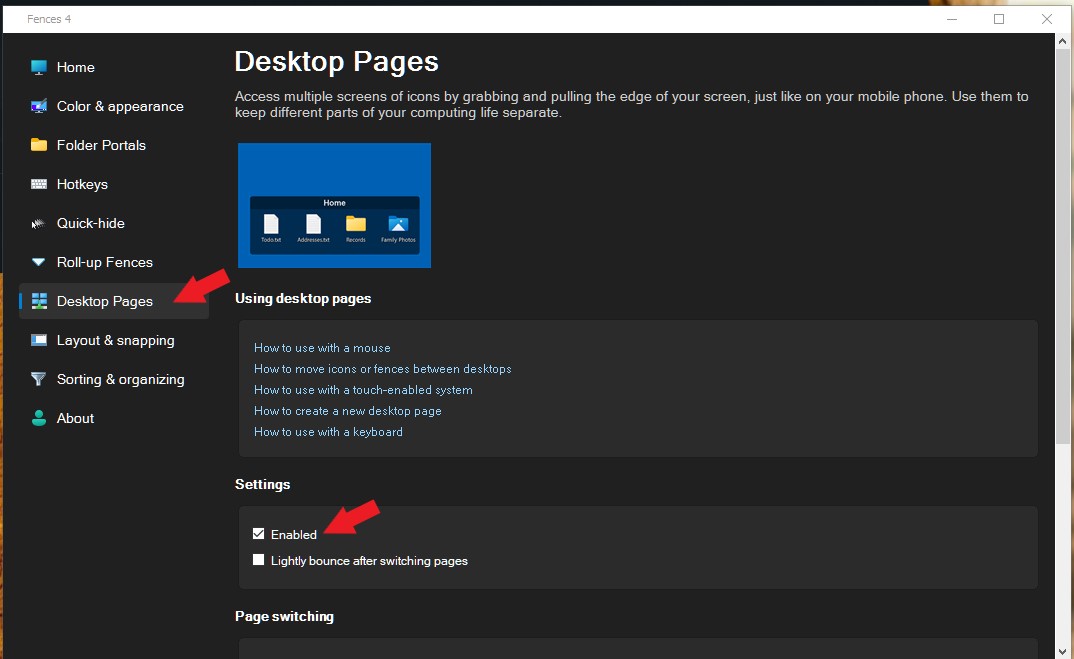
And, as for lost Fence, most of the time, it is because, it was accidentally send to another Fences Desktop. You can learn how to navigate Fences Desktop or turn it off entirely and see if that bring back your lost Fence. Try those and report back.

Thanks
Basj,
Stardock Community Assistant.