
Start11 1.25 Start Menu doesn't look like Windows 10

Windows 11 ver 22000.832

I just purchased Start11 and configured the Taskbar and Start menu to look like Windows 10. The customizations to the task bar look ok, but the Start menu still looks like the unmodified Windows 11 menu.
1,297 views 2 replies
Reply #1 Top

Hello,
Sorry to hear you are having issues. Please try purge and reinstall steps as mention here : [Link]. Just make sure to redownload the latest version from your account page. Reboot after the purge. Reinstall and reboot again after the installation. Retest and report back here.

Thank you,
Basj,
Stardock Community Assistant.

Reply #2 Top

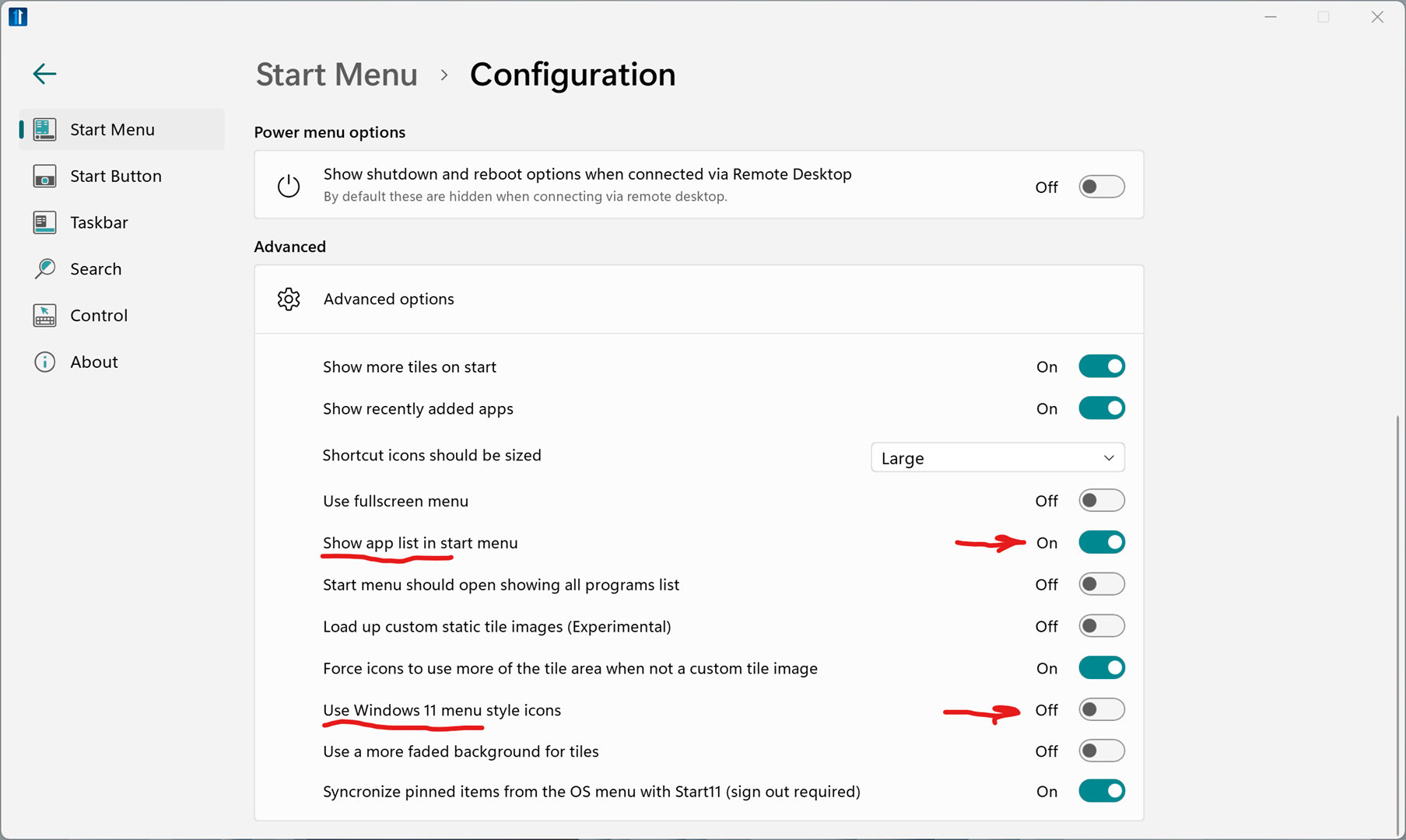
Once you have your style picked as Windows 10, make sure you have "Use Windows 11 style icons" turned off and "Show app list in start menu" turned on in the Start11 Advanced Configuration settings. You can now right click start menu icons and set their size, turn on or off text, and change the color of the tile background. With the settings below, your start menu should look like the Windows 10 start menu. Play around with these settings and tweak your start menu the way you like it.