Reply #1 Top

Hello,
Sorry to hear you are having issues. Please try, uninstall Start11, reboot immediately (important), download latest version available in your account product download page: https://store.stardock.com/myaccount/products. Install it, reboot immediately again. Retest it and report back.
If the issue still there, we need more information n your sytem.

  1. Windows 10/11 full version and OS Build number. Use Winver.exe to get these numbers.
  2. Start11 full version number.
  3. Do you have any other 3rd party application running that change how your taskbar work or add something on the taskbar?

Thank you,
Basj,
Stardock Community Assistant.

Reply #2 Top

Thanks. I've done this and now cannot find the option to have the taskbar vertically. Have you stopped this feature?

Reply #3 Top

Ignore, please - for some reason you don't put v 2 on the main downloads page.

Reply #4 Top

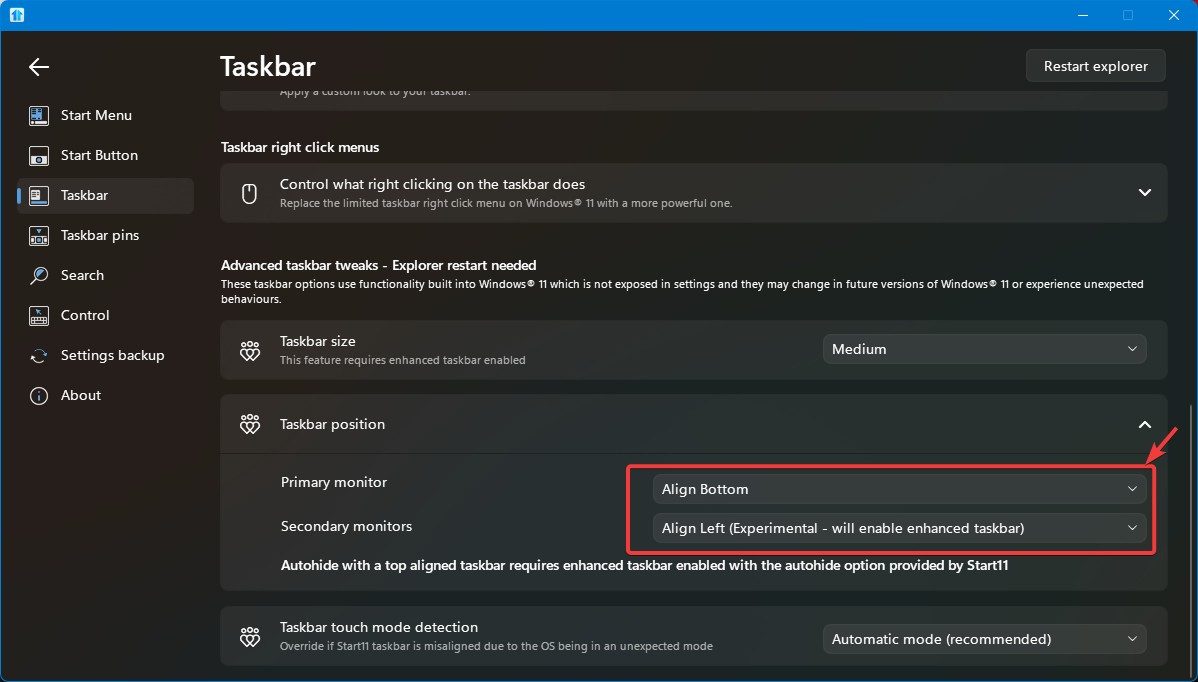
It should be still be there. refer my screenshot below.

If you don't see it, perhaps, something went wrong while installing. Also, make sure you're installing latest Start11 v2.81.

Thank you,
Basj,
Stardock Community Assistant

Reply #5 Top
Quoting ben164, reply 4148573

Ignore, please - for some reason you don't put v 2 on the main downloads page.

End of ben164's quote

Not really sure what you mean by that. If you have purchased Start11v2, it should be listed in your account product download page: https://store.stardock.com/myaccount/products. Do let us know if it is not listed in there.

Thank you,

Basj,
Stardock Community Assistant

Reply #6 Top

Hi - that hasn't worked.

Windows 11 25H2 Build 26200.9457

Start 11 v. 2.81

Nothing else that would affect the taskbar, I believe

Reply #7 Top

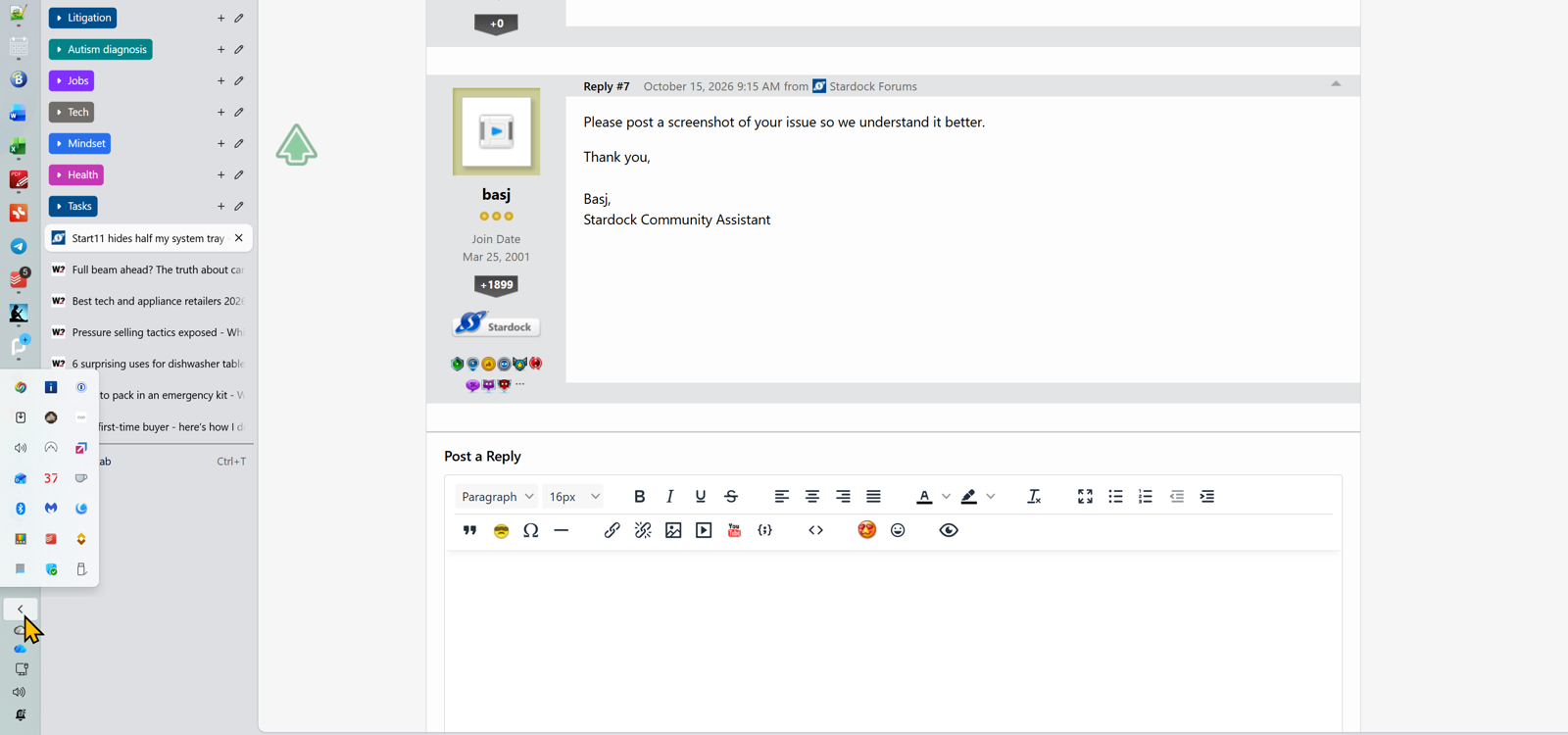
Please post a screenshot of your issue so we understand it better.

Thank you,

Basj,
Stardock Community Assistant

Reply #9 Top

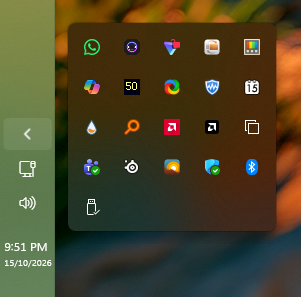
This is what I get on my system. I am on Windows 11 25h2 (OS Build 26200.9711) 

Perhaps something running in your system is conflicting with Start11. Please try Clean Boot: https://support.stardock.com/space/SHC/1334935592/Start11+Clean+Boot. Do note that Clean boot need to done with care. Try it and report back.

Thank you,

Basj,
Stardock Community Assistant

Reply #10 Top

That's what I have had for many years until recently! 

Will try Clean Boot, but can't do so today.

Thank-you...