Start11 Top Alignment Auto-Hide Buggy

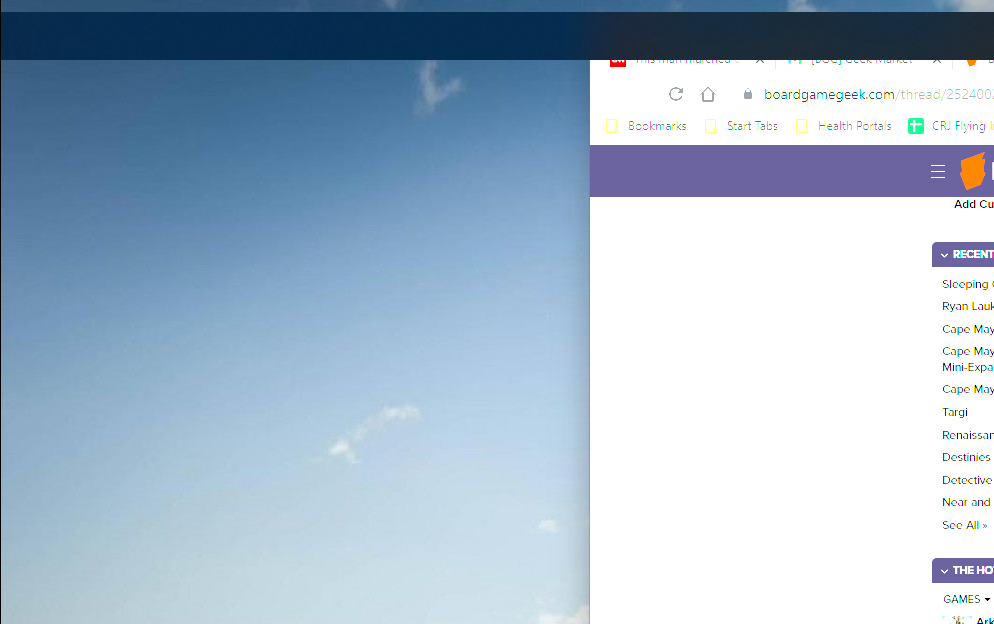
Just upgraded to Windows 11 once I saw that Start11 would allow me to have the Start button and taskbar at the top (I'm just used to it up there). Everything seemed great, but after a while I suddenly noticed the task bar had slightly moved off the top of the screen and down just a small bit leaving a gap above the bar where I could see my wallpaper behind it. Once this happens it becomes a major problem because all windows also then appear behind the bar and since it's at the top I often can't get to those window controls.

This is with Autohide enabled. 

I tried also running the beta version but that also is doing this same thing.

The "work-around" is that I can bring up Task Manager and restart File Explorer, which then resets the bar, but that's a hassle obviously.

8,923 views 26 replies
Reply #1 Top

Hello,
Sorry to hear you are having issues. Are you on Windows 11 insider preview release? If so, taskbar on top have some issue with it and its a known issue as stated here : https://forums.stardock.com/509537/get;3833541. Best if you could also report your issue in that thread for Support and Dev attentions.

Thanks
Basj,
Stardock Community Assistant.

Reply #2 Top

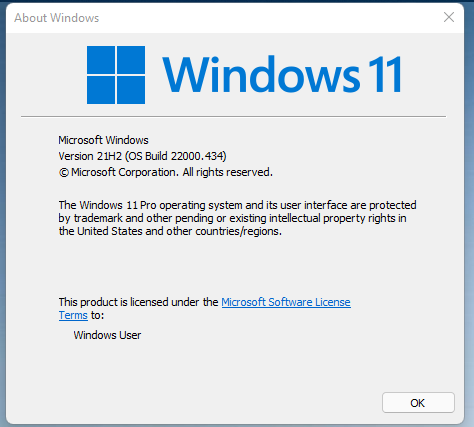
I don't think I'm running any sort of Insider version. I simply chose to take the upgrade option after being bugged about for months. System Information shows the version as Microsoft Windows 11 Pro 10.0.22000 Build 22000.


Reply #3 Top

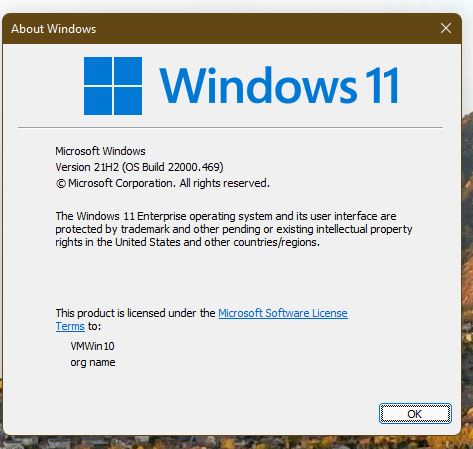
Can you use Winver.exe to get the full build number please. For me Winver.exe reporting mine is on Version 21H2 (OS Build 22000.469) and I am not on Insider review program. Winver screenshot below.

Thank you,

Basj,
Stardock Community Assistant

Reply #4 Top

Since I wasn't quite up to your build I ran Update and noticed a couple small things pending to be updated so I'm fully updating right now.


Reply #5 Top

And your original issue still there? BTW, you're running Start11 v1.1.1.1, yes?

Thank you,

Basj,
Stardock Community Assistant

Reply #6 Top

Winver shows all the same, but last part is now .493 so slightly higher than yours. As for the bug, I'll have to wait and see as it comes and goes. 

Start11/About shows 1.11, but it's from the exe labeled Start 11_1.1.1.1-j124-Setup_sd.exe that I got from the beta forum.

Reply #7 Top

Okay, Great, report back when and if the issue arise again.

Thank you,

Basj,
Stardock Community Assistant

Reply #8 Top

Well, that was fast This is the full left side of the monitor. Note the missing start button and icons in addition to the problem of it being slid down a bit:

Reply #9 Top

Did you installed any other Startpanel or taskbar application other than Start11?

Thank you,

Basj,
Stardock Community Assistant

Reply #11 Top

Hello,
I have forward your problem/question to Stardock Support Team for their assistance. Please keep an eye on this thread for any updates. We appreciate your feedback and patience.

Basj,
Stardock Community Assistant

Reply #13 Top

Neither fixed the issue. After doing both tasks it took a while, but the issue is back today. 

Reply #14 Top

Quoting rich148, reply 13

Neither fixed the issue. After doing both tasks it took a while, but the issue is back today. 
End of rich148's quote

The effort was not to 'fix it' per se` but to see if it was reproducible under the new Admin account and a clean boot.  Was it?

Sean Drohan
Stardock Support Manager

Reply #15 Top

Yes it was. I'd love to get a grip on what the triggers are for it, but it just seems to materialize out of nowhere. Clearly it's more than that, but so far I can't focus in on anything yet.

Reply #16 Top

I may be getting a bit more data. I've now noticed three days in a row that after coming to my PC while it was in sleep (not hibernation, but just blank screen) that the bar is misbehaving in the way described for this issue. Restarting explorer in Task Manager quickly resets it.

Reply #17 Top

Well, more data: I just was at my desktop working away and got up to go grab a an apple from the fridge. I was gone about a minute and came back where my screen hadn't gone to sleep at all, but the task bar was suddenly on-screen and broken again. Remember, it's set to auto-hide so it should not have been there at all. I may have to turn off auto-hide to remain sane which will make this nearly impossible to find.

Reply #18 Top

Going forward from todays Microsoft Windows update, autohide will not be permitted with taskbar at the top due to OS changes and setting autohide will force the taskbar to the bottom.

Reply #19 Top

Quoting Neil, reply 18

Going forward from todays Microsoft Windows update, autohide will not be permitted with taskbar at the top due to OS changes and setting autohide will force the taskbar to the bottom.
End of Neil's quote

Well, I may have to move back to Windows 10 if this can't be gotten around. Too many years invested this way.

Reply #20 Top

Quoting Neil, reply 18

Going forward from todays Microsoft Windows update, autohide will not be permitted with taskbar at the top due to OS changes
End of Neil's quote

Neil, can you point me to the info about this? On another forum I'm being told contradictory stuff so I'd like to point to this. Thanks!

Reply #21 Top

Quoting Agrajag27, reply 20


Quoting Neil Banfield,

Going forward from todays Microsoft Windows update, autohide will not be permitted with taskbar at the top due to OS changes


Neil, can you point me to the info about this? On another forum I'm being told contradictory stuff so I'd like to point to this. Thanks!

End of Agrajag27's quote

Sorry I should be more clear.

Top aligned taskbar is NOT an official feature of Windows 11 itself.

In the later versions of Windows 11, what support there was has been broken and newer Start11 builds have a workaround for this but our workaround does not handle autohide because so few people use on top taskbars with autohide and it adds a great deal of additional complexity to be handled which was out of scope for a quick update to allow taskbars to still be at the top of the screen.

Thats not to say in the future we will not revisit that, but for now thats the position.

Reply #22 Top

Quoting Neil, reply 21

In the later versions of Windows 11, what support there was has been broken and newer Start11 builds have a workaround for this but our workaround does not handle autohide because so few people use on top taskbars with autohide and it adds a great deal of additional complexity to be handled which was out of scope for a quick update to allow taskbars to still be at the top of the screen.
End of Neil's quote

Thanks for this Neil. Much appreciated. However, this does leave me with what he used to call a V-8 Moment. Why? I go back with Stardock to the very beginning of the company (used to know Brad when I owned a major QA company that did testing for him) and was a big fan of WB, but gave it up as, ultimately, I found I spent more time dealing with clashes between what WB wanted to do and what MS was doing.

Start10 seemed to be an exception to this reality and I never had any more than a short minor hiccup with it. I only moved to Windows 11 because of the reliability of Start10 and my desire to keep the taskbar and Start button at the top. Now that I've migrated I have to accept that I don't really have the benefit I thought I'd have with Start11. 

I totally get that your data shows few people use my setup, but frankly from my perspective that hardly matters. hehe Again, no animosity there. Just frustration. My real annoyance is with MS who just can't fathom that some people think pull-DOWN menus should be opened from the top down (and I'm not a Mac user/fan). 

My only real solution now is to either give up auto-hide (no thanks) or just get used to things on the bottom. Ugh. Here's hoping things change for this feature. Perhaps my best bet is to just give up entirely and stick with vanilla Windows options. THAT is the option Stardock absolutely shouldn't be hoping is the answer.

 
Reply #23 Top

So has my issue somehow been addressed? Based on the previous posts it seems unlikely, but reading the release items, especially for 1.23 (can't find the date that got released, it sort of sounds like perhaps a way was found. 

"Tweak for tooltips on autohide taskbar on top of the screen (possibly - did not test but tweaked logic)"

Reply #24 Top

I'm having the same problem with Start 11 on Windows 11: there is a gap between the top of the screen and the start menu when the bar is set to top using auto-hide. Am using Start 11 1.2.4 on Windows 11 21H2 (22000.739).

Reply #25 Top

As you can see, Stardock's Neil wrote back previously to say that virtually no one does what we do according to their customer data and thus this was a non-priority for them to fix. However, I read that later versions of this essentially scrapped the original code and redesigned the entire approach. At first I thought this fixed it. Before it would do this every single day, multiple times a day, but now it only happens every few days. 

FWIW, you can get it to reset quickly by bringing up Task Manager (Ctrl+Shift+Escape), then scroll the list of apps that comes up to the very bottom, right-click on Windows Explorer and choose the first option to "Restart" it. The screen will flash for a moment and the problem will be gone until the next time it's off. Not a fix, but at least somewhat workable.