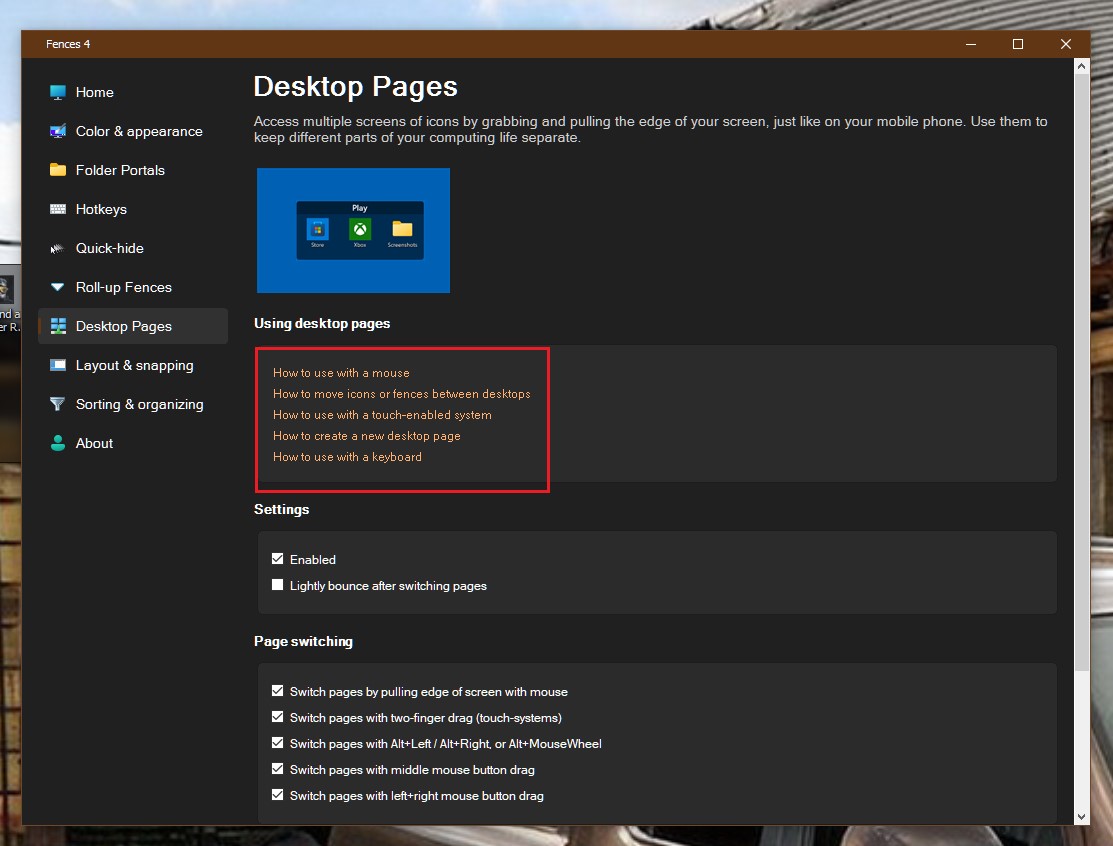
I had a problem of disappearing fences, and finally got it figured out/solved. I opened the "Fences.exe" program (it's the "Desktop Pages" controller) and simply unchecked the "Enabled" checkbox in the "Settings" section to disable the feature. BOOM - they all came back on my primary screen (I use a laptop plus two external monitors). Then all I had to do was to move them to the monitor screen (my setting there is "Extended") and all was once more well in the land of SteveDaGeek (well, I thought I was a Geek, but maybe not so much now - LOL). It seems that when moving things around, Fences moved them to another desktop page and I had no idea how to access them. I panicked, thinking I'd lost them. WHEW am I glad I was wrong there.
End of sguenthe's quote
Yes, that one way to do it. But, Fences Desktop is very good features to have. You can also learn how to use it and take advantage on it. I personally use it so I can have 3 Fences Desktop, with each desktop have different set of Fences, such as Work, Games, Media. You can learn how to use Fences Desktop using its build in tips.
Thank you,
Basj,
Stardock Community Assistant


 Stardock Forums
 WinCustomize Forums