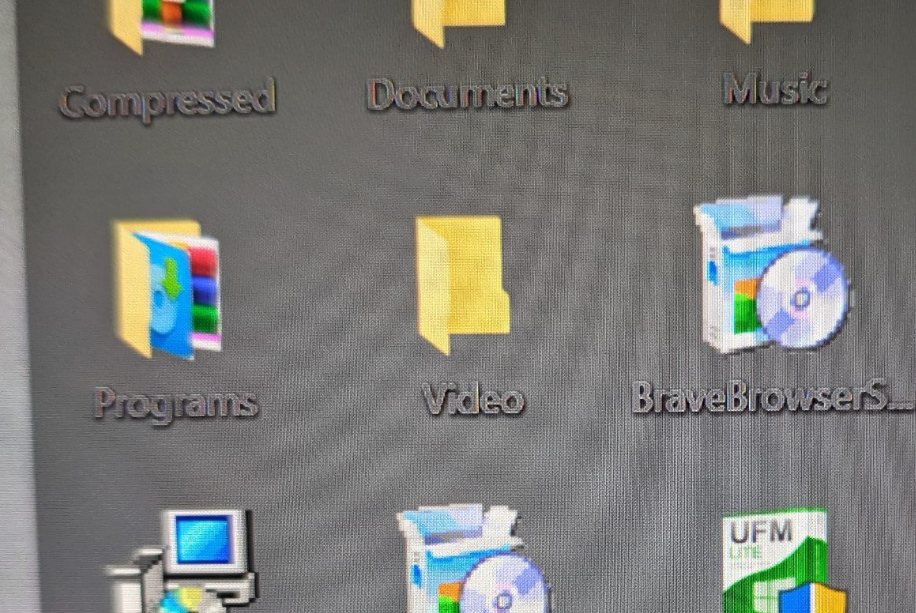
Fences bug with folder portals and highlight coloring

So i created a folder portal on my desktop, but its doing something wonky with my font and highlight coloring when I go to rename it.

here is any file/fence on the desktop when i try to rename - highlighting & font color


here is if i try to do so with a file in a folder portal.  (ive tried to delete/recreate the portal and move files in/out)


30,616 views 17 replies
Reply #1 Top

Hello,
Sorry to hear you are having issues. I can't reproduce your issue. Refer to below screenshot. Need to know more on your system.

  1. Windows version, you can use Microsoft's "Winver.exe" to get Windows fulls version numbers.
  2. Fences version.
  3. Display/Personalization setting. Dark/Light, Resolutions, Scaling (100%, 125% etc)
  4. Any GUI modification application like Windowblinds etc running in the background?
  5. Any Font modification running?

What I see

Thanks
Basj,
Stardock Community Assistant.

Reply #2 Top

oddly enough i can reproduce it on both pc's albeit the coloring inside the folder portal is slightly different.  its a darker shade of blue with a reddish font on my other pc.  whereas the blue is a bit lighter with a grayish font on my main pc.   

either way its different in the folder portal than everywhere else on both pcs :(

winversion is 19042.964

fences version is 3.0.9.11

using dark mode

no windowsblinds or font modification, using the default that windows ships with.  (no idea how to even change it but if theres a way to blanket redo the font/highlight coloring somewhere that is likely a good place to start)

worth mentioning this is limited to folder portals with fences as I can try to rename the files inside explorer in the actual folder they reside in and its normal/fine. 

same with anything on the desktop inside other fences that ARENT folder portals.

also tried creating another folder portal to a different folder on a different drive altogether.  Same result. 


Reply #3 Top

Hello again,

That screenshot I posted above is from a folder portals. Can you try purge and reinstall steps as mentioned here:https://forums.stardock.com/486084/fences-support-faq#reinstalling. Just make sure to re-download the latest version from your account. Reboot after the purged. Reinstall, and Reboot again after the installation. Retest it. Report back here.

Thank you,

Basj,
Stardock Community Assistant

 
Reply #4 Top

sure, i assume purging is going to remove all my settings? :( ?

Reply #6 Top

just did a purge and reinstall. unfortunately the result was the same.  only miscolored highlighting and font when using a fences folder portal.

Reply #8 Top

Gave it a shot but no good.  Still doing it :(

Reply #9 Top

Hello,
I do not have any other suggestion for you. I have forward your problem/question to Stardock Support Team for their assistance. Please keep an eye on this thread for any updates. We appreciate your feedback and patience.

Basj,
Stardock Community Assistant

+1 Loading…
Reply #10 Top

Still a prominent issue. We need to be able to change the folder portal icon label colors, or at least be able to set it to white. Currently my fences are semi-opaque red and text is near invisible until mousing over them because it matches the color of the background. I have found a certain shade that makes them readable with effort, but this is ridiculous. I have a normal fence right next to it that works just fine.

Reply #11 Top

Hello,
Sorry to hear you are having issues. Have you tried Fences 4 and see if the issue resolved there?

Thanks
Basj,
Stardock Community Assistant.

Reply #13 Top

Sorry for bumping this old thread, but came here suffering from the same problem. The font in my fences looked fine, but the two portals I had to folders on my network were appearing with what looked like a black font with a greyish outline and at reduced opacity. Turning HDR off fixed it.

Normal fences look like they work just fine with HDR, but Portal Fences do not.

Reply #14 Top

Quoting dexluther62270, reply 13

Sorry for bumping this old thread, but came here suffering from the same problem. The font in my fences looked fine, but the two portals I had to folders on my network were appearing with what looked like a black font with a greyish outline and at reduced opacity. Turning HDR off fixed it.

Normal fences look like they work just fine with HDR, but Portal Fences do not.
End of dexluther62270's quote

Hello,
Sorry to hear you are having issues. You on Fences V3 or V4?

Thanks
Basj,
Stardock Community Assistant.

Reply #15 Top

Quoting dexluther62270, reply 13

Sorry for bumping this old thread, but came here suffering from the same problem. The font in my fences looked fine, but the two portals I had to folders on my network were appearing with what looked like a black font with a greyish outline and at reduced opacity. Turning HDR off fixed it.
End of dexluther62270's quote

I too am having this exact issue.  I've tried disabling HDR and that has no impact. Screenshots:

  Windows version...

 ...and Fences.


 First screenshot...

 ...and second.


I tried with HDR on and off.  In screenshot two you notice it looks as it should.  Strangle, when I launched Windows' Snip n Sketch and the shadow came over the desktop the odd artifacting of the text seen in screenshot one disappeared until the shade from the screenshot tool went away then it would return.  Very frustrating as it only applies to folder portal views.

*** EDIT: Issue not present in Fences 4.

Best Wishes, 

Tony

Reply #16 Top

Quoting basj, reply 14


Quoting dexluther62270,

Sorry for bumping this old thread, but came here suffering from the same problem. The font in my fences looked fine, but the two portals I had to folders on my network were appearing with what looked like a black font with a greyish outline and at reduced opacity. Turning HDR off fixed it.

Normal fences look like they work just fine with HDR, but Portal Fences do not.


Hello,
Sorry to hear you are having issues. You on Fences V3 or V4?

Thanks
Basj,
Stardock Community Assistant.

End of basj's quote

V3

Quoting mostyle, reply 15


Quoting dexluther62270,

Sorry for bumping this old thread, but came here suffering from the same problem. The font in my fences looked fine, but the two portals I had to folders on my network were appearing with what looked like a black font with a greyish outline and at reduced opacity. Turning HDR off fixed it.


I too am having this exact issue.  I've tried disabling HDR and that has no impact. Screenshots:

  Windows version...

 ...and Fences.


 First screenshot...

 ...and second.


I tried with HDR on and off.  In screenshot two you notice it looks as it should.  Strangle, when I launched Windows' Snip n Sketch and the shadow came over the desktop the odd artifacting of the text seen in screenshot one disappeared until the shade from the screenshot tool went away then it would return.  Very frustrating as it only applies to folder portal views.

*** EDIT: Issue not present in Fences 4.

Best Wishes, 

Tony

End of mostyle's quote

Are you turning HDR off on your monitor or switching HDR off in Windows settings?

Turning it off in Windows settings fixes the issue, and HDR still seems available in games.

The issue also doesn't occur when using any of the 3 HDR emulation settings my monitor has, but that's not unexpected.

EDIT: Snipped the screenshots out of my reply to save space and make the thread more readable.

Reply #17 Top

Quoting dexluther62270, reply 16


I tried with HDR on and off.  In screenshot two you notice it looks as it should.  Strangle, when I launched Windows' Snip n Sketch and the shadow came over the desktop the odd artifacting of the text seen in screenshot one disappeared until the shade from the screenshot tool went away then it would return.  Very frustrating as it only applies to folder portal views.

*** EDIT: Issue not present in Fences 4.

Best Wishes, 

Tony


Are you turning HDR off on your monitor or switching HDR off in Windows settings?

Turning it off in Windows settings fixes the issue, and HDR still seems available in games.

The issue also doesn't occur when using any of the 3 HDR emulation settings my monitor has, but that's not unexpected.

EDIT: Snipped the screenshots out of my reply to save space and make the thread more readable.

End of dexluther62270's quote

I did as you said prior to posting, toggling here in display settings:

...sadly to no avail.