
sdRohan sdRohan

Multiplicity 3.5 issue report thread

Multiplicity 3.5 issue report thread

With the release of Multiplicity 3.5, we are creating this thread so that users can report any observed issues.  

Obtaining Multiplicity 3.5:

Object Desktop members can get the beta from within Object Desktop Manager.

Individual purchases (as well as Object Desktop Members) can also be obtained from your account page:

https://store.stardock.com/myaccount/products

For guest check-out purchase (no account), from this link:

http://www.stardock.com/support/productkeyretrieval

Note: Please remember that this version needs to be installed on the Primary as well as all Secondary PCs in your group.

Reporting an issue:

Please include the following for anything found:

  • Exact Windows version \ build (winver.exe)
  • Detailed steps to recreate the issue seen
  • Screenshots and videos are very helpful.  Videos can be uploaded to a cloud drive services (GoogleDrive, DropBox, OneDrive, YouTube) and links included in your post.  Images can be directly added.
  • If there are specific apps that the app does not work (well) with, please note what apps and their exact versions.  If any app is not common, a link to a trial version would be appreciated.

Thank you,
Sean Drohan
Stardock Support Manager

53,799 views 60 replies
Reply #26 Top

Quoting laurentherbeuval, reply 25

Hello,

I've the same problem as you with KVM PRO 3.5. Mouse on remote PC in seamless mode works only 2 sec then come back on the primary, but seamless control windows stay operational. I come back to version 3.44 who works without problem.
End of laurentherbeuval's quote
Quoting sdRohan, reply 24

We need to get this issue out of this thread an into one of the other that are dealing with it specifically. 

Hence forth, the issue will be handled here as we have crashlogs posted to them from two different clients:

https://forums.stardock.com/501231/

CMs, if any more post here regarding this issue, poin them there

Sean Drohan
Stardock Support Manager
End of sdRohan's quote

Reply #27 Top

Hi

Been using 3.44 for over 2 years with no problems whatsoever.

Just updated to Multiplicity Pro 3.5 and it has totally screwed up my system. Can you send me a link to download 3.44 again as I seem to have lost my original 3.44 file.

Many thanks

Iain

Reply #28 Top

Quoting strude11, reply 27

Hi

Been using 3.44 for over 2 years with no problems whatsoever.

Just updated to Multiplicity Pro 3.5 and it has totally screwed up my system. Can you send me a link to download 3.44 again as I seem to have lost my original 3.44 file.

Many thanks

Iain
End of strude11's quote

What problems specifically are you having?

Reply #29 Top

Neil

None of the secondary computers respond at all. Version 3.5 was also installed on my other 3 computers and rebooted. Cursor only stays on main computer. Just want back to 3.44 as I don’t want the hassle of mucking about when 3.44 works fine.

thanks

iain

Reply #30 Top

I am also having the same problem after rebooting last night, which finalized the 3.5 update.


When I switch to my 2nd computer, the mouse works for about 2 seconds and then reverts back to the main computer.  Multiplicity still shows as connected when going through the settings > check connection outlined above.

Both computers are directly wired into my router.

If I restart multiplicity on the main or the 2nd computer, I get the same 2 seconds of functionality before it stops again.  Also when it kicks me off of the 2nd computer, my keyboard does not function for about 5 seconds.

Reply #31 Top

Quoting rcouvil, reply 30

I am also having the same problem after rebooting last night, which finalized the 3.5 update.


When I switch to my 2nd computer, the mouse works for about 2 seconds and then reverts back to the main computer.  Multiplicity still shows as connected when going through the settings > check connection outlined above.

Both computers are directly wired into my router.

If I restart multiplicity on the main or the 2nd computer, I get the same 2 seconds of functionality before it stops again.  Also when it kicks me off of the 2nd computer, my keyboard does not function for about 5 seconds.
End of rcouvil's quote

Is this KVM or seamless mode?

Reply #33 Top

Hi there,

So, I have been a Stardock customer for ages. You guys won me over with Sins of a Solar Empire and Demigod, back in the day... however, my Multiplicity experience has not been 100%...

I upgraded from the Steam version to the KVM version a while back (thanks to Stardock for this) - however, I have never been able to get the KVM functionality to work at all. All I get is a black screen and the solutions I've found on the forums, so far, simply didn't help.

I finally gave up on KVM mode and just settled to reorganize my workspace, to just use seamless mode, by itself.

That would fine... except for one of the most frustrating bugs I've experienced in a piece of software in a while (note: I am a freelance software developer, and have lived through the Internet Explorer 6 / Windows ME era)...

If I move my mouse over to the secondary computer, and I do it just a little bit too fast... Or if I am controlling the secondary and the network wobbles for a moment (wifi)... Or if the secondary PC takes a bit longer to respond and I move the mouse back to the primary accidentally... I lose almost complete control over my primary PC. The only way to fix it is to:

1) Kill the process on the secondary PC to regain control of my mouse on the primary PC (note its invisible on the primary, but by pressing control I can see where it is).
2) Opening the task manager (ALT-CTRL-DEL works at this point; but sometimes not until I've done the previous step, sometimes it does...).
3) Opening an Admin command prompt and killing any processes related to Multiplicity.
4) Some of the processes seem to somehow respawn themselves (like a virus?) and sometimes I have to do so multiple times.

I've gone as far as writing a specific "Kill Multiplicity" batch script, that automates some of it for me (which I now open up in a command prompt as soon as I log onto my desktop, as this is a more than a daily occurrence).

Has anyone run into this? Is it just me? I am at the point where I'm actively looking for a different solution... but I'm willing to accept that it could just be a problem between the chair and the keyboard.

Also, my (potential) KVM functionality seems to have completely disappeared as of the last upgrade (to 3.5 - note that all of the above still applies)... I have a KVM 3 license (please see the attached screenshot), however, the download link points to the SD version... can someone maybe point me to the right download link? Maybe that makes this go away...


My KVM license link

The download link points to: https://cdn.stardock.us/downloads/public/software/multiplicity/Multiplicity3_setup_sd.exe

Is this correct?


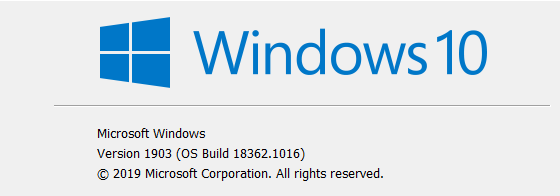
My Windows version:

Unfortunately due to the nature of the problem; other screenshots and video will be impossible to provide... If you need some more info, let me know.


Regards

Reply #34 Top

Ok guys, I am getting seriously hacked off with this situation. I am having the same problems as rcouvil as documented above. I am connected to my secondary computers but THE CURSOR DOES NOT MOVE OUT OF THE PRIMARY.       3.5 does not work. 

I bought this software two years ago and it has WORKED FLAWLESSLY until this 3.5 version. I do not want 3.5, and have no intention of troubleshooting it as there is clearly a problem with it. So, again I re-iterate, for the third time - please give me the link to the previous version.

Even when I go in to my account under downloads, the only option to download is the 3.5 version. I bought and paid for the previous version so that is what I would like to download.

So guys, give me some proper support and give me access to the previous version, so I can get on and get things done

Thank You

Reply #35 Top

Hello,

Sorry to hear you are having trouble.

Quoting rcouvil, reply 30

When I switch to my 2nd computer, the mouse works for about 2 seconds and then reverts back to the main computer.  Multiplicity still shows as connected when going through the settings > check connection outlined above.
End of rcouvil's quote

Quoting rcouvil, reply 32

I'm using seamless mode
End of rcouvil's quote

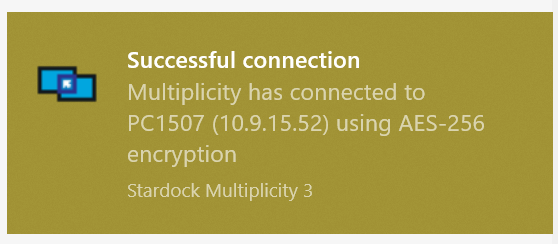
Does MP give any indication at all that the connection has lapsed (Windows notifications)?

If you do a purge, on each box, re-install MP 3.5, does it still happen?

https://forums.stardock.com/486104/multiplicity-support-faq#reinstalling

Quoting strude11, reply 34

THE CURSOR DOES NOT MOVE OUT OF THE PRIMARY.       3.5 does not work. 
End of strude11's quote

It does work, we just need to find out why its not for you consistently....

That does not also seem to be the issue that rcouvil is reporting - he can move to the Secondary (for a spell) - you say you cant.

If you are unwilling to help with finding out why, you can get 3.44 from here:

https://cdn.stardock.us/support/uploads/Multiplicity_3.44_setup_sd.exe

However, I would like you to try the connection troubleshooting here:

https://forums.stardock.com/486104/multiplicity-support-faq#connectionissues

And \ or the purge (again, on each PC) I recommended for rcouvil

Sean Drohan
Stardock Support Manager
Reply #36 Top

Hello Sean

Thanks for your reply and the link to 3.44.

As I said, rcouvil and I had the same problems - the mouse went up to the secondary for an instant and then snapped back to primary and after could not get it to go to any other secondary. All computers showed a successful connection to the primary but mouse would not migrate from the primary. Will give your recommendation a go and let you know.

regards

Iain

Reply #37 Top

Quoting strude11, reply 36

Will give your recommendation a go and let you know.
End of strude11's quote

Looking forward to your feedback and thank you for the effort.

Sean Drohan
Stardock Support Manager

Reply #38 Top

Purged and reinstalled 3.5 on both machines.  Same issue - mouse will move to secondary for about 2 seconds and then pop back. 


There is no error message from Windows.  It just jumps the mouse back to the primary PC at the monitor border "closest" to the secondary.

When connection is checked from primary computer, multiplicity reports that my secondary PC is still connected, yet I am unable to move my mouse to that desktop.

Reply #39 Top

Quoting rcouvil, reply 38

Purged and reinstalled 3.5 on both machines.  Same issue - mouse will move to secondary for about 2 seconds and then pop back. 


There is no error message from Windows.  It just jumps the mouse back to the primary PC at the monitor border "closest" to the secondary.

When connection is checked from primary computer, multiplicity reports that my secondary PC is still connected, yet I am unable to move my mouse to that desktop.
End of rcouvil's quote

Once this has happened does Multipl2.exe exist under processes in Taskmanager?  I don't know your level of tech knowledge, but if you are able to can you check if there is an entry in EventLog for Multipl2.exe about when it stopped working and if so what does it say?

I am wondering if something is crashing out.

Does it let you move the mouse over to the secondary computer again at all or will it fail until you logout / reboot?

Reply #40 Top

Hi Sean,

I have a similar Problem with the Mouse in seamless mode.

I am using Multiplicy since a long time without any issues. But since 3.5 I cannot use it anymore.

The mouse either jumps back to the master screen after 1-2 seconds, or it keeps freezing, sometimes I cannot move between the screens and need to try it 3-4 times.

Interestingly also the real Mouse on the primary master causes issues when Multiplicity is loaded. If I unload it, the Mouse is working fine again.

Currently I cannot use Multiplicity at all.

Please fix!

Thanks

Patrick

Reply #41 Top

Quoting patrickvelte, reply 40

Hi Sean,

I have a similar Problem with the Mouse in seamless mode.

I am using Multiplicy since a long time without any issues. But since 3.5 I cannot use it anymore.

The mouse either jumps back to the master screen after 1-2 seconds, or it keeps freezing, sometimes I cannot move between the screens and need to try it 3-4 times.

Interestingly also the real Mouse on the primary master causes issues when Multiplicity is loaded. If I unload it, the Mouse is working fine again.

Currently I cannot use Multiplicity at all.

Please fix!

Thanks

Patrick
End of patrickvelte's quote

It is concerning you are having those issues.

When it jumps back to the primary computer, do you get any message on the primary computer about the reason for a loss of connection?  If not does your keyboard still control the primary or secondary?

What issues are you having with the mouse on the primary?  Multiplicity shouldn't be able to impact this at all and this is the first report of this (unlike the quick swap back issue).

I imagine the not being able to move between screens is due to MP dropping and reconnecting in the background so I can explain that.  The question is why it is dropping in the first place.

Are you able to see what the file signing dates are on Multisrv.exe and multi2.dll on both computers?  You can do this by browsing to the Multiplicity install directory, right clicking on those files and selecting properties and then the Digital Signatures tab.  This has a timestamp.  Wanting to rule out files not being replaced correctly.

The other thing to check if you are aware of how to is on the secondary computer, does the event log show any crashes for Multisrv.exe or Multi2.exe?

Reply #42 Top

I've gone back to 3.44. After installing 3.5 and rebooting on both (Win7) machines, I had the same problem using seamless mode. Cursor would jump back to the main, almost immediately. While trying to troubleshoot, I rebooted both machines a second time. At that point, my connection on both, was shown as a public network, with no internet. My wife's (Win8) desktop was knocked off line, and my camera server (secondary machine) lost connection to all the cameras. 

Rebooting the router didn't help. I uninstalled Multiplicity on both machines, and rebooted, but had to restart the main network switch before anything would work.

I wouldn't think Multiplicity could cause all that chaos, but that was my experience.

Reply #43 Top

Quoting Koasati, reply 42

I've gone back to 3.44. After installing 3.5 and rebooting on both (Win7) machines, I had the same problem using seamless mode. Cursor would jump back to the main, almost immediately. While trying to troubleshoot, I rebooted both machines a second time. At that point, my connection on both, was shown as a public network, with no internet. My wife's (Win8) desktop was knocked off line, and my camera server (secondary machine) lost connection to all the cameras. 

Rebooting the router didn't help. I uninstalled Multiplicity on both machines, and rebooted, but had to restart the main network switch before anything would work.

I wouldn't think Multiplicity could cause all that chaos, but that was my experience.
End of Koasati's quote

I don't believe Multiplicity would be responsible for those network issues no.

It sounds like something glitched on your network and your computers could no longer get to the internet hence the swap to public network status as it couldn't identify the network anymore.

Reply #44 Top

Quoting Koasati, reply 42

At that point, my connection on both, was shown as a public network, with no internet.
End of Koasati's quote

If that is at all what others are experienceing, this is the way to fix that:

https://support.microsoft.com/en-us/help/4043043/windows-10-make-network-public-private

Sean Drohan
Stardock Support Manager

Reply #45 Top

Quoting Koasati, reply 42

I've gone back to 3.44. After installing 3.5 and rebooting on both (Win7) machines, I had the same problem using seamless mode. Cursor would jump back to the main, almost immediately. While trying to troubleshoot, I rebooted both machines a second time. At that point, my connection on both, was shown as a public network, with no internet. My wife's (Win8) desktop was knocked off line, and my camera server (secondary machine) lost connection to all the cameras. 

Rebooting the router didn't help. I uninstalled Multiplicity on both machines, and rebooted, but had to restart the main network switch before anything would work.

I wouldn't think Multiplicity could cause all that chaos, but that was my experience.
End of Koasati's quote


Randy....where you been hiding? ....;)

Reply #47 Top
Quoting Jafo, reply 45

Randy....where you been hiding? ....;)

End of Jafo's quote

Hey bro! How'r you?  :thumbsup:  

Reply #48 Top

Quoting Neil, reply 41


Quoting patrickvelte,

Hi Sean,

I have a similar Problem with the Mouse in seamless mode.

I am using Multiplicy since a long time without any issues. But since 3.5 I cannot use it anymore.

The mouse either jumps back to the master screen after 1-2 seconds, or it keeps freezing, sometimes I cannot move between the screens and need to try it 3-4 times.

Interestingly also the real Mouse on the primary master causes issues when Multiplicity is loaded. If I unload it, the Mouse is working fine again.

Currently I cannot use Multiplicity at all.

Please fix!

Thanks

Patrick


It is concerning you are having those issues.

When it jumps back to the primary computer, do you get any message on the primary computer about the reason for a loss of connection?  If not does your keyboard still control the primary or secondary?

What issues are you having with the mouse on the primary?  Multiplicity shouldn't be able to impact this at all and this is the first report of this (unlike the quick swap back issue).

I imagine the not being able to move between screens is due to MP dropping and reconnecting in the background so I can explain that.  The question is why it is dropping in the first place.

Are you able to see what the file signing dates are on Multisrv.exe and multi2.dll on both computers?  You can do this by browsing to the Multiplicity install directory, right clicking on those files and selecting properties and then the Digital Signatures tab.  This has a timestamp.  Wanting to rule out files not being replaced correctly.

The other thing to check if you are aware of how to is on the secondary computer, does the event log show any crashes for Multisrv.exe or Multi2.exe?

End of Neil's quote


Hey Neil,

when it jumps back to the primary computer, I do not get any message, neither on the primary nor on the secondary. No loss of connection. Everything looks good and still works on the primary.

I have had a close look into the System Event Log and Application Event Log on both machines but do not find anything other than that the services have been started after starting Windows. Nothing about errors, alerts or anything related to multisrv.exe or multi2.exe.

The Timestamp of Multi2.dll on both systems is August 11th 2020, 17:46. The Timestamp of multisrv.exe is on both systems August 10th 2020 18:56.

Regarding the issue on the primary with the mouse: when primary and secondary are connected, but the cursor is still on the primary, it sometimes still seems to hang for a few milliseconds. If I unload Multiplicity, this behavior stops – thus I assume there is some kind of relationship. To be fully honest, I even feel some kind of lagging when doing a right click on the Multiplicity task bar icon – it simply takes 1-2 seconds for the menu to open. All other menus on the task bar open immediately, and even the old version was opening immediately – but maybe this is just a wrong impression…

Thanks

Patrick

Reply #49 Top

Quoting linkhunter, reply 21

it seems like they didn't fix the issue with sound disappear from the secondary with audio sharing 

only fix is click on disable audio sharing and enable again been over a year now 

reinstalled both computers I usually do once a year didn't fix that
End of linkhunter's quote

Came here to see if anyone else had this issue. This started happening to me after the 3.5 update. I never had an issue with this before. Audio sharing is the main reason I use Multiplicity so this is very annoying. I've tried using IP instead of host name but no difference. I've set the hotkey for Ctrl + F12 but am having to toggle it frequently to keep audio going. All other aspects of Multiplicity seem to be working fine, it's just the audio sharing that randomly stops.
