
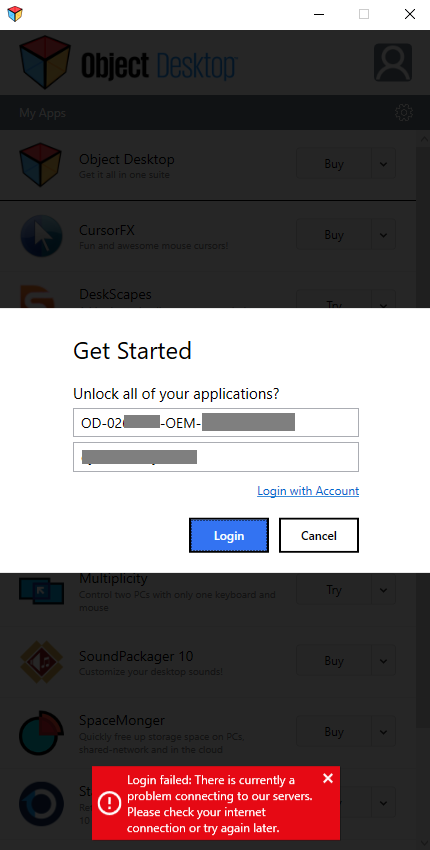
There is currently a problem connecting to our servers

Hi.

When I try to unlock the ObjectDesktop package, nothing happens. A few seconds later I get the below red error message:
 

3,091 views 4 replies
Reply #1 Top

I purchased Object Desktop this morning and I'm getting the same message.  I have a Windows 10 PC.  I've uninstalled and reinstalled but still get the same login failed message.

Reply #2 Top

Hello,

I have forwarded your report to the Stardock support team for their review and recommendations.

Please keep an eye on this thread for any updates.

We really do appreciate your feedback, thanks.


AzDude
Stardock Community Assistant

Reply #3 Top

Hello,

We may have had an issue here for a spell so do try again. 

If you are still having trouble connecting via ODM (likely an AV issue), you can get your products from your account page.

You first need to complete creating your account using the email address you used to purchase and any password you like here:

https://store.stardock.com/createaccount

You can then access your purchases here:

https://store.stardock.com/myaccount/products

Please also see the following for how to activate your product: http://esupport.stardock.com/index.php?/Knowledgebase/Article/View/501/159/how-do-i-activate-my-product

Sean Drohan
Stardock Support Manager


Reply #4 Top

The issue is fixed.  I just re-entered my license key and email and it processed the key and allowed me to install the various programs.  I'm working on creating my Fences now.  Thanks for the quick response!