Problems With Fences and Object Desktop in General

I bought Stardock’s Object Desktop in 2016. I really only use Fences, but the price was good so I bought Object Desktop. However, I recently tried to add new shortcuts to Fences, but it does not work. I checked the status of Object Desktop and got a message that it needed to be renewed, at an extra cost. 

When I first purchased this product, I was not informed of any time limit on its use or the need for renewal. What gives? How come my software now has limited functionality?

By the way, I put my Product Key into the Fences Manage Product Key into Fences (Version 2.13) and it was accepted, but I still cannot add any new shortcuts to any of the on-screen fences.



18,799 views 13 replies
Reply #1 Top

Have you recently upgraded Windows?

Whilst your ObjectDesktop subscription will have expired (which gives you updates for 12 months), your existing Fences install should continue to work normally.  But the issue you describe (does it show a circle with a line over it cursor when dragging to the desktop?) is a incompatibility between Fences 2.x and later Windows 10 versions.

Fences 2.x was not designed for these platforms but Fences 3.x is.

Reply #2 Top

Hello,

Sorry to hear you are having trouble.

When I first purchased this product, I was not informed of any time limit on its use or the need for renewal. What gives? How come my software now has limited functionality?
End of quote

No software is handicapped if an OD sub lapses. 

For your Fences issue, please see:

https://forums.stardock.com/486084/fences-support-faq#reinstalling

Sean Drohan
Stardock Support Manager

Reply #3 Top


I recently tried to add new shortcuts to Fences, but it does not work.
End of quote

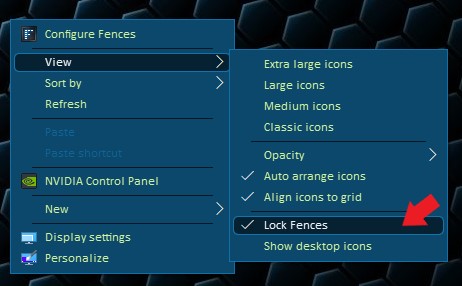
It might be that you just have the Fences locked?

Thank you,

Basj
Stardock Community Assistant.

Reply #4 Top

Thanks, but that was the first thing I checked, and Fences is not locked. I have not yet tried deleting and reinstalling fences though.

Reply #5 Top

How do I download the latest version of Fences for the reinstallation? The only option offered under Software is to purchase Fences. As noted, I have the Object Desktop Product Key, though Object Desktop shows as Expired under My Downloads.

Reply #6 Top

Hello,

If your OD subs is expired. You should reinstall what ever version you have saved before your subs expired.

Thank you,

Basj
Stardock Community Assistant.

Reply #7 Top

OK, reinstalled Fences and it is working again. However, still awaiting response on my question about Object Desktop

"I checked the status of Object Desktop and got a message that it needed to be renewed, at an extra cost. When I first purchased this product, I was not informed of any time limit on its use or the need for renewal. What gives?" Where was it stated that OD was only valid for 12 months?

Thanks.

Reply #9 Top

Same here.

This is why I won't buy ANYTHING from Stardock ever again. You update the software I have BOUGHT without stating anything about an expiration date back than, you also erase my downloads in my account, and the serial numbers, than ask for money ... again.

No, thanks.

Never again.

Reply #10 Top

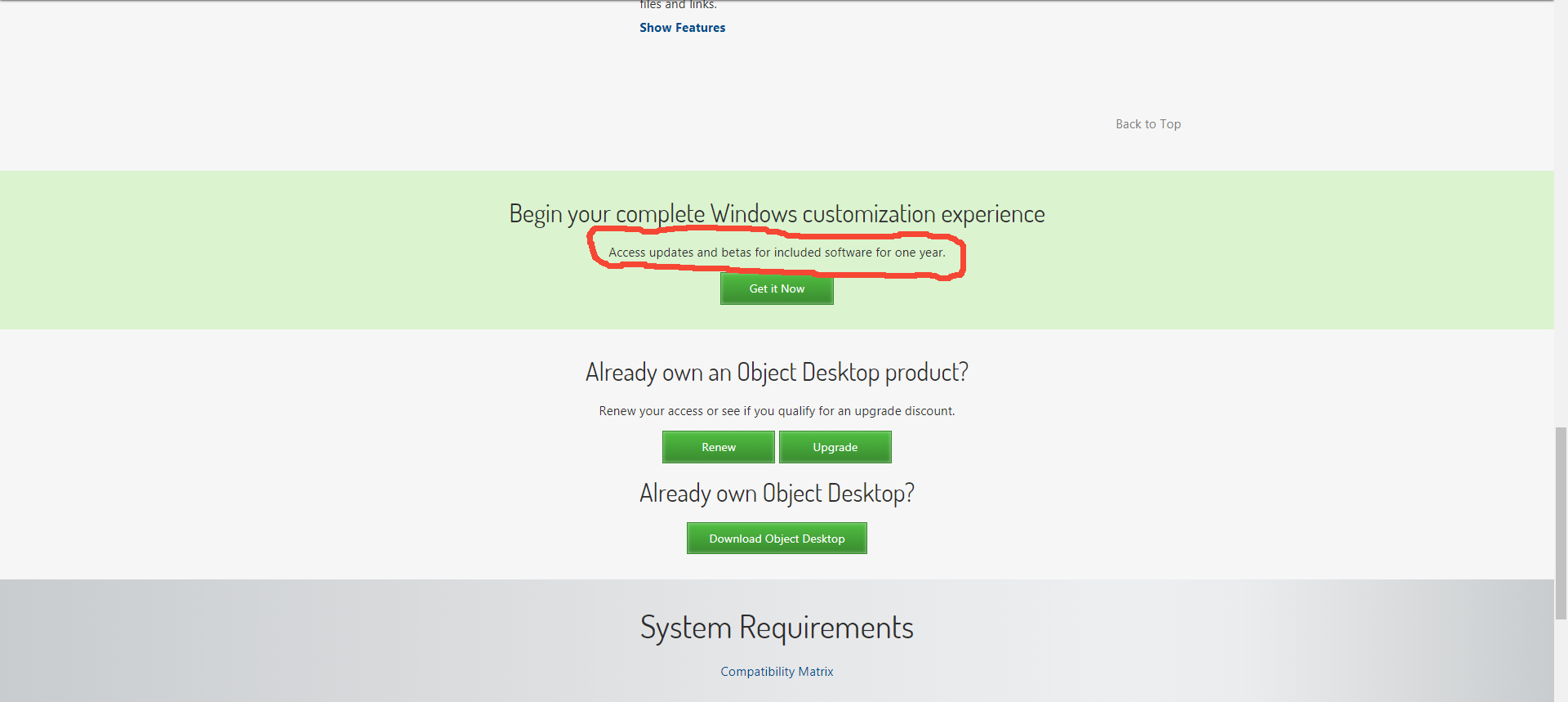
The programs are yours to keep. If you downloaded the .exe files from your StarDock account and saved them then you can reinstall at anytime. If you let your subscription elapse you don't get updates, but your programs that you bought still work.


https://www.stardock.com/products/odnt/

Reply #11 Top

Thanks; I see what you circled, but I don't recall that note when I purchased Object Desktop back in 2016. Is this a new/subsequent clarification or policy, or has it always been there? As I said, I do not recall seeing it when I initially purchased OD.

Reply #12 Top

Quoting fredeo, reply 12

How do I download the latest version of Fences for the reinstallation? The only option offered under Software is to purchase Fences. As noted, I have the Object Desktop Product Key, though Object Desktop shows as Expired under My Downloads.
End of fredeo's quote

Please see:

https://forums.stardock.com/486310/object-desktop-support-faq

Sean Drohan
Stardock Support Manager