Authentication Problem with ODM
Is there an issue with the authentication servers? My Object Desktop Manager hasn't been able to connect since last night. Web login works fine. Thanks!
Hello,
Sorry to hear you are having issues. Not too sure about the server. But you can always download the latest version directly from your account https://store.stardock.com/myaccount/products
Thank you,
Basj,
Stardock Community Assistant
I have the same issue starting yesterday also.
Hello,
I have forwarded your problem to Stardock Support team for their assistance. Please keep an eye on this thread for any updates. We appreciate your feedback and patience.
Basj
Stardock Community Assistant.
Same here, I just noticed this today. Something may be down somewhere.
Hello,
Sorry to hear you are having trouble.
Is that still the case? If so, can you post a screenshot of what error you are seeing?
----------------
Sean Drohan
Stardock Customer Service Manager
Same results as before. No error message. It just does not recognize that I have a current subscription so shows none of my software. The website shows everything correctly.
That is one of the known issues with ODM for some people. Please use the site in its stead.
----------------
Sean Drohan
Stardock Customer Service Manager

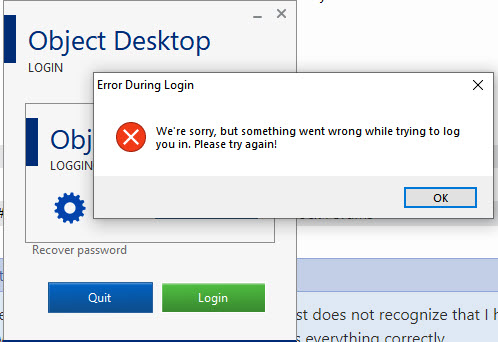
This is the error I get when attempting to authenticate.

Hello,
Sorry to hear you are having issues.
Go to account log in for your downloads and keys https://store.stardock.com/myaccount/products/
AzDude
Stardock Community Assistant
Understand... one of the nicer ODM features is that it checks for product updates, which is something not easily done via the website. Would be great if we could get it fixed. ![]()
This is a known issue for some and is being looked into , Stay Tuned for for future updates ..
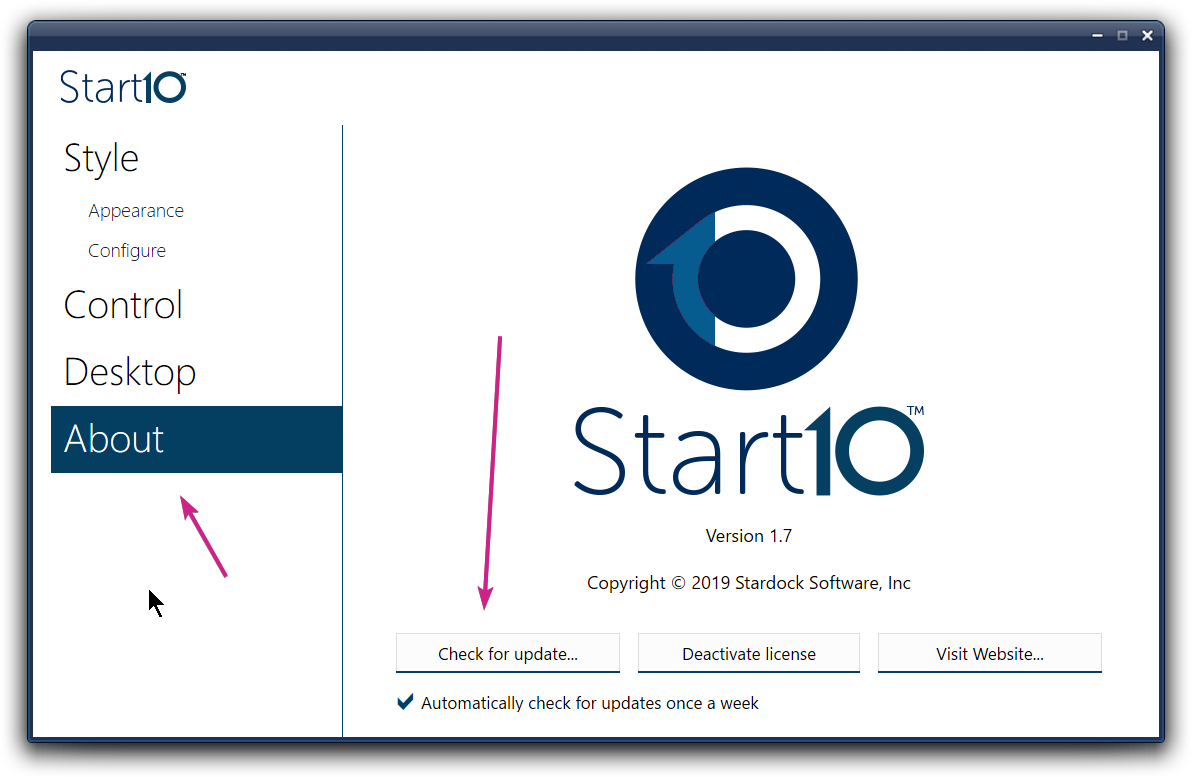
Most products will check themselves and alert you if there is an update - you can always manually check within the app as well, for example:
----------------
Sean Drohan
Stardock Customer Service Manager
I finally have mine working. I remember getting the error as others when I first had the issue. It still logged me in though and nothing would show. I logged out today and logged back in and all of a sudden everything is back like it should be.
That worked for me too. Might have been some strange Win10 issue too, I am on 1809 Pro, if that may help you out with this.
This remains unresolved for me. I've upgraded to the new ODM Beta with same results: "Login failed: There is currently a problem connecting to our servers. Please check your internet connection or try again later." Haven't also tried from a different source IP network and using a web proxy. Same results. I can find nothing logged locally that provides any clue what's failing.
BTW, I suspect I am reaching the server, because when I use an intentionally invalid password, I get an incorrect password error. When I use my known password, I get the error about a problem connecting mentioned above.
Hello,
I have forwarded your problem to Stardock Support team for their assistance. Please keep an eye on this thread for any updates. We appreciate your feedback and patience.
Basj
Stardock Community Assistant.
Are you able to get your products with this link?
https://www.stardock.com/support/productkeyretrieval
Sean Drohan
Stardock Support Manager
Product key retrieval works perfectly and is pushed to my email address instantaneously. Other stardock.com pages also work fine. To reiterate, I'm pretty sure I'm hitting the authentication server, as when I deliberately bork my password, it recognizes the password is invalid. When I put in the correct password (which authenticates fine on stardock.com), it throws the error about connection problems. Whatever mechanism to parlay credentials to the ODM app must be different from the website authentication. I've been a member for more than a decade and have used ODM continuously until the past few months.
Thanks!
So, since June of 2019, this problem has existed, in which people cannot get the software to work and get the following error:
"Login Failed: There is currently a problem connecting to our servers. Please check your Internet connection or try again later."
And when I start OD, it says it cannot connect to the server. I just upgraded yesterday and find out this problem had been unresolved for almost a year.
I found a solution to this. Logon to Stardock and go to your Downloads area. On products that you've purchased, if you see a "Manage" link to the immediate left of the Download button, click on that. This lists all product activations. Locate any with invalid information and click to Deactivate.
After I removed a copy old copies of Fences I'd originally purchased separately from the Object Desktop subscription, the Object Desktop Manager immediately started to login properly.
Frank
Welcome Guest! Please take the time to register with us.