Same Problem For Years - Primary Computer Shuts Off After a Few Hours

I have had the same problem for years.  After a few hours, Multiplicity, on my primary computer, shuts off & won't restart unless I uninstall and reinstall. 

Today, I even upgraded to the latest version of your program (paid an additional $31) and THE SAME THING HAPPENED AGAIN only a few minutes ago.

I have done everything possible to avoid this problem.  I have combed this forum for a solution. I download your bat & purge files.  I tweaked my Avast anti-virus in every possible way.  I shut off the anti-virus.  I followed your always rather vague answers & minimalist solutions time & time again.  And now, after I spent an additional $31, the same thing happened just a few minutes ago. 

I don't want any more of your vague answers.  I want a fix.  Are you able to solve this for me?  If not, I want my money back.  I never have a problem with the secondary computer.

HELP ME!

6,398 views 5 replies
Reply #1 Top

I just switched the primary & secondary computers, hoping this might fix the problem...although I am not overly optimistic!


Reply #2 Top

Hello,

I have forwarded your problem to Stardock Support team for their assistance. Please keep an eye on this thread for any updates. We appreciate your feedback and patience.


Basj

Stardock Community Assistant.

Reply #4 Top

Quoting beatlesjunky, reply 3

:rolleyes:
End of beatlesjunky's quote

Need to be patient, its still weekend over there.

Thank you,


Basj,

Stardock Community Assistant

Reply #5 Top

Quoting beatlesjunky, reply 1

I just switched the primary & secondary computers, hoping this might fix the problem...although I am not overly optimistic!
End of beatlesjunky's quote

Nor would I be if the same 3rd party software were on each or the settings the same (both are candidates for the cause).  I would , however, be interested in the results.

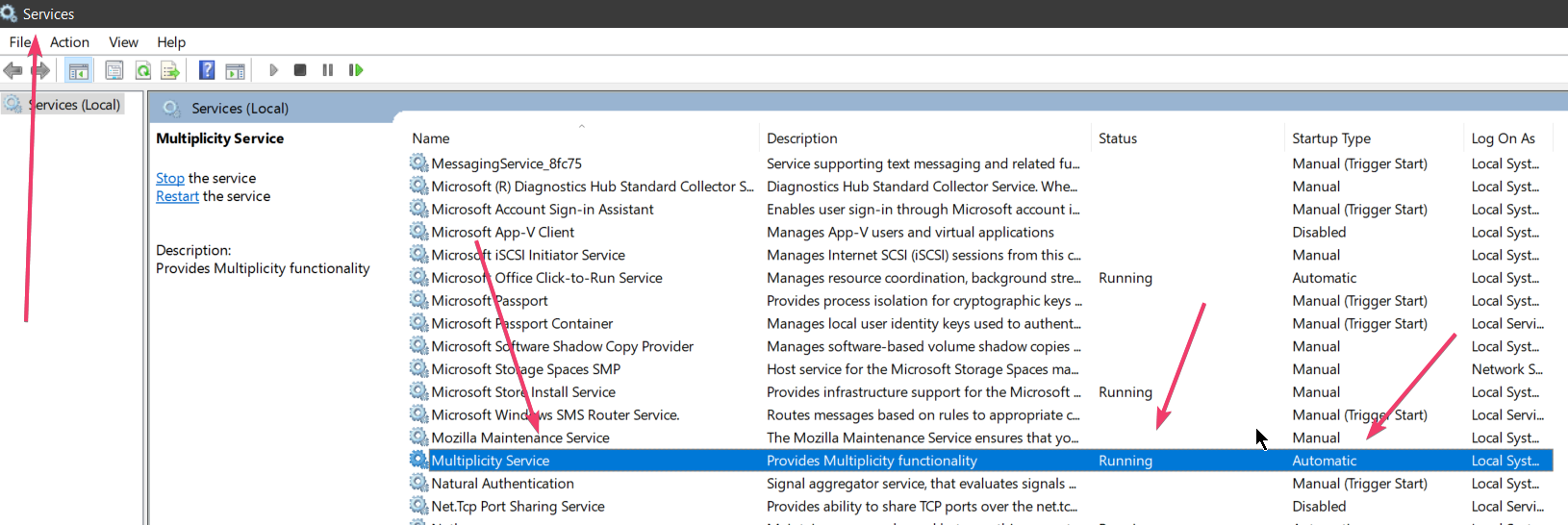
It would be interesting to know, on the PC where this happens, if the service is still running when it does:

A clean boot would also go a long way to determining if indeed it is a 3rd party app or setting:

https://forums.stardock.com/486104/multiplicity-support-faq#reinstalling

----------------
Sean Drohan
Stardock Customer Service Manager