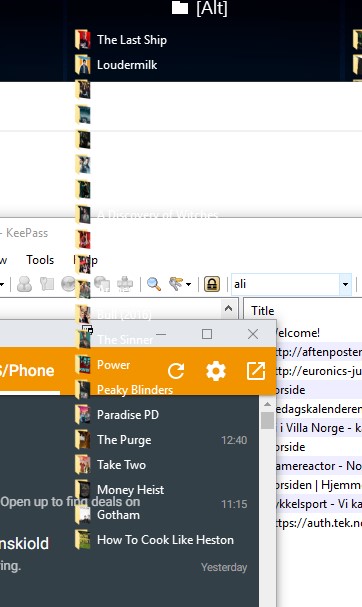
Fences partially overwrites windows on top of it
Has someone experienced, and fixed, the issue where one or more fences will overwrite the contents of windows above it? This happens at least once per day for me, but only with inactive windows/apps.
Hello,
Sorry to hear you are having issues. Could you post a video of the issue so we can understand your problem
Thank you.
Basj,
Stardock Community Assistant.

Video probably wouldn't give any more info than a picture. Besides, it's not something I can produce myself. It just "happens" and I've not found out what triggers it.
From the picture. That should not happened. As far as I know Fences only work on Desktop, never on top of any windows active or inactive. Please try the purge and reinstall problem to see if it help. : https://forums.stardock.com/486084/fences-support-faq#reinstalling
Please re-download fences in your account. Reboot reinstall and reboot again. Test to see if the problem still there and report back.
Thank you,
Basj,
Stardock Community Assistant
Yeah, I would have been flabbergasted if that was the intended behavior ![]()
Is it possible to backup my settings, or should I wipe as much as possible?
Hello,
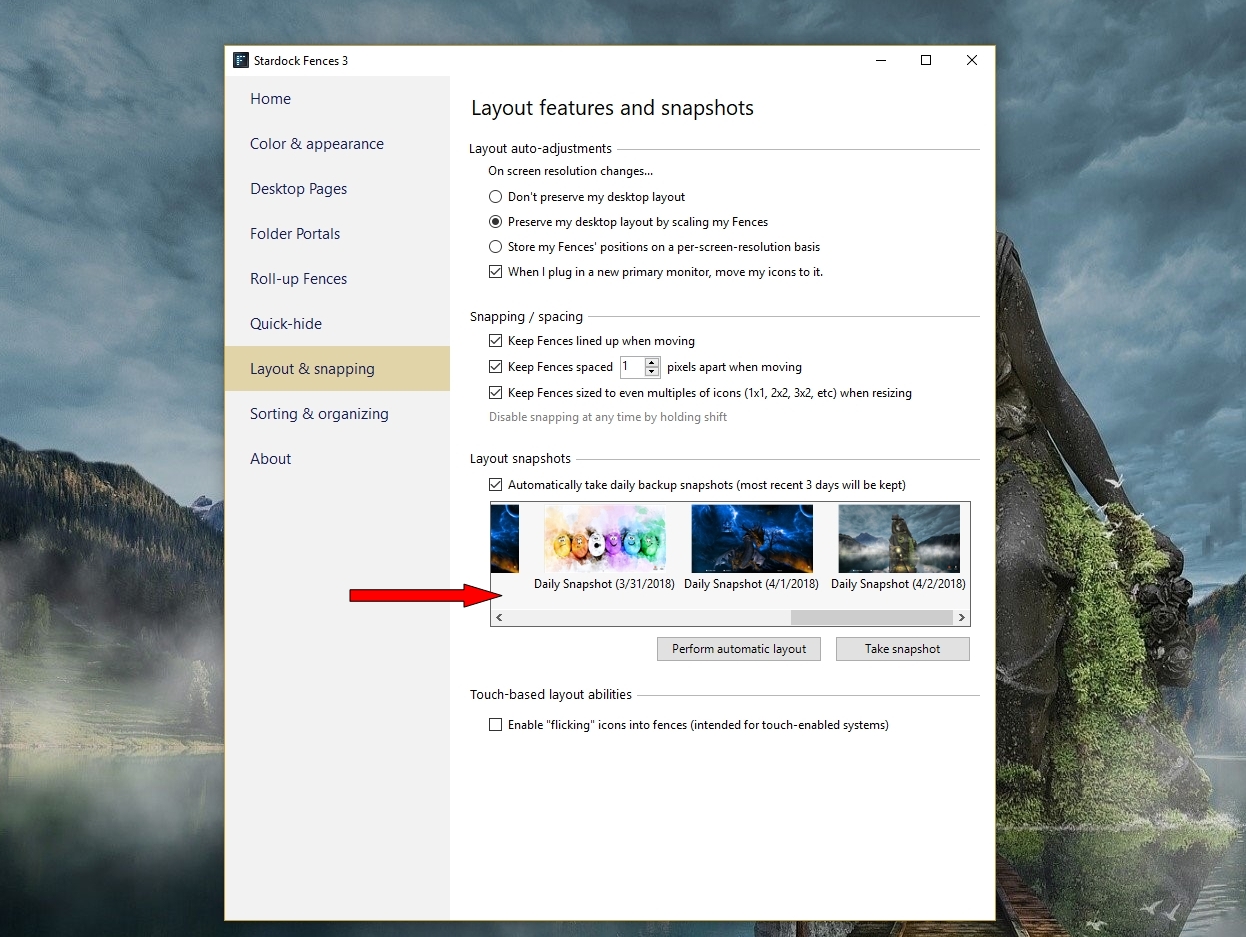
Fences Snapshot will give you a backup of a setting you like

AzDude
Stardock Community Assistant
Well, it took a few hours, but it happened again. Seems to happen every time the folder is updated (these are folder portals) and the fence is refreshed while there are windows on top of it.
Any more ideas on how to fix it?
Hello,
What is that portal fences link to? Cloud or network drive?
Thank you,
Basj,
Stardock Community Assistant
Network drive. The NAS hasn't hibernated or anything when it happened the last few times.
You could try this workaround. https://forums.stardock.com/486084/fences-support-faq#folderportalsempty
Thank you,
Basj,
Stardock Community Assistant
Well, that doesn't solve the problem. For one, the files are available, so it's not an issue. Also, I don't want fences with shortcuts in them. It would mean an extra click. Besides, the problem is when the fence redraws itself - not that I cannot see its contents.
Hello,
Sorry to hear you are having trouble.
Have you done this...?
----------------
Sean Drohan
Stardock Customer Service Manager
Yup. I did the purge, but it didn't help.
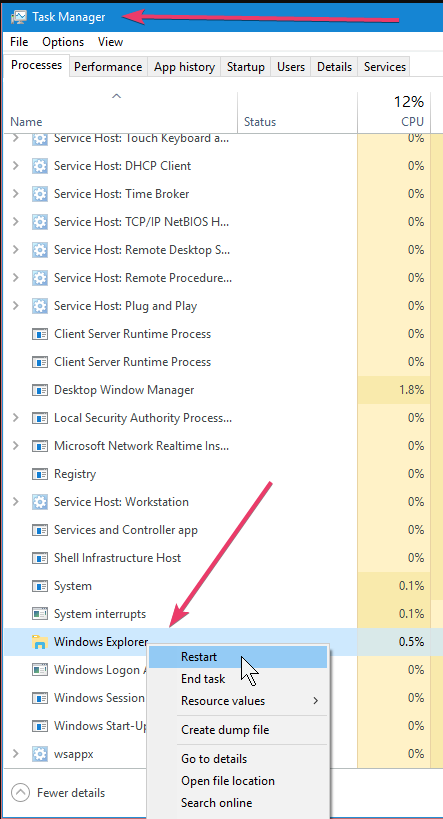
Does it last past an F5 (refresh) or a restart of Windows Explorer?
Windows explorer's not the problem. The drawing of the window is. If I minimze the windows on top and the restore them they will draw correctly. After a while, the fence will partially overwrite it again.
Fences runs in Windows Explorer process and the reason for the ask.
----------------
Sean Drohan
Stardock Customer Service Manager
Ok, so next time it overwrites you want me to open a window explorer window and refresh it?
No... Restart Windows Explorere from Task Manager:

I want to know if that works....
----------------
Sean Drohan
Stardock Customer Service Manager
Ok, thanks. Will try next time it happens. Part of the problem is that it some times happens within seconds while it can take a day next time. And obviously, if I click on a window on top of it the problem will go away for a while.
Ok, I just wanted to update you about my situation. After I restarted explorer.exe, the issue has not resurfaced. However, I have yet to restart my computer - and I hope I'm not expected to restart explorer.exe every time I restart my computer. ![]()
Ok, so I spoke out of turn. A few minutes after I posted the update the problem manifested itself again. This time, it was because I shut down the NAS. Could it be a timeout thing? If the NAS doesn't answer requests quickly enough? Even so, it shouldn't paint over other windows. That's a bug you should figure out. If you want to you can send me a fences version with debugging enabled.
I am not asking you to do it every time, but again, did a restart of WinExp fix it?
Sean Drohan
Stardock Support Manager
For the time being, but it hasn't been long.
Is it possible to delay the start of fences? That might at least fix an annoyance, and it may be (at least a partial) a solution to this problem.
I am afraid not - it runs in the WinExplorer process.
----------------
Sean Drohan
Stardock Customer Service Manager
Even though it's a wrapper on top of the explorer.exe process it should be possible to delay startup. There's code to display the windows (fences), which is not part of explorer.
Welcome Guest! Please take the time to register with us.