Fences is not visible on the Desktop
Fences version 3.10 on Windows 10
I just installed Fences 3.10 on my Windows 10 laptop. I still see the Windows layout on the Desktop and not Fences. What do I need to do to start using and customizing Fences?
Fences version 3.10 on Windows 10
I just installed Fences 3.10 on my Windows 10 laptop. I still see the Windows layout on the Desktop and not Fences. What do I need to do to start using and customizing Fences?
The current Fences version is 3.08.
Make certain that Fences is enabled:

Also see:
I verified that Fences is enabled. Yet Fences does not show up. Occasionally I get a glimpse of it and quickly disappears. I am thinking of completely uninstalling it and start afresh.
Hello have you try to see if you set the Quick-hide to "immediately"? Try to disable that and see if it appears.. or you can set to a longer delay.
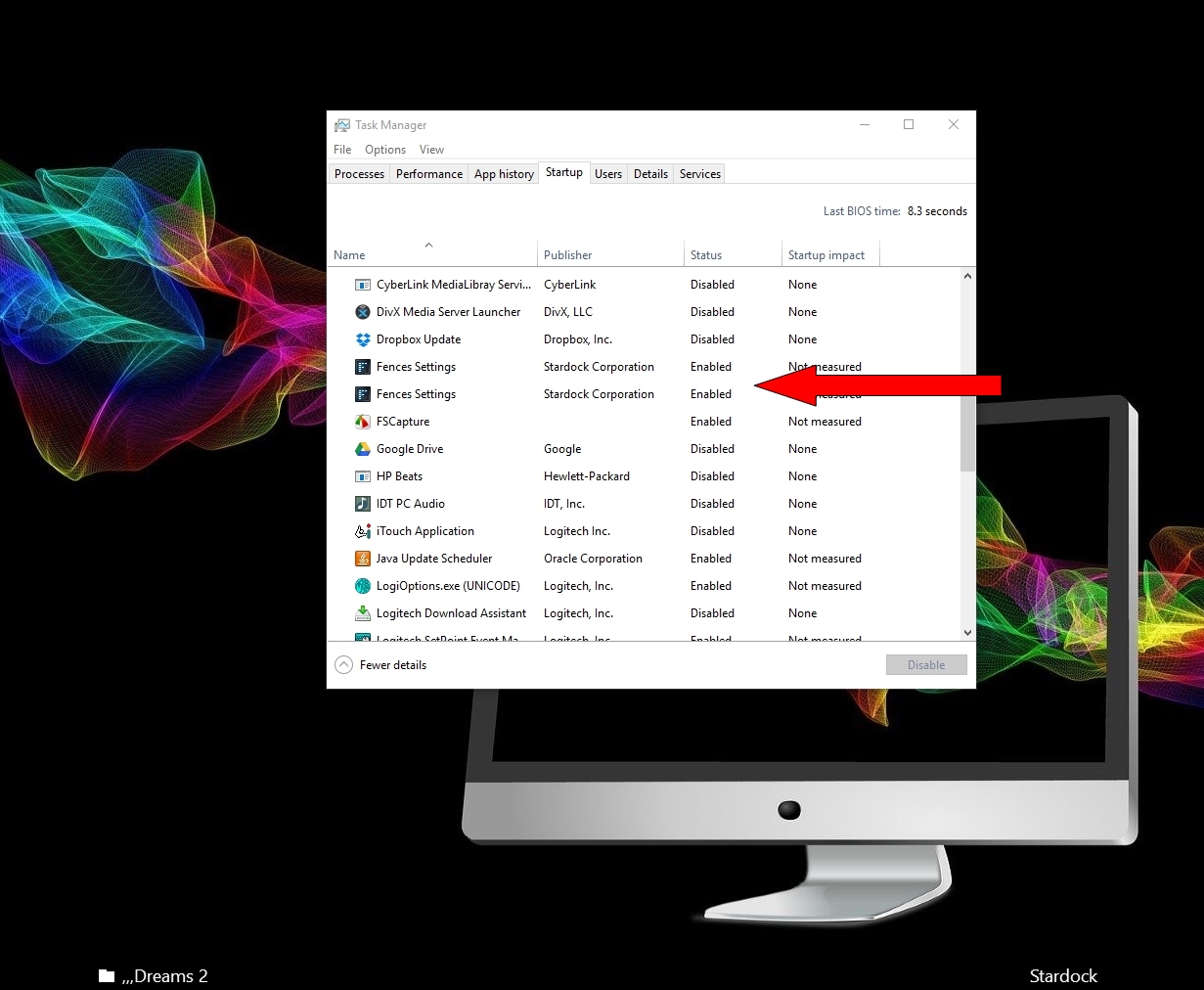
In Task Manager in Start up Make sure both Fences are enabled

Please see:
https://forums.stardock.com/486084/fences-support-faq#reinstalling
Welcome Guest! Please take the time to register with us.