Island Dog Island Dog

WindowBlinds 10 Beta with Windows 10 Support Available for Object Desktop Members

WindowBlinds 10 Beta with Windows 10 Support Available for Object Desktop Members

The first beta for WindowBlinds 10 is now available for active Object Desktop owners!
This beta includes support for Windows 10 and a new UI.

Active Object Desktop owners can now get the WindowBlinds 10 beta from your Stardock account hereIn future updates, we'll be including new skins and features.

WB v10.0.1 update:

  • Added skin rebuild list button
  • Fixed config screen resolution
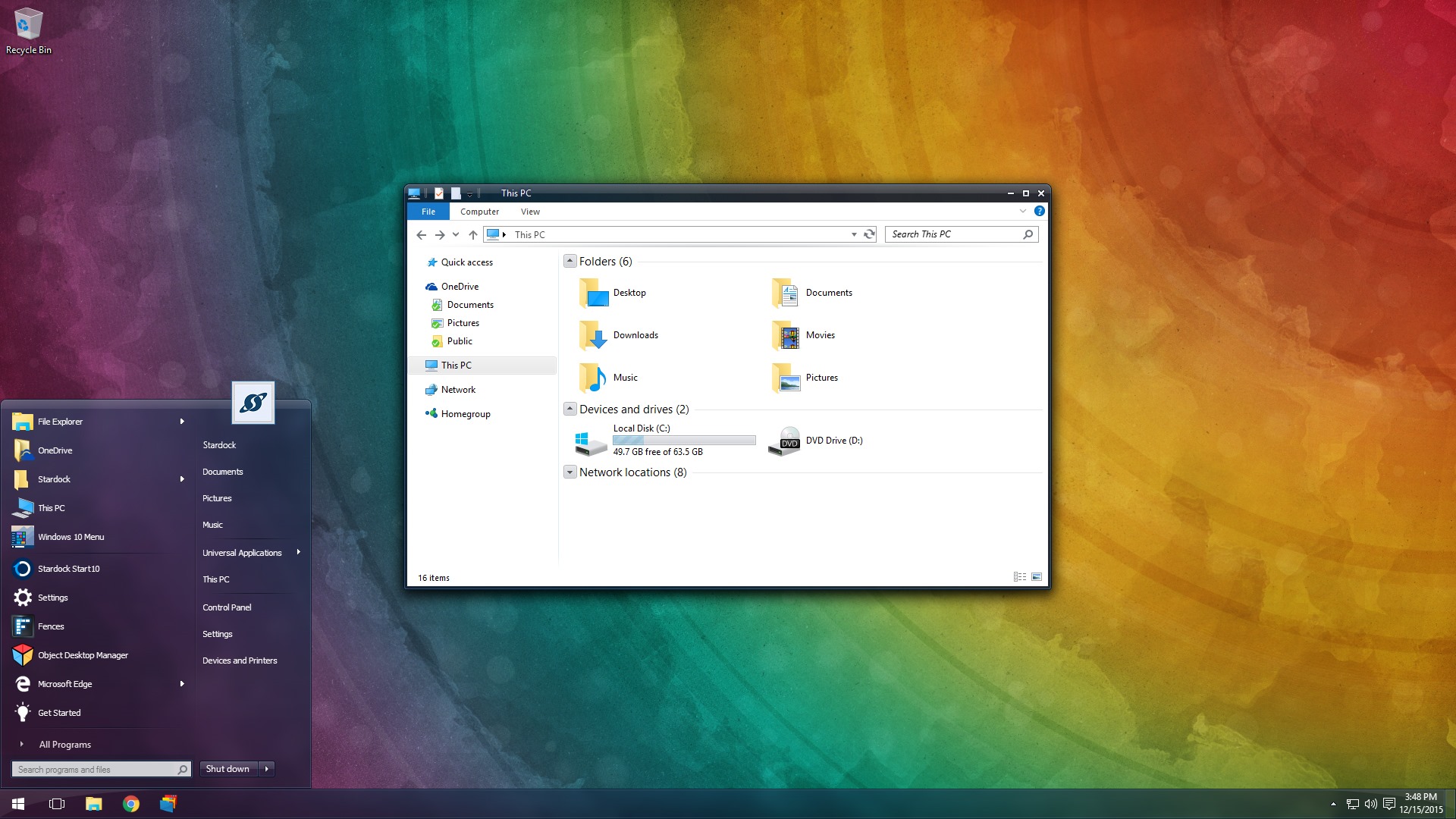
WB10 14 WB10 21


If you're not an Object Desktop member, now is a great time to become one. You get over 10 Windows customization products such as WindowBlinds, DeskScapes, Fences, Start10, and many more. You will also get access to betas and updates first, like WindowBlinds 10 for one year. Get Object Desktop today!

415,459 views 91 replies
Reply #26 Top

Here is my problem.Just installed windowblinds 10 beta,rebooted the pc,and i got this message:

"Windowblinds does not appear to be installed correctly on your pc.Would You like to try toi fix the issue now?"

all the time.When i opt for "Yes" it doesn t help..


Reply #27 Top

unfortunate, this beta release does not allow for customizations that exist under version 8 and older.  I find the beta hangs when going to add exclusion list to add programs to be exempted from being skinned.  Beta crashes excel 2016 when hitting the open button.  I am running Windows 7 64 bit with 16 gig RAM.  This beta is certainly that a "beta".  The tray icon not even shows up no more and when the option is selected to show, it does not.  I have reverted to version windowblinds 8.13 as that is the last known good configurations.  

Reply #28 Top

Quoting LEMMORSebrof, reply 27

unfortunate, this beta release does not allow for customizations that exist under version 8 and older.  I find the beta hangs when going to add exclusion list to add programs to be exempted from being skinned.  Beta crashes excel 2016 when hitting the open button.  I am running Windows 7 64 bit with 16 gig RAM.  This beta is certainly that a "beta".  The tray icon not even shows up no more and when the option is selected to show, it does not.  I have reverted to version windowblinds 8.13 as that is the last known good configurations.  
End of LEMMORSebrof's quote

Is it clearly marked as a beta...

What customisations are missing?

Reply #29 Top
  1. tray icon missing refuses to show when box is checked
  2. cannot add programs to be excluded from skinning
  3. crashes excel 2016 when hitting the open button.  before the dialogue box opens to choose files
  4. crashes when trying to add programs to exclude list
Reply #30 Top

Quoting Neil, reply 28


Quoting LEMMORSebrof,

unfortunate, this beta release does not allow for customizations that exist under version 8 and older.  I find the beta hangs when going to add exclusion list to add programs to be exempted from being skinned.  Beta crashes excel 2016 when hitting the open button.  I am running Windows 7 64 bit with 16 gig RAM.  This beta is certainly that a "beta".  The tray icon not even shows up no more and when the option is selected to show, it does not.  I have reverted to version windowblinds 8.13 as that is the last known good configurations.  


Is it clearly marked as a beta...

What customisations are missing?

End of Neil's quote


December 16, 2015 13:11:36 from WinCustomize Forums WinCustomize Forums
  1. tray icon missing refuses to show when box is checked
  2. cannot add programs to be excluded from skinning
  3. crashes excel 2016 when hitting the open button.  before the dialogue box opens to choose files
  4. crashes when trying to add programs to exclude list
Reply #31 Top
Quoting LEMMORSebrof, reply 29


    1. tray icon missing refuses to show when box is checked


    1. cannot add programs to be excluded from skinning


    1. crashes excel 2016 when hitting the open button.  before the dialogue box opens to choose files


    1. crashes when trying to add programs to exclude list


End of LEMMORSebrof's quote

None of those seem to be customisations in the sense that I was expecting.

The tray icon setting not saving is known and fixed internally.

Adding apps to exclude is not having an issues here (and is two of your list of four)  I have tried on multiple computers and it works just fine on every single one.

I have not tried Excel 2016 so cannot comment on that.  We have no other reports of similar yet though.

Reply #32 Top

How about adding the rebuild list button, Neil. PITA to have to manually install over 100 skins.


Reply #33 Top

Reminder that the WindowBlinds 10 feedback thread is here: https://forums.stardock.com/474074


Reply #34 Top

Quoting RedneckDude, reply 32

How about adding the rebuild list button, Neil. PITA to have to manually install over 100 skins.

 
End of RedneckDude's quote

Addressed in the next build

Reply #35 Top

Quoting FintaS78, reply 26

Here is my problem.Just installed windowblinds 10 beta,rebooted the pc,and i got this message:

"Windowblinds does not appear to be installed correctly on your pc.Would You like to try toi fix the issue now?"

all the time.When i opt for "Yes" it doesn t help..
End of FintaS78's quote


Uninstall, reboot, reinstall.

Reply #36 Top

Thanks, Neil!


Reply #37 Top

Quoting Island, reply 33

Reminder that the WindowBlinds 10 feedback thread is here: https://forums.stardock.com/474074

 
End of Island's quote

I kinda wonder why you started this thread in a support forum. Then ask that we go to another thread for support.


This is more of an announcement thread. Seems out of place in a support forum.


Just an observation, Spencer. You're the boss.  ;)

Reply #38 Top

This thread is in the Object Desktop forum in the Stardock forums, which it appears differently on the WinCustomize forums.

The other thread is to try to keep the feedback in one thread to make it easier to address.

Really, you're making too much out of it. :)


Reply #39 Top

Just installed WB 10 beta along with Start10 and my desktop is back to its old, beautiful self.  Even my old favorite WB skins are working beautifully.  Start10 has made waiting for WB 10 a lot easier but it sure is nice to have WB back again.  So far, everything is working beautifully and I am over the moon happy.    :grin:

Reply #40 Top

Quoting Neil, reply 31


Quoting LEMMORSebrof,


      1. tray icon missing refuses to show when box is checked


      1. cannot add programs to be excluded from skinning


      1. crashes excel 2016 when hitting the open button.  before the dialogue box opens to choose files


      1. crashes when trying to add programs to exclude list


None of those seem to be customisations in the sense that I was expecting.

The tray icon setting not saving is known and fixed internally.

Adding apps to exclude is not having an issues here (and is two of your list of four)  I have tried on multiple computers and it works just fine on every single one.

I have not tried Excel 2016 so cannot comment on that.  We have no other reports of similar yet though.

End of Neil's quote


Where/how do I fix the tray icon, considering its a known issue?


Reply #41 Top

It will be in an the next update.

Reply #42 Top

Quoting Island, reply 38

Really, you're making too much out of it.
End of Island's quote


Quoting RedneckDude, reply 37

Just an observation, Spencer. You're the boss.
End of RedneckDude's quote


Not making anything out of it. Just an observation.   :thumbsup:

Reply #43 Top

WB10 doesn't feel like a Beta......its working.

Reply #44 Top

Windowblinds 10 is GREAT with Windows 10 !!!

the issue is that 95% of the themes must be Updated for Windows 10.


I just WISH that Iconpackager was Updated for Windows 10, man I really HATE the default Windows 10 icons ...... there are some awesome themes with icon packs.


Stardock MUST Updated Iconpackager or I die !!!!   LOL

Reply #45 Top

Quoting BenderClark, reply 44

the issue is that 95% of the themes must be Updated for Windows 10.
End of BenderClark's quote
Seriously, Most themes for Win 7 and higher works perfect on Win 10 if applied correctly with "Start 10", "OldNewExplorer" etc ;)

Reply #46 Top

LOL yea. There are just my two favorites that works GREAT ---> Ubuntu 11 theme and Mac OS X Ultimate. Both of them still theme GREAT with Windowblinds 10 BETA for Windows 10. 

Of course I have brought just two ... 2016 Updated themes by neone6 @ WinCustomize. Very good Master Skinner  ... the themes needs some work because of Windows 10.

Besides this, Ubuntu 11 theme and Mac OS X Ultimate are still be best themes out there, even with Windows 10 LOL

Reply #47 Top

In what way do existing themes need updating for Windows 10?

+3 Loading…
Reply #48 Top

Quoting BenderClark, reply 46

Ubuntu 11 theme and Mac OS X Ultimate. Both of them still theme GREAT with Windowblinds 10 BETA for Windows 10. 
End of BenderClark's quote

If I may add this. The two themes you say work the best are different. They are different because they both have images that are the same color as the standard OS or places that the image wasn't even changed or the colors. Therefore you don't see what is and isn't really skinned. Their colors are also almost the same.

Think you are forgetting that there are areas on Win 10 that can't be skinned. But using the 2 skins you mention it isn't noticeable. I know this because I helped with the Mac skin some years back. It had many stock areas not skinned or colors changed.

I just believe you aren't quite understanding the parts that can't be changed on win 10 by skinning. Saying that my win 10 Pro machine looks pretty damn good and 100% better with these two programs then without them. Very easy to think areas aren't skinned when using a darker skin compared to a skin that everything is the same color.

My main reason for posting to your statement is to inform you that at least 4 or 5 the current people making skins and uploading are skinned as much as possible to work as correctly as they can on Win 10.

So when the latest version of WindowBlinds comes out maybe it will enable us to add a few things or maybe not. 

Reply #49 Top

Understand. Just giving my feedback. I wasn't trying to offend anyone.


I have been using Windowsblinds over six years now so ... I know that the dark themes are hard to skin 100%

Reply #50 Top

Quoting christianbearslyclark, reply 49

Understand. Just giving my feedback. I wasn't trying to offend anyone.


I have been using Windowsblinds over six years now so ... I know that the dark themes are hard to skin 100%
End of christianbearslyclark's quote

No problem here christian. Was just trying to explain the situation. I'm sure Neil is working his butt off trying to get as much out of the new WB as possible.