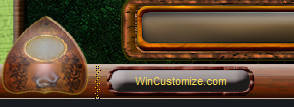
XP vs W7 Task Bar Differences - Start Button/Glow
from  WinCustomize Forums
WinCustomize Forums
HI there.
A little late to the party in changing over from XP to later version.
Last year I offered a WB for Halloween of a Oui Ja board formatted for use with "XP" that used a planchette as a start button.
I am trying to make the skin W7 friendly for this Halloween and am having fits trying to get the button/glow feature to accommodate the cursor from XP into "7."
In W7 I can get either the button or glow to display separately but not together.
Seems as though the size of the cursor in the task bar is more limited in W7 or I need some details about adjusting settings to take the XP cursor and bring it into the W7 GUI.
Thanks again..
W7 With Both Button and Glow applied - glow only displaying
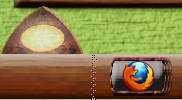
XP Cursor Displayed