Computer Reset, And Every Single Program Reinstalled? Or Reset Registrey

I recently installed windows blinds, i made my PC look awesome with a Windows Vista theme. i came back on today and my theme was gone, windows blinds somehow had a missing .dll, one program had completley vanished, all of my quick launch buttons that are in the start menu are gone, my custom tool bars were gone, my icons were all put in a curtain order and not the way i layed them out, when i go into program files it says that showing this data might harm the pc or something like that (the thing it says when you first go in there for the first time and you have to click on "Show.....", it is saying that i am not admin when i am, my close and minimize and maximize buttons are small and wont go big even when i change the setting, i cant get a wallpaper to go on background, it just stays blue, This " is now @ when it was in the right place, it seems like my whole operating system has just been reinstalled. WHAT THE **** HAS SOMEONE DONE TO IT, OR WHAT THE **** HAS HAPPENED BECAUSE IM PISSED OFF BECAUSE EVERYTHING IS ****ED!!.

PLEASE HELP ME GET MY PC BACK

And i have got to reinstall Windows Media Player 11 again and probobly the Windows Updates, i avnt got a clue what has gone and what hasnt.
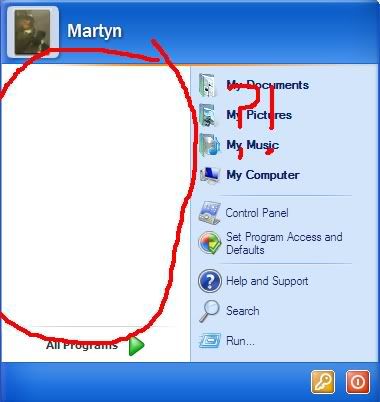



anyone, please help me. im desperate for help with this one. plus
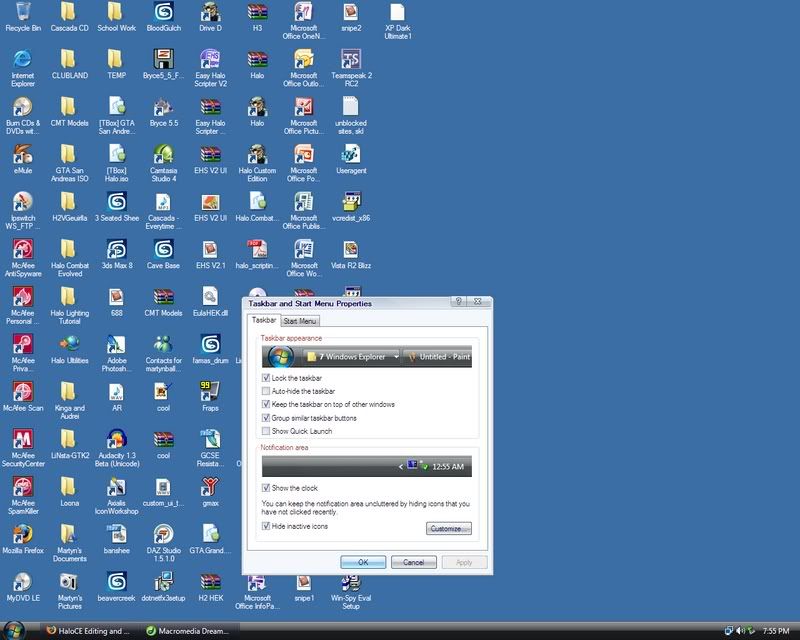

the pic of my theme is there. so is something covering up my theme, and windows blinds says it needs reinstalling. that vista theme that is on now is a .theme i downloaded, it is not the theme that is ment to be on.

it did look like this:
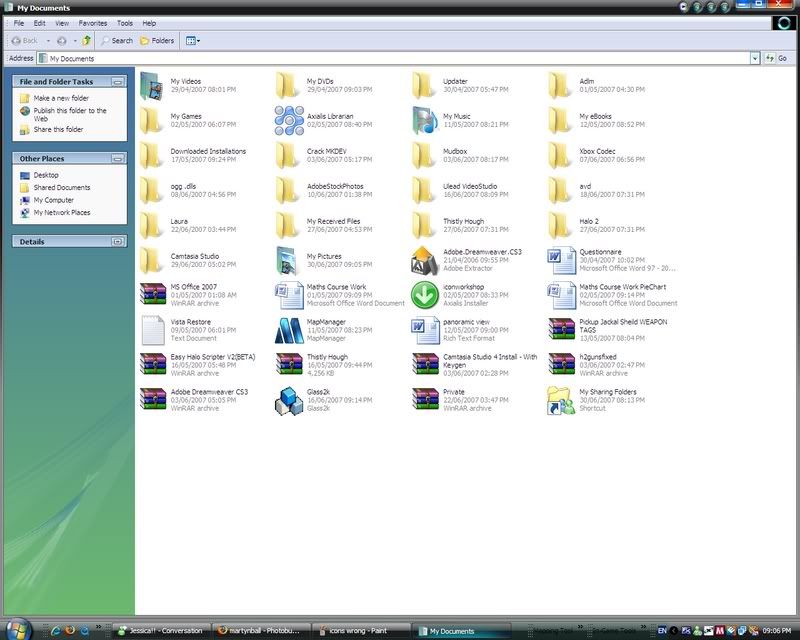


I didnt restart my pc when i installed WindowsBlinds, i just used it
4,869 views 19 replies
Reply #1 Top
Open WB and post your system information.
Reply #4 Top
i cant open windowsblinds because it says there is a .dll missing even though it was fine yesterday and i cant reinstall it because it says that i am not admin even though i am.
Reply #5 Top
MartynBall, you aren't giving us much to work with.

It looks like you've got computer problems outside of anything that WB might have done.
Looking at some of the files and dates in your images is it possible that you download a lot of apps and maybe got a bad download in there somewhere?
Reply #6 Top
How about a System Restore? Just a thought.
Reply #7 Top
maybe you just need mortar
Reply #8 Top
Lets start from the beginning, how did you get Window Blinds loaded on your computer in the first place, be precise, from a friend, from a disk, from the web site, is it the paid version or trial version? This information will be helpful for anyone trying to offer you assistance.   
Reply #9 Top
I second: SYS Restore
Reply #10 Top
bondo
Reply #11 Top
I had a similar problem with my pc recently. It didn't have anything to do with WB. My custom toolbars disappeared, taskbar stayed locked (wouldn't let me uncheck the lock function), icons rearranged, I couldn't apply wallpaper, when I right-clicked on desktop to get [Display Properties] box, the [Desktop] tab was missing, installing progs gave messages about not being able to make changes to the registry, and other problems. My media players wouldn't even work properly, although I don't use Winamp or Win Media Player.

I absolutely did not want to reinstall Windows, but backup points wouldn't work. I finally solved the problem by creating another Win Admin account, I copied My Docs,some stuff sitting on the desktop, Quick launch icons and imported my Firefox Bookmarks and preferances to a new FF profile. Everything works fine now, I didn't have to reinstall anything, and I didn't lose anything.
Reply #12 Top
Moonchylde, getting your computer working again was good, but I would be concerned that there is still some sort of maleware running and it may be connected to software. You could well experience the same problem all over again, that is if you didn't take steps to find the problem.   
Reply #13 Top
A friend had a similar problem not too long ago and I found out that a Microsoft update caused it. Uninstall the windows hotfix called: KB925902 and see if it also works for you as it did for my friend, you can always install it back again.
Reply #14 Top

Moonchylde, getting your computer working again was good, but I would be concerned that there is still some sort of maleware running and it may be connected to software. You could well experience the same problem all over again, that is if you didn't take steps to find the problem.   


Actually, I ran a lot of scans and progs because of the problem afterwards. I didn't find any malware. I also took the opportunity to run several registry checking and fixing progs as well. I had recently gotten a Windows update for XP, maybe it had something to do with it. I first noticed a problem with my media players. VLC had sound, but no video, and Media Player Classic had video but no sound. I thought it was just a codec conflict at first. Then other things started going wrong. Somehow, creating a new Admin account fixed the media player problems along with all the other problems.

Reply #15 Top
Moonchylde, that was definetly the right way to approach the problem. Windows updates have been the cause of many folks computers acting up, even to me. Usually I catch it when it happens and do a restore. Did you delete the original Admin account?   
Reply #16 Top
Yes, I deleted the original Admin account after making sure there were no problems with the new one.

I tried to find a fix for the disappearing [Desktop] tab, and found an article talking about setting up limited accounts so other users could not change the desktop appearance. It said the limited accounts would not see the[Desktop] tab. That info and the messages about new progs not being able to modify the registry when I installed them made me think my account had somehow lost at least partial Admin status. The account was still listed as Admin under [Users], but it didn't seem to act that way. So I experimented with a new one, and everything was fixed. I still have no idea what happened, or why it worked and fixed everything. I don't understand much about motors, either, but I know how to drive. I figure it's much the same with computers. I may not understand all the technical stuff about them, but as long as I can use one and keep it running ok, I'm happy.


I'm sort of a trial-and-error, play-around-with-programs, read a few tips and a tutorial once in a great while, self-taught semi-power user, and have no formal training in computer stuff other than one course in Basic back in the day. (Hope my age isn't showing there, lol.)
Reply #17 Top
don't mind me.... had too many tabs open...
Reply #18 Top
maybe the MKDEV TEAM isn't all they're cracked up to be