


Connection Explorer 1.1 Adds Powerful New Ways to Visualize Your Connections
More insight into where your PC is sending your data
 Stardock Forums
Today we are releasing the first major update to Connection Explorer that delivers a new rich visual map experience, enhanced details about your connections, and more features to help you better understand where your data is going. The update is rolling out now, or you can download it from your account page.
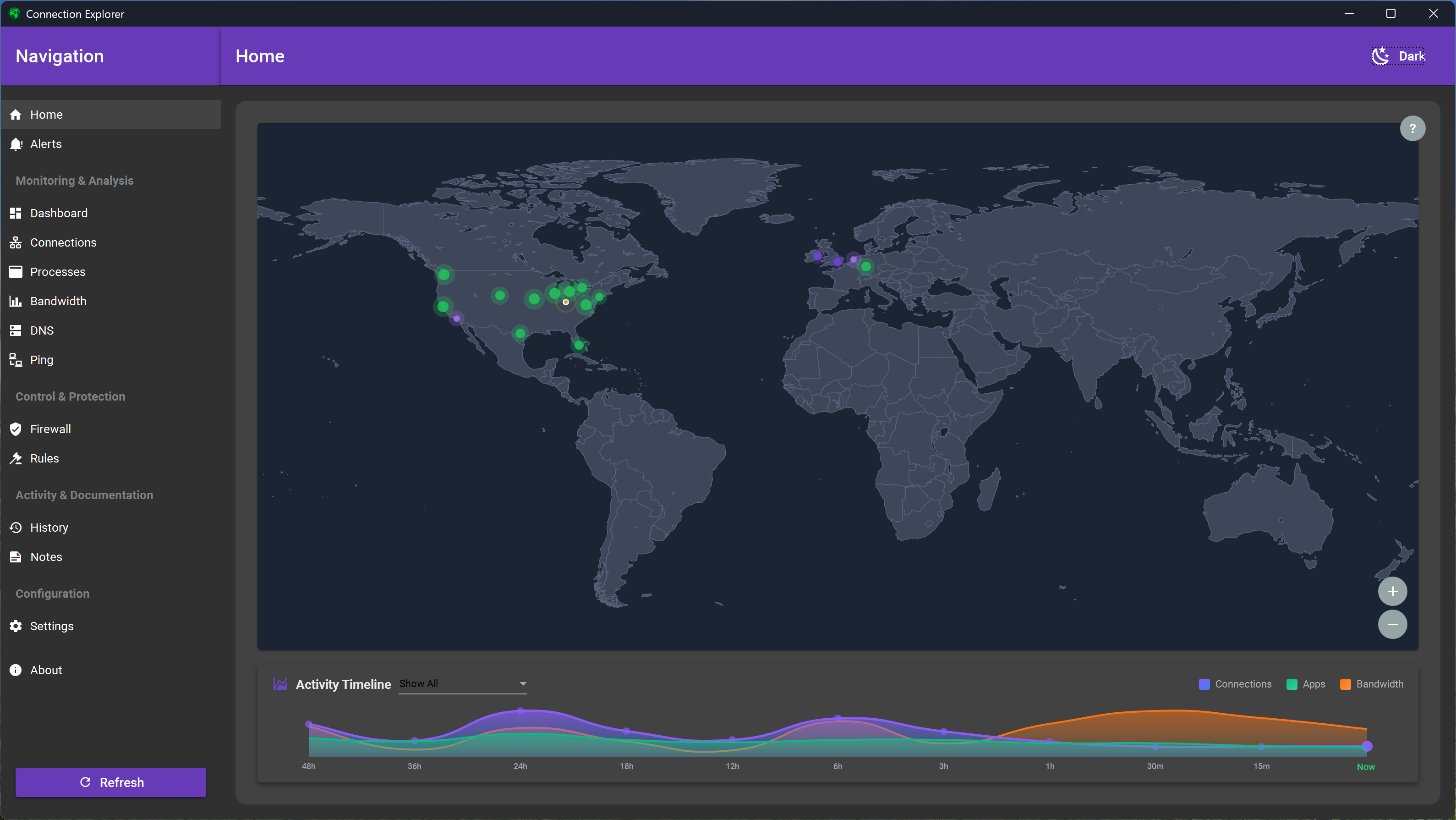
New map view improves connection clarity and highlights high bandwidth endpoints
New in this release is an overhauled Home view that has been rebuilt from scratch to improve clarity about the location of each connection, the ability to quickly zoom to the country level, and new data arcs that add a visual layer to highlight the highest-bandwidth connections on the map. The map also has new clustering logic to better organize connections, improving clarity without sacrificing specificity when you zoom into a particular region.
Also new in this release is a local MCP connector that allows you to connect an agent to your network data for additional automation capabilities. This feature is disabled by default and is still considered experimental as we continue refining the functionality.
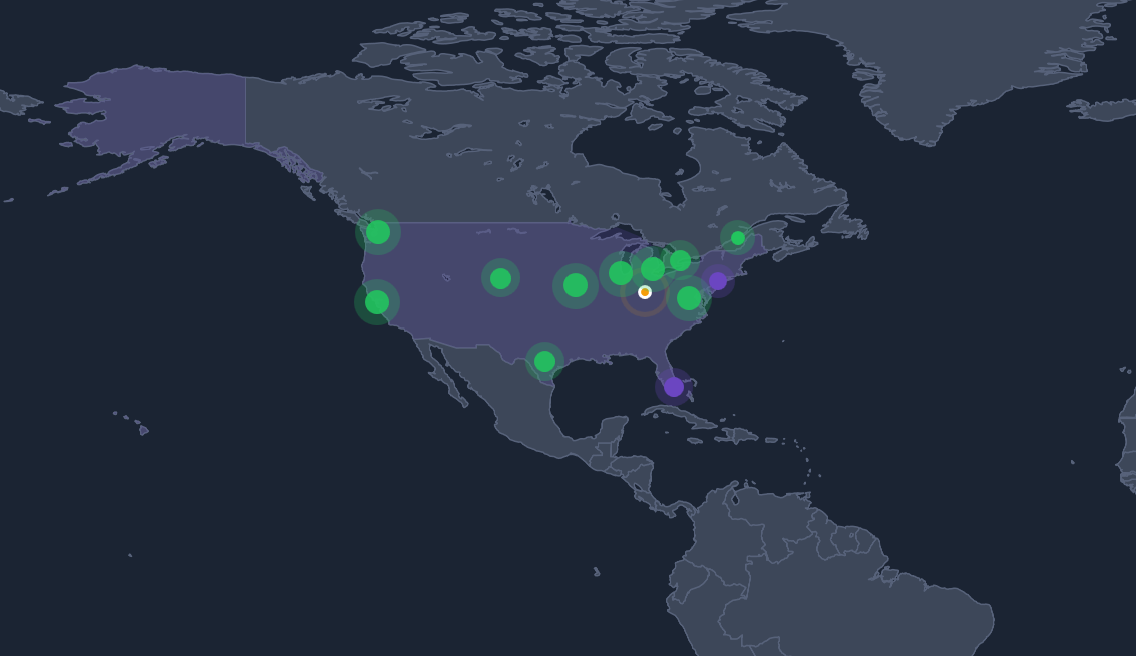
Click on a country to zoom in more detailed location information
There are improvements across the board to help you better understand where your data is traversing, including new visual indicators for the Ethernet adapter each connection is using, along with bandwidth monitoring and calculation improvements. This release also includes several bug fixes reported by the community, as well as performance improvements that make map navigation and animations smoother.
In a world where agents are increasingly living on our devices and data is being absorbed at an alarming rate, Connection Explorer exists to help you understand where your PC is connected. The first step to understanding your connections is being able to easily see them, and that's exactly what Connection Explorer helps you do; explore your connections.
If you haven't tried Connection Explorer yet, you can learn more on its app page and it's also included with the award-winning Object Desktop suite. If you have feedback, be sure to join our community, as many of the features included in this release were inspired by the conversations happening there around connections and privacy.