ObjectDock freezes for several seconds after closing a Windows 11 application

Hello,

I have recently started experiencing an issue with ObjectDock on Windows 11.

Whenever I close a program, such as Blender or any other Windows application, ObjectDock becomes unresponsive for several seconds. During that time, I cannot open the dock at the top of the screen by moving my mouse over it and making it slide down.

This is very frustrating because I sometimes click several times while waiting for the dock to respond. Then, when it suddenly opens at a seemingly random moment, one of those clicks may accidentally launch an application if the mouse pointer happens to be positioned over one of the icons.

Is there any known solution to prevent ObjectDock from temporarily freezing after closing an application?

Thank you.


947 views 9 replies
Reply #1 Top

Hello,

Sorry to hear you are having issues. Please try, uninstall ObjectDock, reboot immediately (important), download latest version available in your account product download page: https://store.stardock.com/myaccount/products. Install it, reboot immediately again. Retest it and report back.

If the issue still appear, need to know know more details.

  1. Windows 11 full version and OS Build number. Please use Winver.exe.
  2. Is this issue a new issue? Any new program installed or updated recently which might started the issue?
  3. The issue also appear after you close simple application such as Notepad or Calculator?
  4. Any other details that might help us understand it better, perhaps share a video of the issue.

Thank you,

Basj,

Stardock Community  Assistant.

Reply #2 Top

Hello,

Thank you for your reply.

I have now identified the exact cause of the issue: Dock64.exe.

Whenever I close an application, ObjectDock freezes for several seconds. However, if I open Task Manager and manually terminate Dock64.exe, the problem disappears immediately and ObjectDock becomes fully responsive again.

I have tested this several times, and the result is always the same:

  • With Dock64.exe running, ObjectDock freezes after closing an application.

  • After terminating Dock64.exe, the freezing stops completely.

  • The dock, tabs, shortcuts, custom icons and animations still appear to work normally without it.

Dock64.exe is located here:

C:\Program Files (x86)\Stardock\ObjectDock\Dock64.exe

It therefore seems that this process has trouble detecting or refreshing the closure of 64-bit applications under Windows 11.

Could you please confirm exactly what Dock64.exe is used for, and whether it is safe to permanently prevent it from starting?

Since terminating this process fixes the problem immediately, reinstalling the entire program does not seem likely to solve the underlying issue unless a newer version of Dock64.exe is included.

My ObjectDock version is:

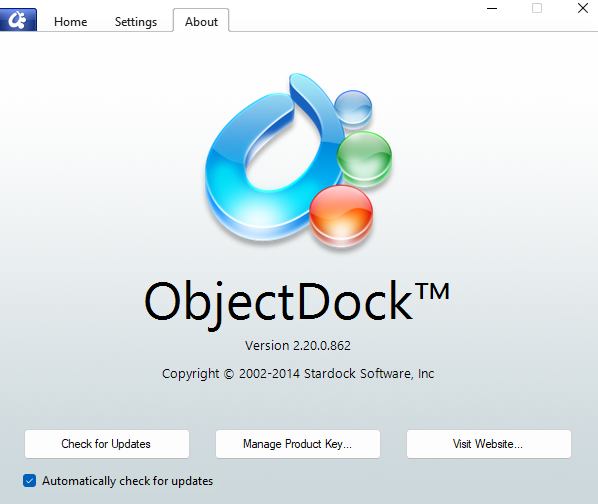
ObjectDock 2.20.0.862

Thank you.


Reply #3 Top


This Dock64.exe file is very old: according to its properties, it was created and last modified on June 19, 2014. 

It is therefore more than twelve years old, which could explain a compatibility issue with recent versions of Windows 11. ?


Reply #4 Top
Quoting basj, reply 3995072

If the issue still appear, need to know know more details.

Windows 11 full version and OS Build number. Please use Winver.exe.

End of basj's quote

Need to know this please. 

Thank you,

Basj,

Stardock Community  Assistant

Reply #5 Top

Hello,

Here are my Windows details:

Windows 11 Professional
Version 25H2
OS Build 26200.8875

I have also attached a screenshot of the Winver window.

As mentioned previously, I experienced the same Dock64.exe issue many years ago on a completely different Windows version. Disabling Dock64.exe still completely resolves the issue.

Thank you

.


Reply #6 Top

As a test, please try use your Windows 11 Sandbox and install ObjectDock in the Sandbox and see if you still see the same issue while in the Sandbox. Refer here on how to use Windows Sandbox : https://support.stardock.com/space/SHC/1416855562/Testing+Start+in+Sandbox. (This steps were written for Start11, but it should also work for ObjectDock. Try it and report back.

Thank you,

Basj,

Stardock Community  Assistant

Reply #7 Top

Unfortunately, this bug doesn't appear right away; I was able to use ObjectDock for a long time without any issues—it just happened overnight. I'm not sure what 'Dock64.exe' is for, but everything works fine without it; I renamed it 'Dock64.exe.disabled'.

Thanks anyway, and all the best.

Reply #8 Top

Hello,

Thanks for sharing the details and for letting us know that ObjectDock continues to work fine after renaming Dock64.exe. We’ll leave this thread open and review the feedback internally in the background. Your input is appreciated and helps us keep track of different scenarios.

Thank you,
