Reply #1 Top

Hello,

Sorry to hear you are having issues. Need to know few more details.

  1. You on Windows 10 or 11? Also need to know its full version and OS Build number. Use Winver.exe to get these numbers.
  2. Start11 full version number installed.
  3. Post screenshots of your issue.

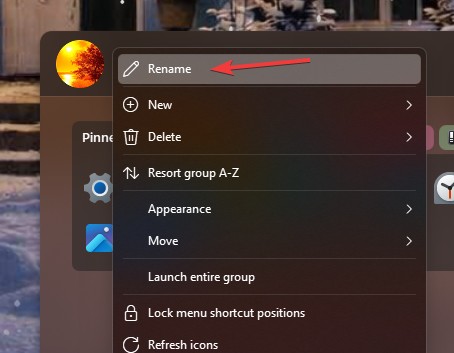
Have you tried right click on the tab and click on "Rename" refer screenshot below.

Added note: It its tabs added link to Stardock Fences, you will need to change that Fence name first, than Start11 will use that name.

Thank you,

Basj,

Stardock Community  Assistant.

Reply #3 Top

Your video need to be set to public.

Thank you,

Basj,

Stardock Community  Assistant

Reply #4 Top

Hello Basj,

How are you coming with a solution to my problem? At one point and how does it become an actual ticket with Stardock.

I only use Start11 and CursurFX from Stardock.

Reply #5 Top

I was only able to review your video today, as we hadn’t been informed that it was made public. If we had known earlier, I could have responded sooner.

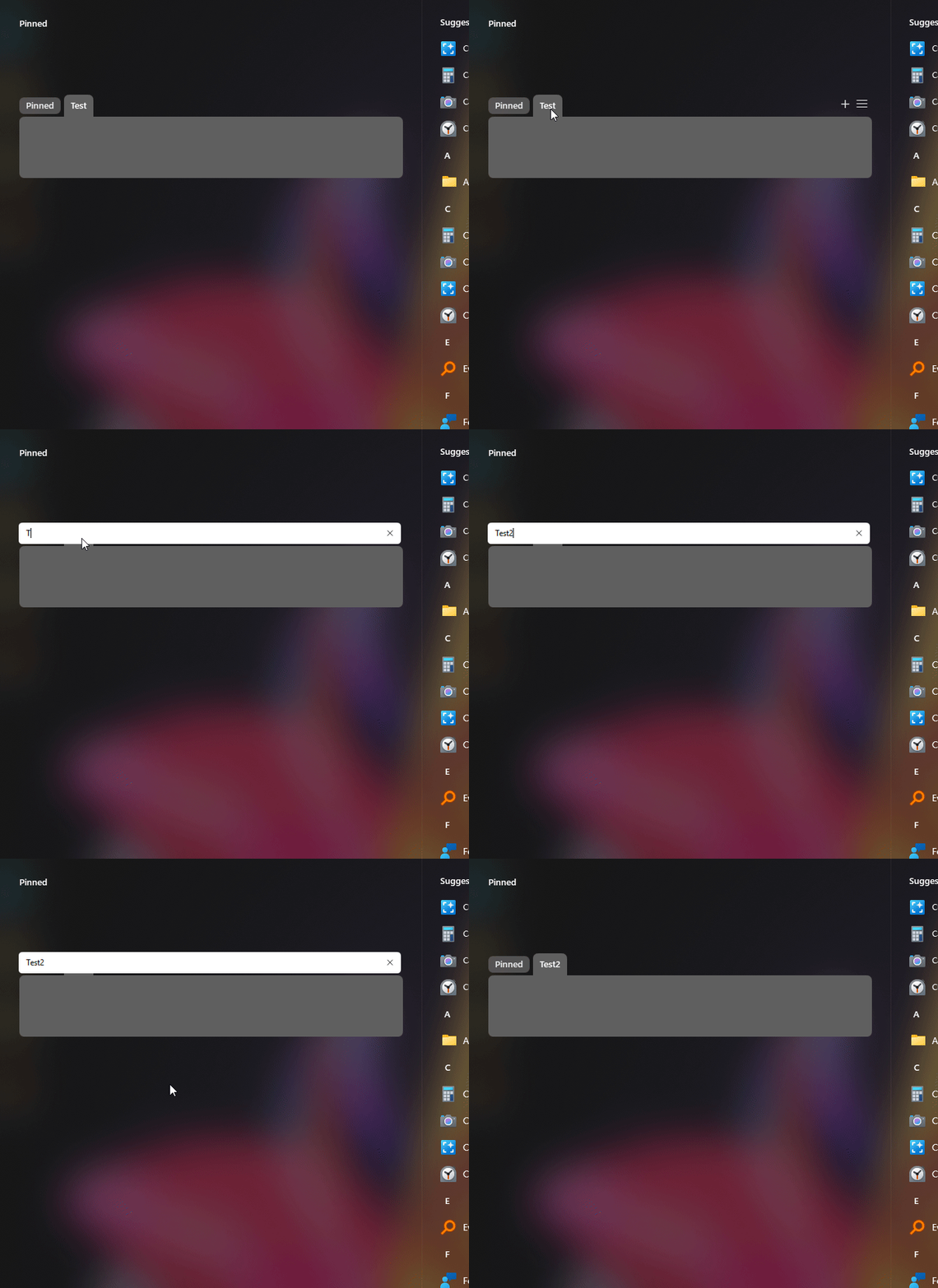
From your video, it looking like somethings is blocking Start11from working properly. Here is what I get when I try to rename a tab.

Moving forward, First, to make sure Start11 get install properly, would like to suggest to try, uninstall Start11, reboot immediately (important), download latest version available in your account product download page: https://store.stardock.com/myaccount/products. Install it, reboot immediately again. Retest it and report back.

Thank you,

Basj,

Stardock Community  Assistant

Reply #6 Top

Thanks for getting back to me.

I followed the instructions, uninstalled, rebooted, downloaded current version, installed it, and rebooted. Still did not resolve the problem.

Reply #7 Top

Please do a Sandbox test and see if the issue also appear while in Sandbox environment: Use this guide for Sandbox Test: https://support.stardock.com/space/SHC/1416855562/Testing+Start+in+Sandbox. Try it and report back.

Thank you,

Basj,

Stardock Community  Assistant 

Reply #8 Top

Windows Sandbox is not available on on my computer. I checked with Copilot and Sandbox is not available  Windows 11 Home versions.

Reply #10 Top

I was able to to create a Sandbox with VMware. 

I installed Start 11 in the virtual machine and it ran fine. I was able to rename folders, delete, etc. What do we do now?

I was able to restore my Start11 settings from my actual computer. Then I made the changes I needed in the virtual machine. Then I backed them up and restored them to my computer.

I know can use this work around, but I am looking for a permeant solution. 

Reply #11 Top

Perhaps, the Clean boot steps could help. Its either your Windows admin account get corrupted, it can be identify by creating a new admin account as mentioned in the Cleanboot steps. Or there is a running software that blocking Start11 from working properly. Which should/could be iron out on the second part of the cleanboot.

Thank you,

Basj,

Stardock Community  Assistant